X5NHYHRTL47LCZJY
Introduction
The My Stocks tab gives a user a view of all the stocks under NGRs in which they are a shareholder. Any stock that is kept in a location owned by a subscribed user is visible. Alternatively, if the viewing party is a subscriber, they can view stock at both subscriber and non-subscriber sites.
How to Navigate My Stock in Stocks Module
- Log in to AgriChain using your credentials.
- Navigate to the Stock module from the left-hand side menu (tip: click "pin" icon in bottom left of screen to expand module names).
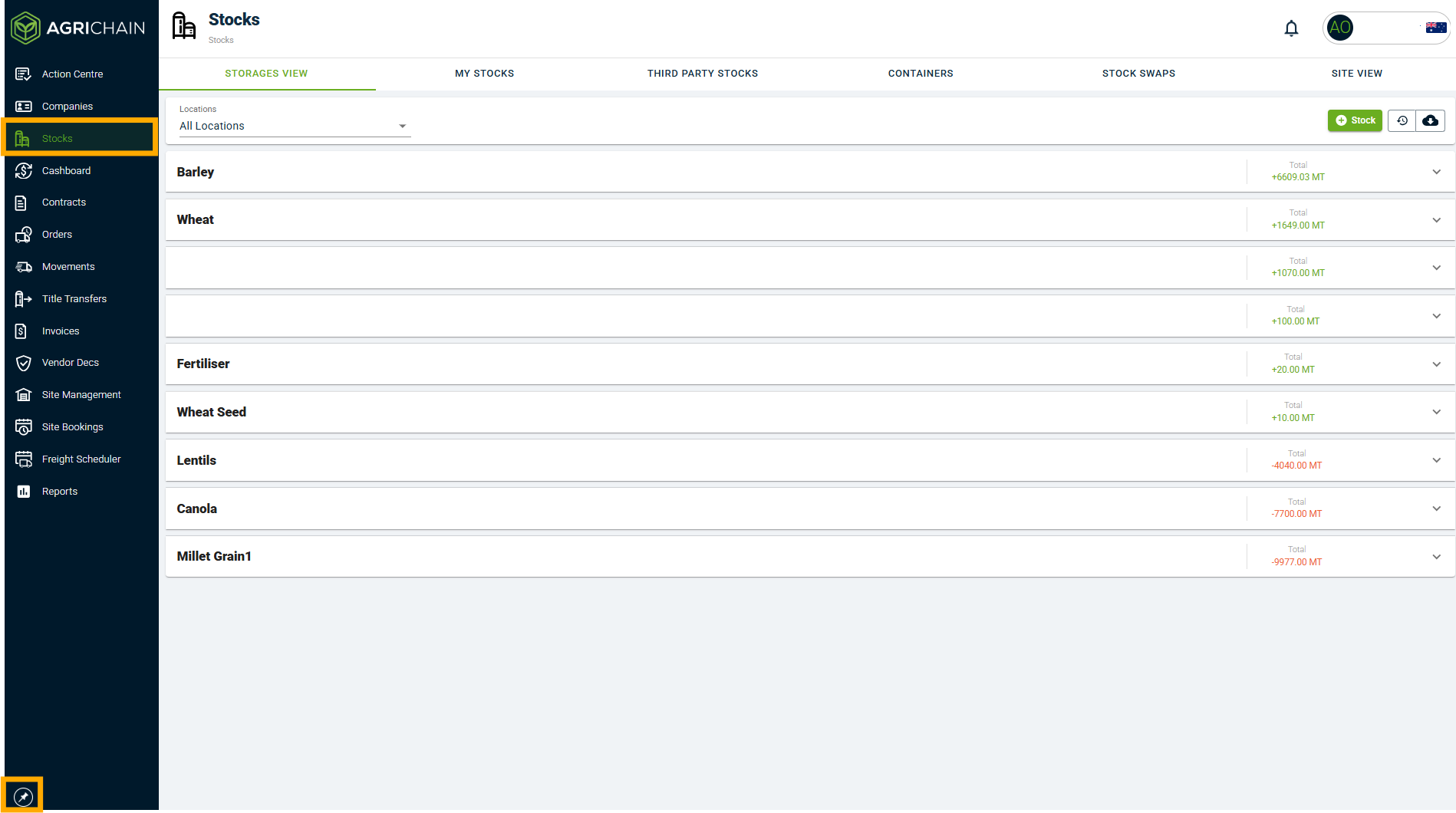
- Select the My Stocks tab to see all the grains under your ownership. Apply filters as desired to narrow search.
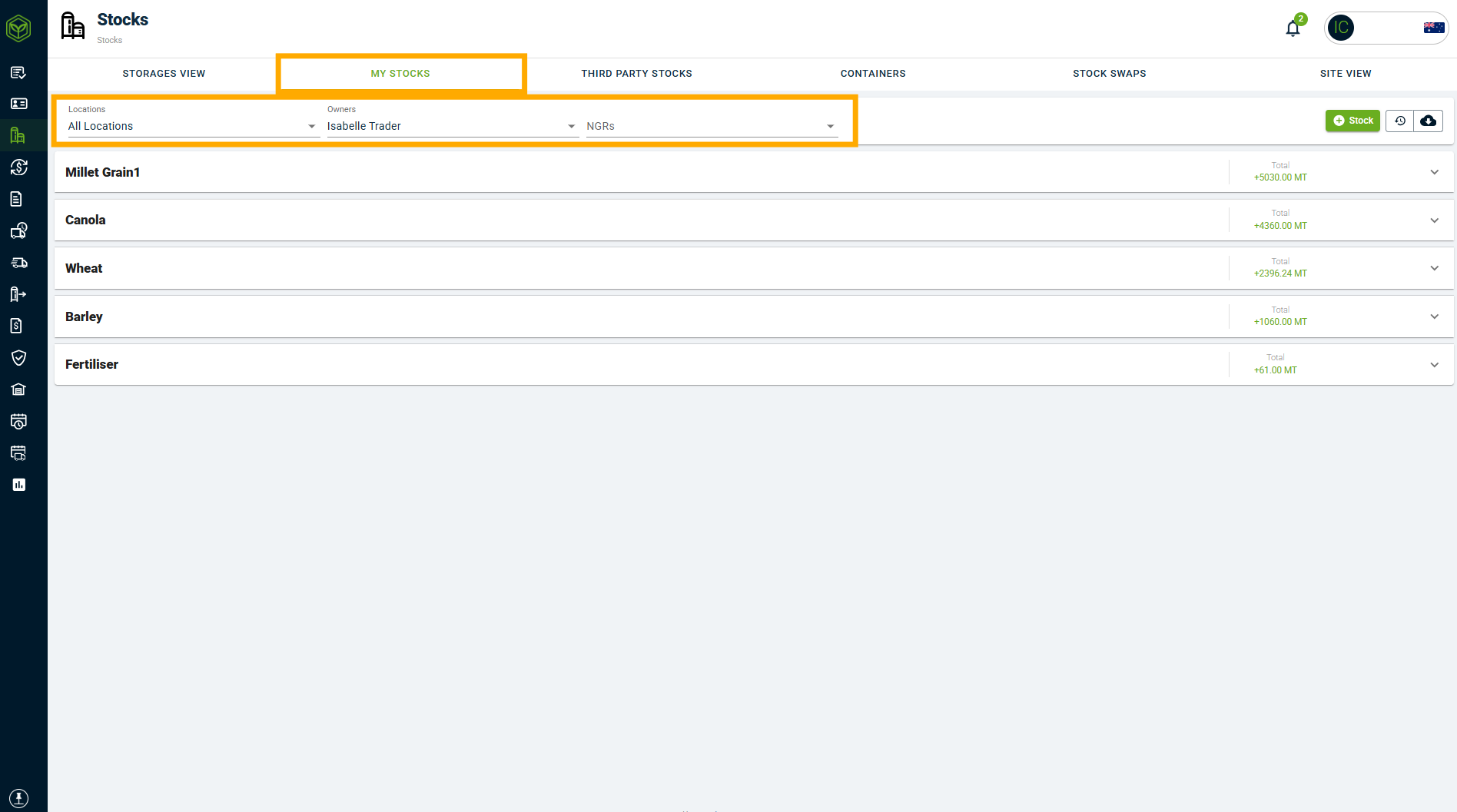
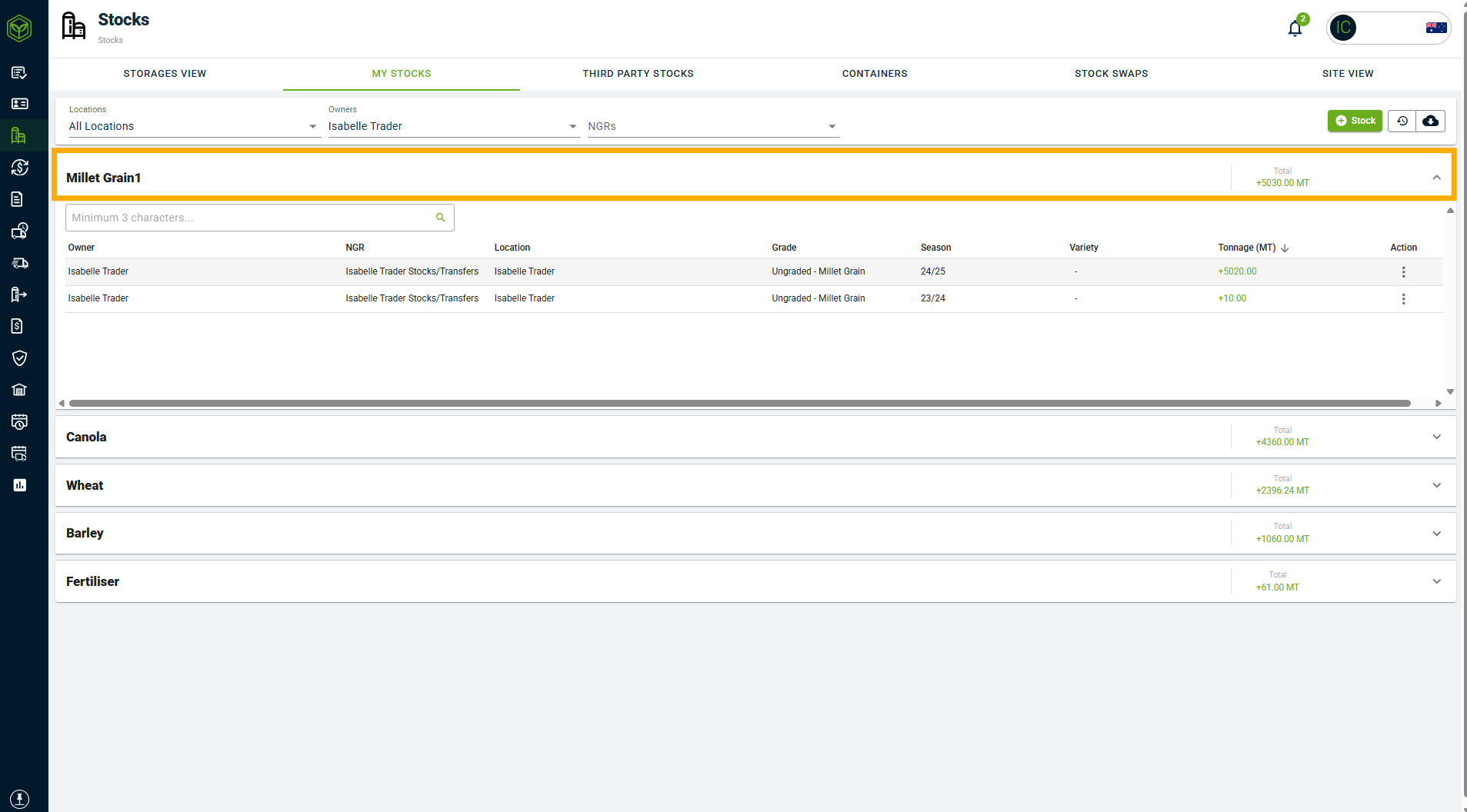
- In the My Stocks tab, you will be able to see your stock divided into groups of different NGRs, locations, commodities, and grade combinations (vs the storage view, where multiple grades are clubbed together).
How to See my Stock Loads
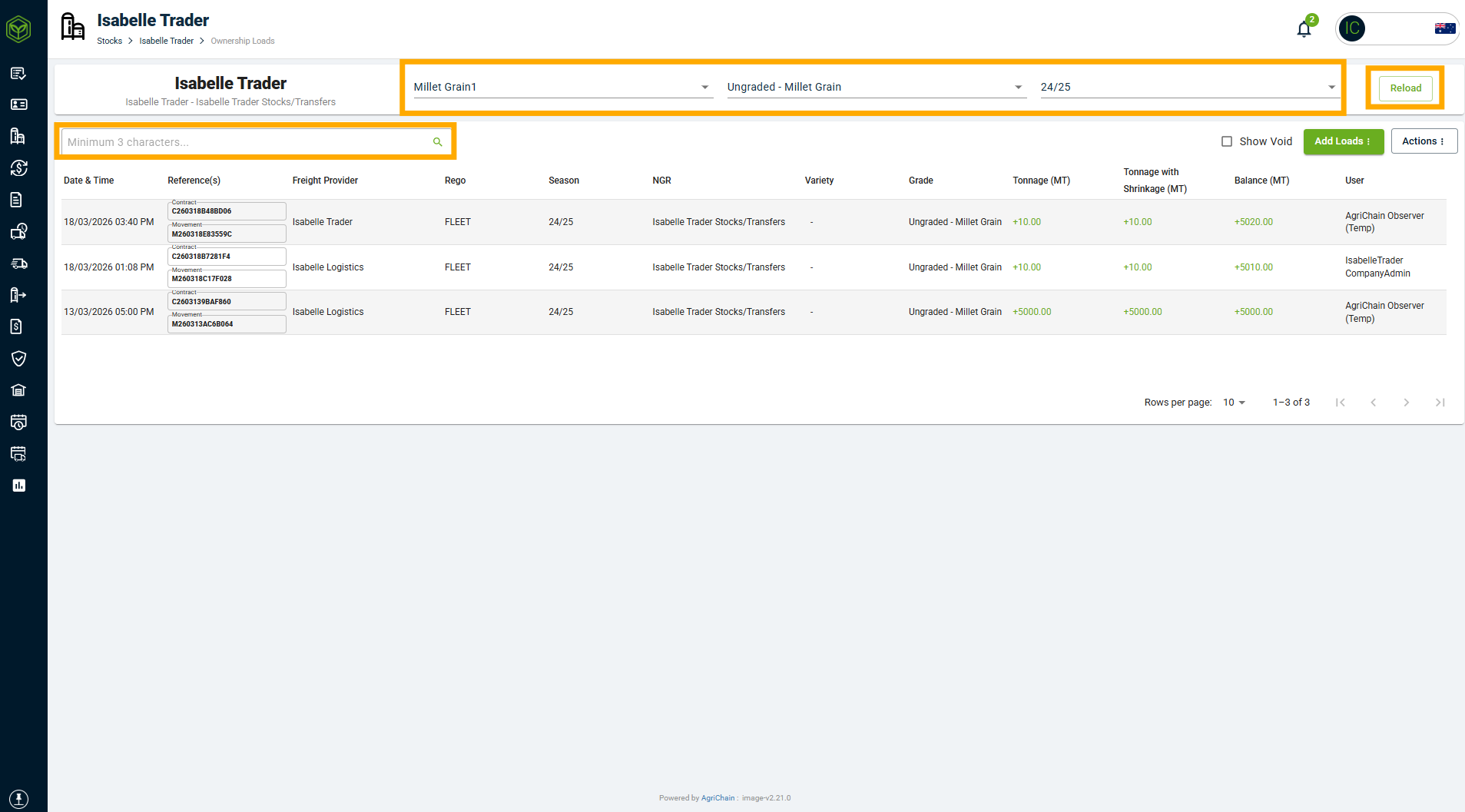
To see all your loads, please expand the commodity and click into any line item.
- Loads: Similar to the storage view, this will show users a load-by-load history for each NGR/Location combination. You may use the search bar to narrow your search, or apply filters. If applying filters, click "Reload" to ensure filters are applied.
How to Download My Stocks Reports
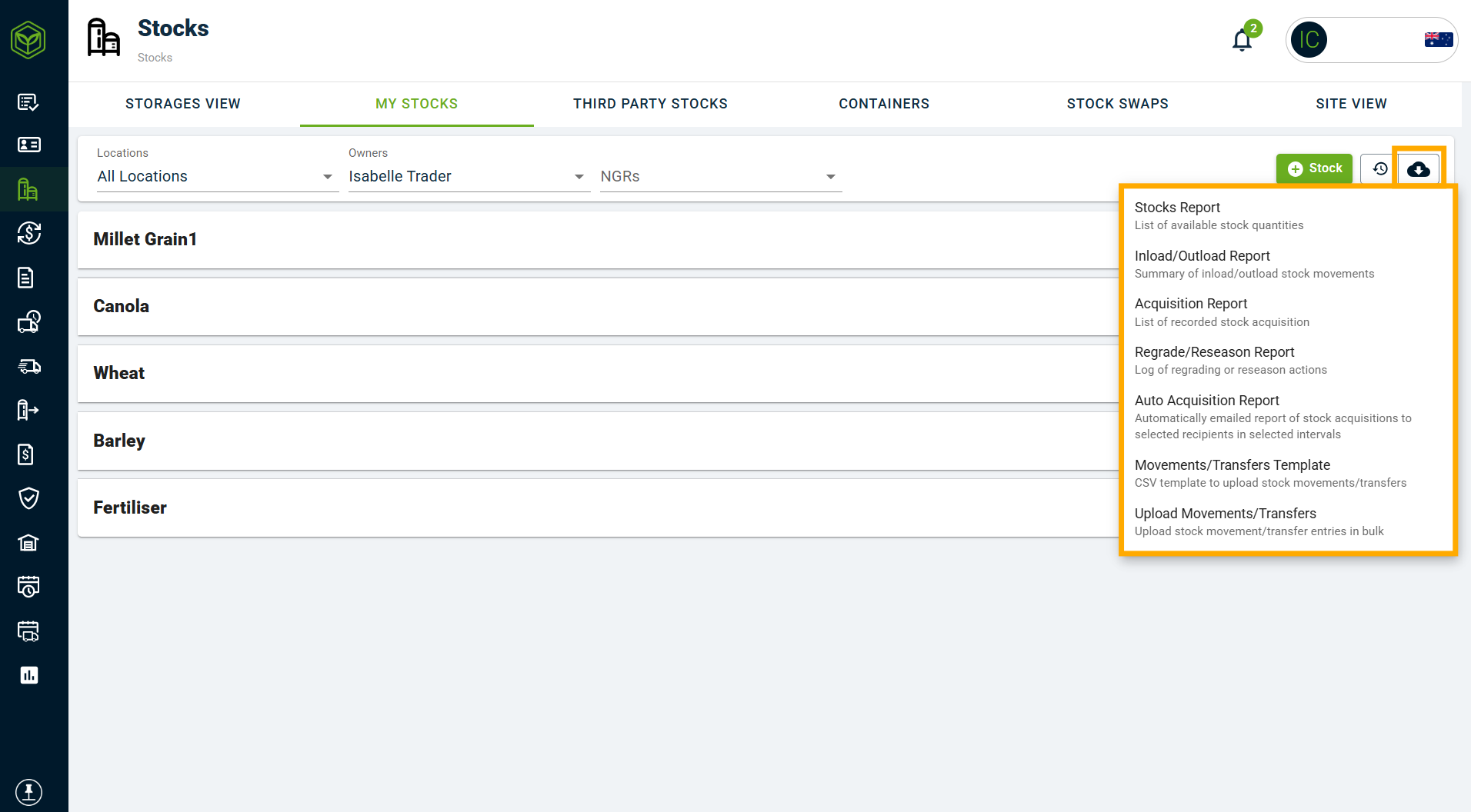
In the 'My Stock' tab, you may download several reports, including the Acquisition Report, to see your grain ownership.
- To generate a report, please click the download icon in the top right of your screen. Select the relevant report. To learn more about these report types, and specifically the Stock Acquisition report, refer to the Related Articles section below.
Related Articles
Was this article helpful?
That’s Great!
Thank you for your feedback
Sorry! We couldn't be helpful
Thank you for your feedback
Feedback sent
We appreciate your effort and will try to fix the article