Introduction
Forgetting or losing a password is not uncommon, and AgriChain provides convenient methods for resetting and updating passwords. This guide outlines two effective methods to assist another employee in resetting their password.
Method 1: Company Admin Reset
Only employees with the role of Company Admin can perform this action.
- Log in as the company administrator.
- Click on your Profile Bubble with your initials in the top-right corner, select "Employees" from drop down menu.
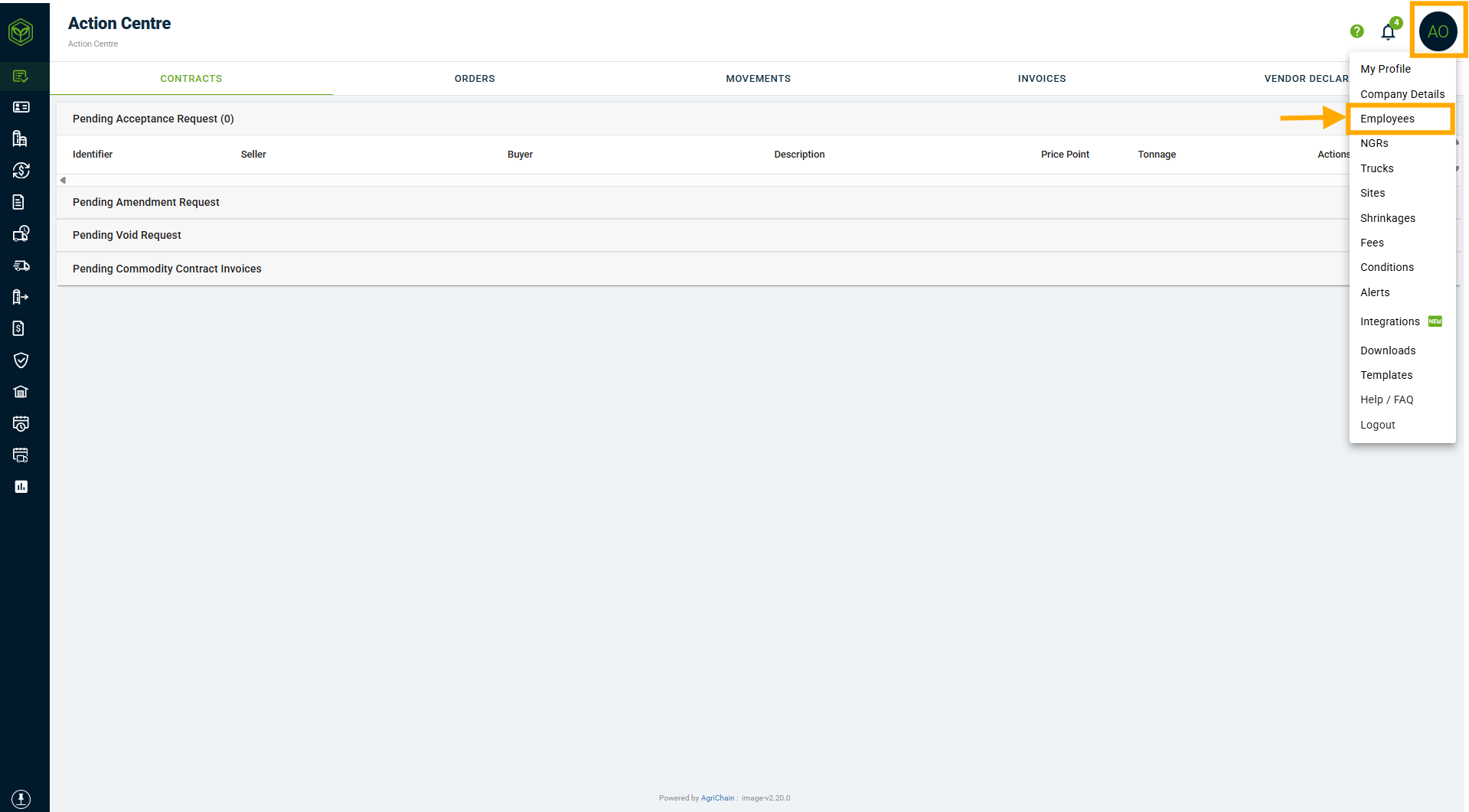
- You will be directed to a page displaying all company employee details.
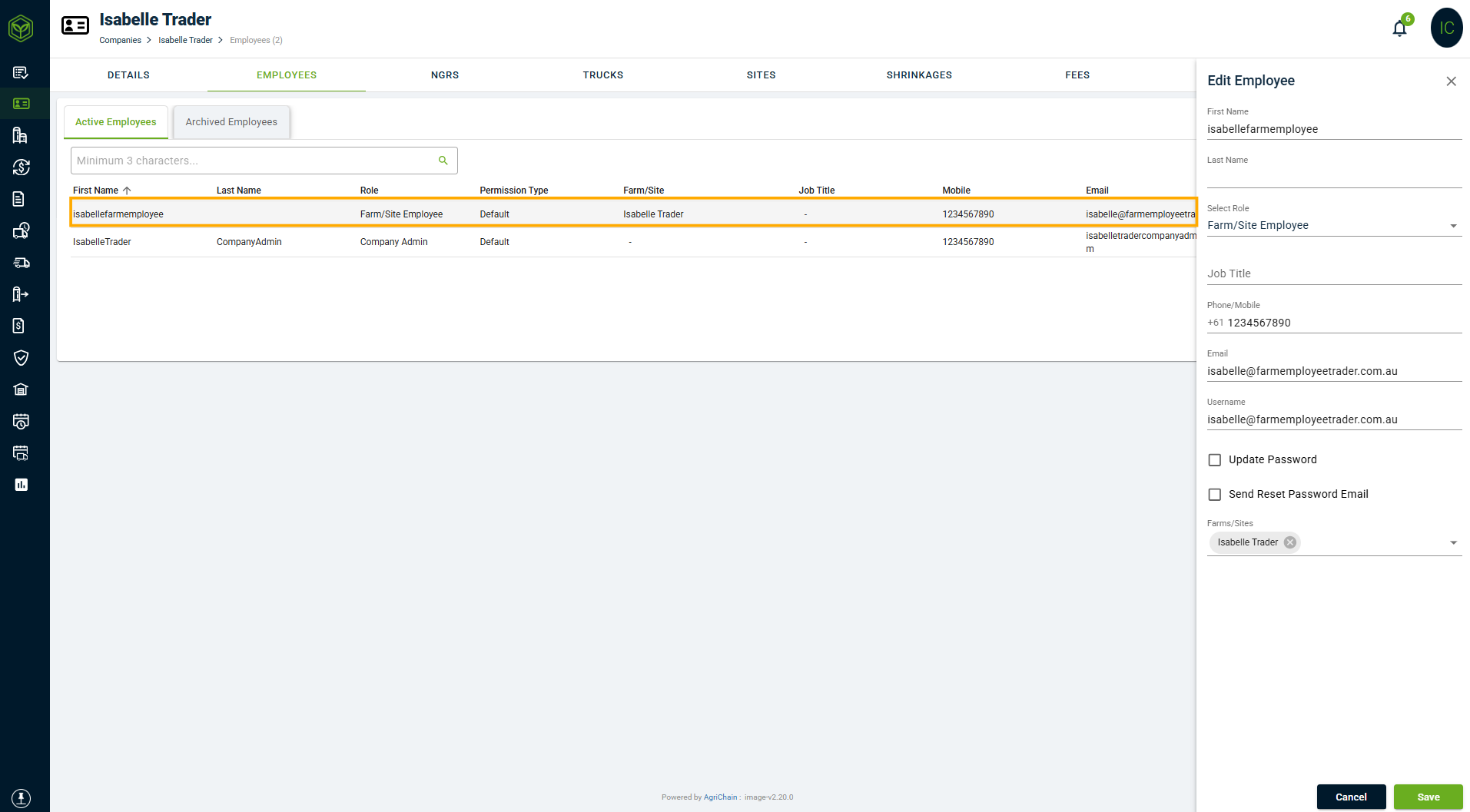
- Search and click on the employee requiring a password reset. A window titled "Edit Employee" will appear on the right.
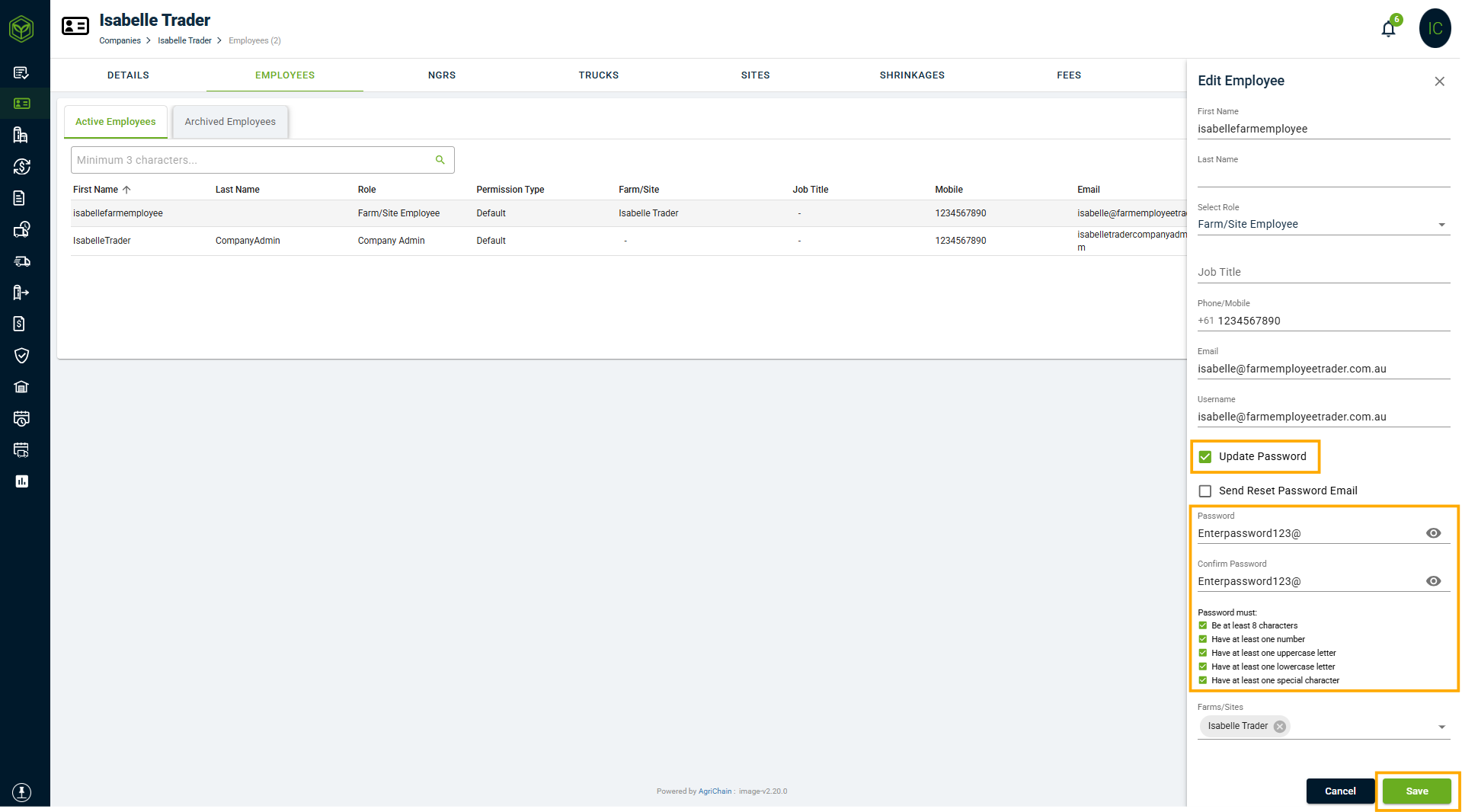
- Tick "Update Password" at the bottom of the window. Input and confirm the new password and click "Save". Communicate the new password personally to the employee.
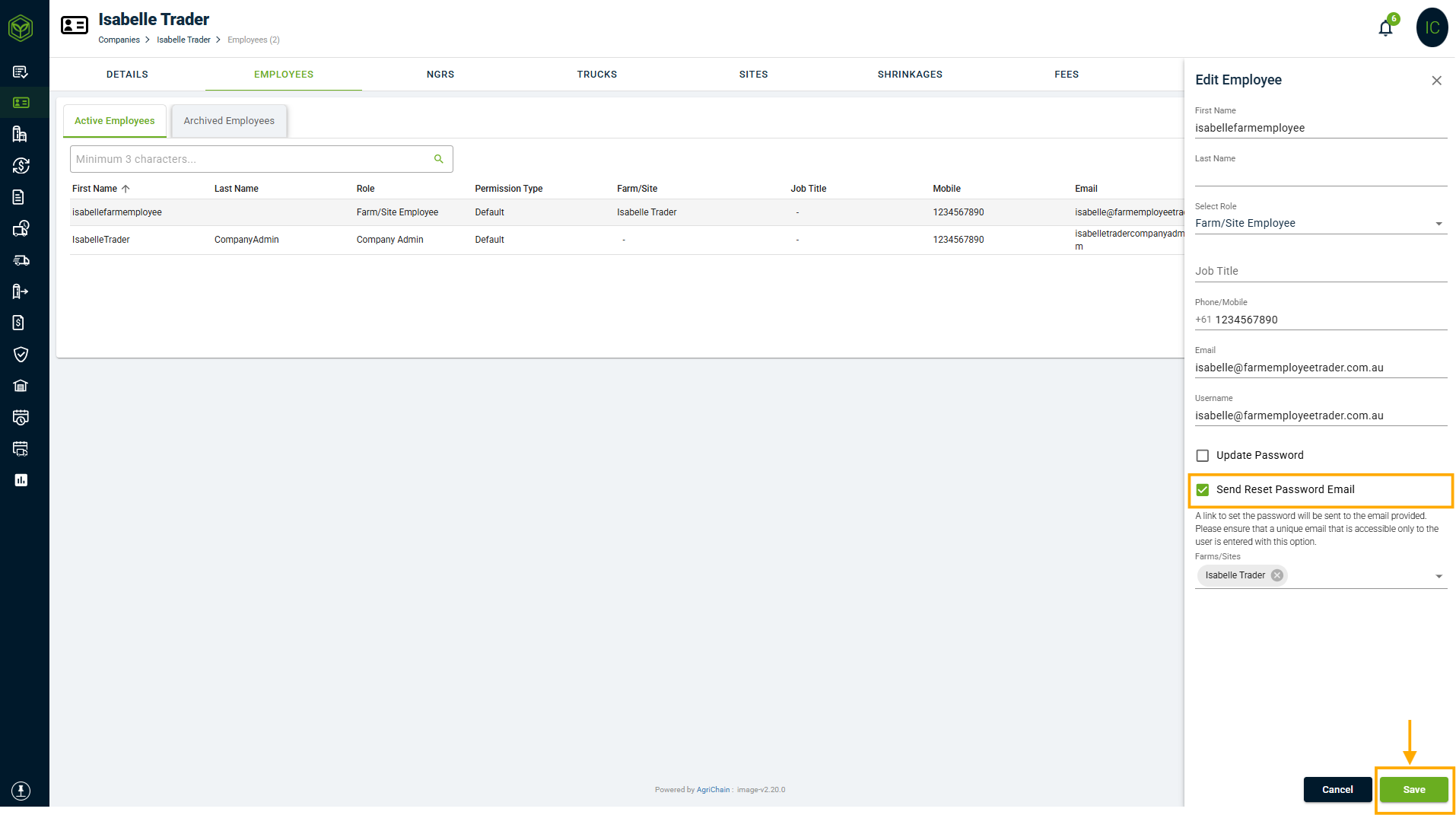
- Alternatively, Tick "Send Reset Password Email" at the bottom of the window and click "Save". A password reset email will be sent to the nominated employee's email.
Result: The employee's password is now successfully reset and updated.
Method 2: Using "Forgot Password" Button
Refer to this article: How to reset your password on AgriChain
1. Visit the AgriChain login page.
2. Click on the "Forgot Password" link.
3. Enter the username associated with the account.
4. Follow the prompts to reset the password as per the article.
Result: The system will guide you through the password reset process using the "Forgot Password" feature.
FAQs
Can any employee reset passwords?
No, only employees with the role of company administrator have the authority to reset passwords.
What should I do if the company admin forgets their password?
For security reasons, we highly encourage using the 'Forgot Password' option on the login page.
Is there a specific password format to follow?
Password requirements are typically defined by the company's security policies.
How often should passwords be updated?
It's advisable to follow company policies on password updates for security purposes.
Is there a password recovery option?
Yes, Method 2 involves using the 'Forgot Password' feature on the login page.
Ensuring secure access to AgriChain accounts, these methods provide a systematic approach to password management, prioritizing data privacy and security.
Was this article helpful?
That’s Great!
Thank you for your feedback
Sorry! We couldn't be helpful
Thank you for your feedback
Feedback sent
We appreciate your effort and will try to fix the article