Introduction
Forgetting your password can be frustrating, but on AgriChain, resetting it is a simple process.
Note: If your Username isn't working, please double check your Username from the email we sent you when you first registered on our system. Usernames are case-sensitive and space-sensitive so it is very important to enter it exactly as it's written.How to reset your password on AgriChain
1. Navigate to the AgriChain web application login page using your preferred web browser.
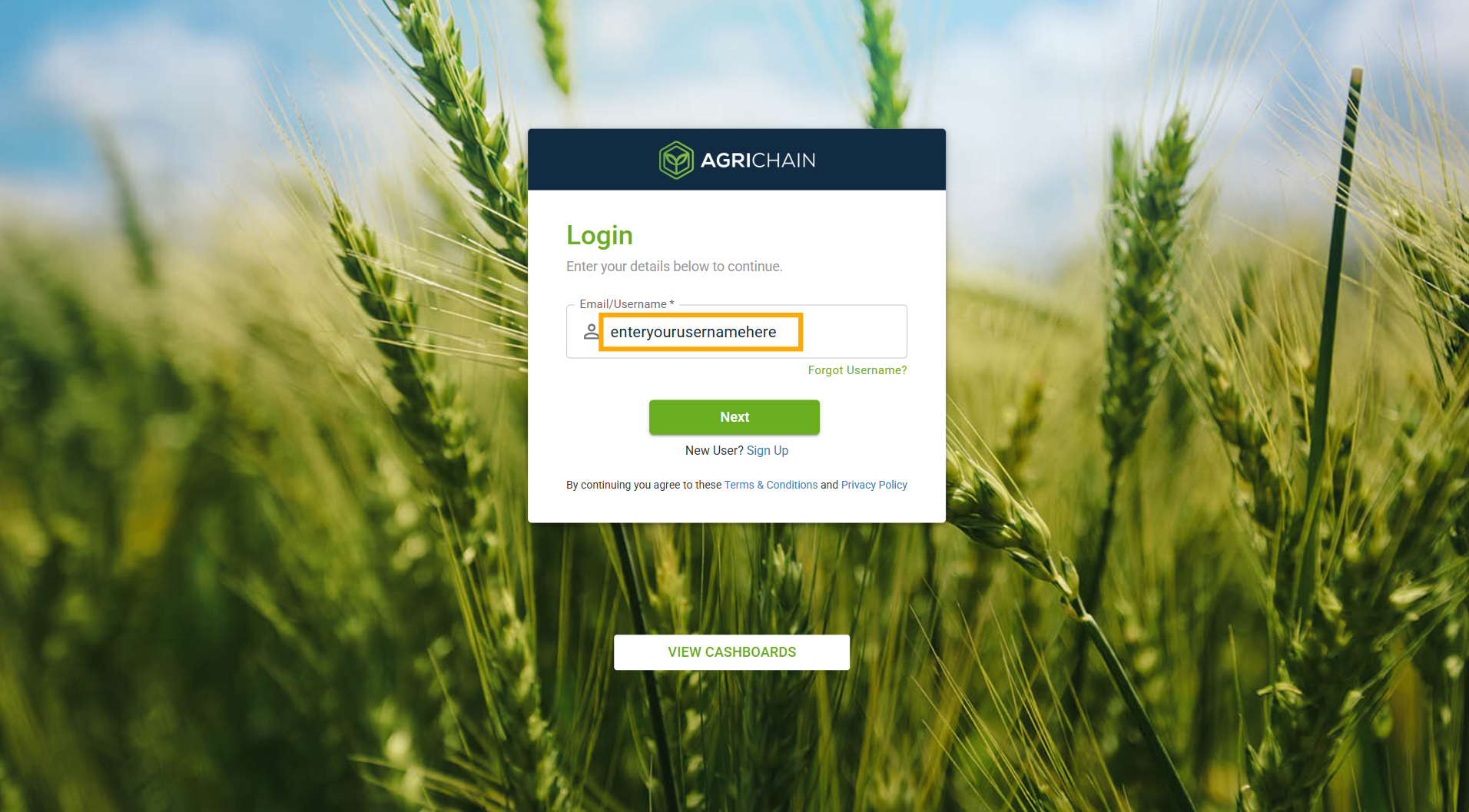
2. On the login page, enter your Username. If you don't remember your username, please refer to this article on how to retrieve your username: [How to retrieve your username].
3. Click on "Forgot Password". 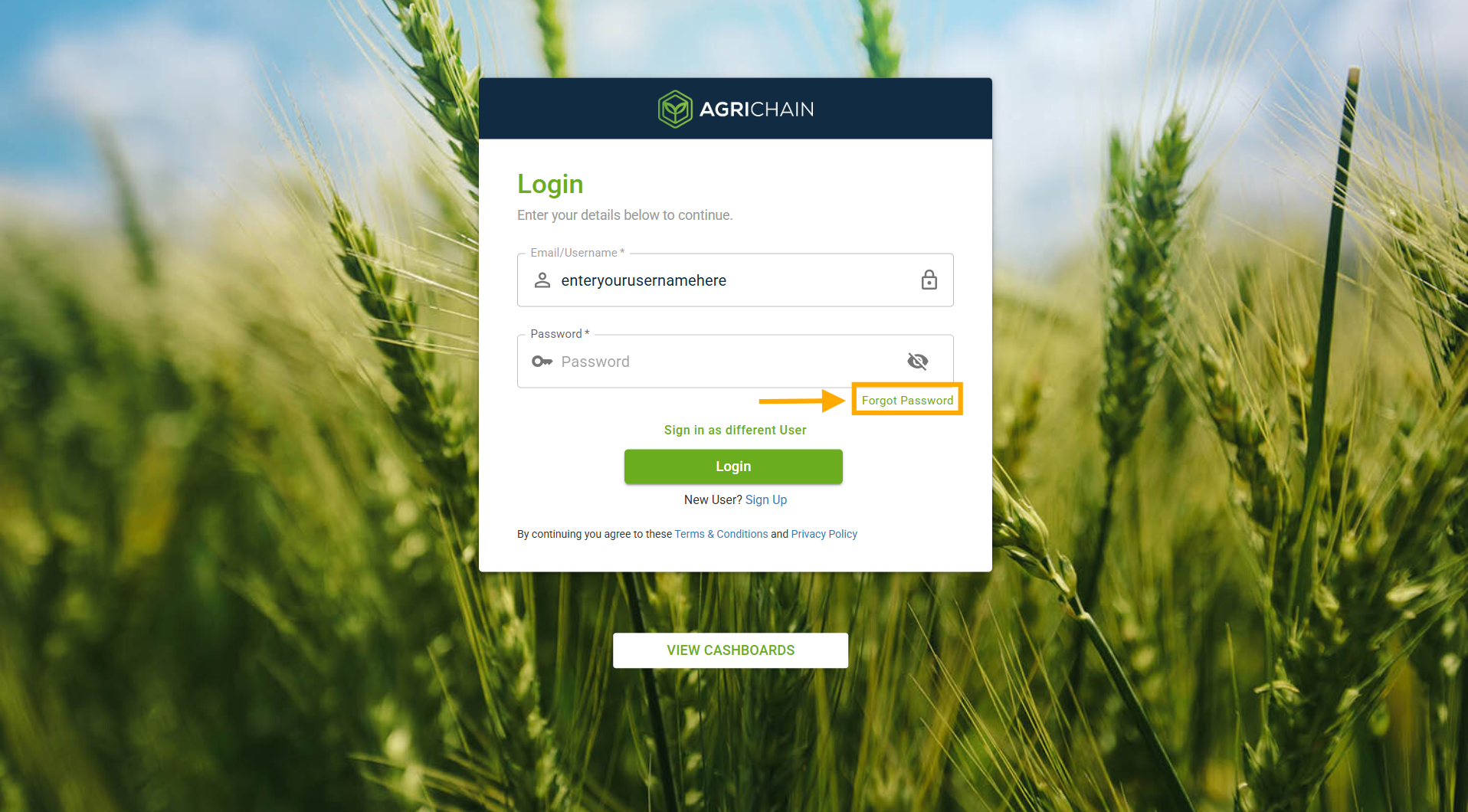
4. Enter your username again and click on the "Reset Password" button to initiate the password reset process.
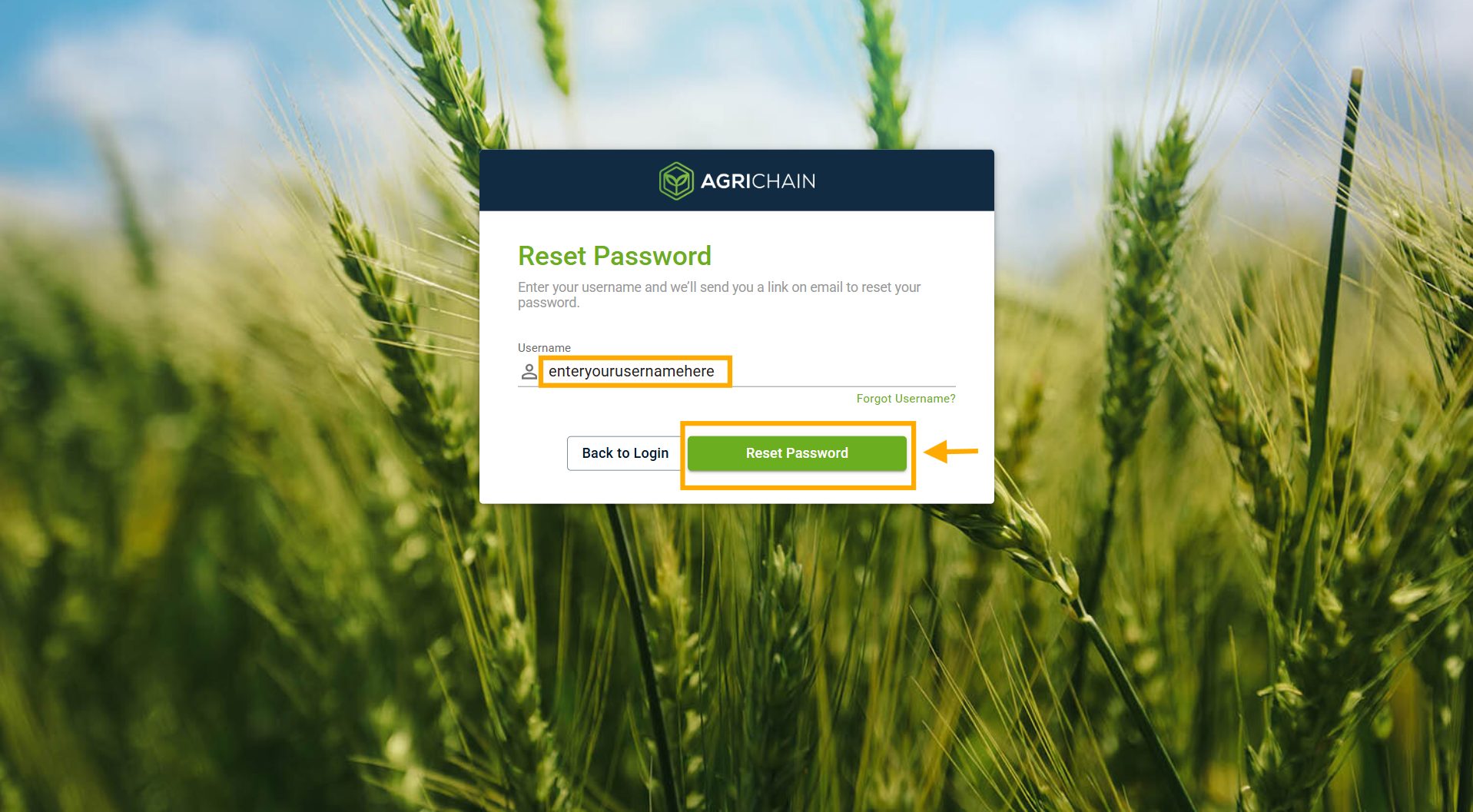
5. AgriChain will send an email to your nominated email address with instructions and a link to reset your password.
6. Open the email from AgriChain and click on the provided link to reset your password. This will direct you to a secure page where you can create a new password.
7. Follow the prompts to set a new password for your AgriChain account. Ensure your new password meets the platform's security requirements.
Important Notes
- Please treat your password as confidential, there is never a need to share it and AgriChain will never ask you for yours.
- Updating your password is crucial for account security. Choose a strong password that includes a minimum of eight characters and incorporates a combination of uppercase and lowercase letters, numbers, and special characters.
- AgriChain recommends using special characters such as (!, @, #, $, %, ^, &, *) to enhance password complexity and resilience against unauthorized access.
Was this article helpful?
That’s Great!
Thank you for your feedback
Sorry! We couldn't be helpful
Thank you for your feedback
Feedback sent
We appreciate your effort and will try to fix the article