Introduction
The AgriChain system uses a unique username login system that may or may not be the user's email address. Therefore, you may need to retrieve your username at times. Please follow the guide below to retrieve your username.
How to retrieve username:
1. Navigate to AgriChain Platform and Click on "Forgot Username?"

2. Enter the relevant company ABN or NGR

3. Enter your registered Email Address and click on Next
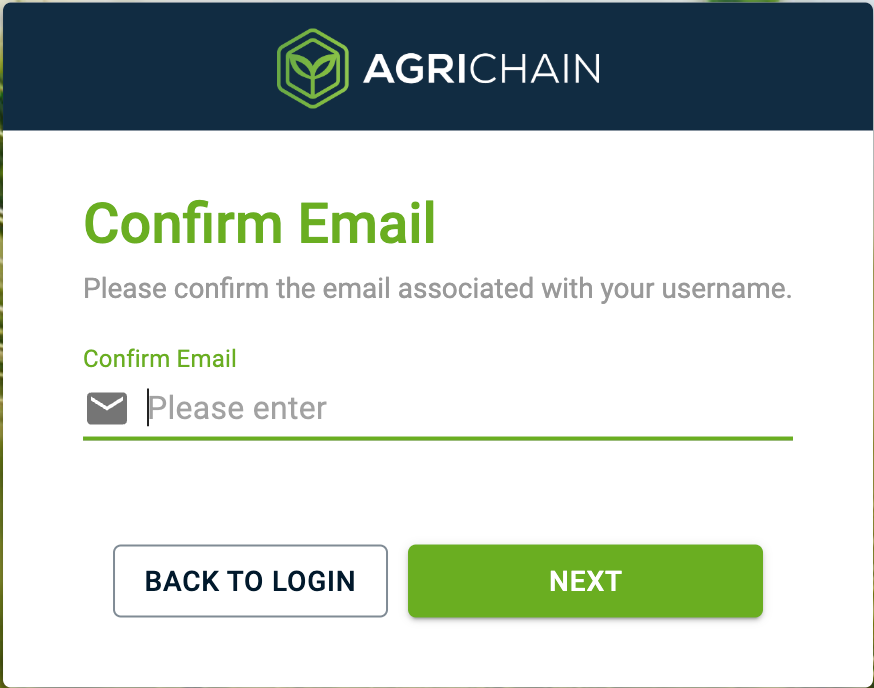
4. You will be receiving a system-generated email that contains your username and password a link to reset your password once you have confirmed your registered email address.
Was this article helpful?
That’s Great!
Thank you for your feedback
Sorry! We couldn't be helpful
Thank you for your feedback
Feedback sent
We appreciate your effort and will try to fix the article