Introduction
Companies (including your own) may have multiple pickup and delivery sites located throughout one or more states/territories. It is important to record all sites operated by a company, as this allows the AgriChain system to identify pickup and delivery sites for freight orders and freight movements.
How to add or edit Sites/Farms
How to edit another Company's Sites:
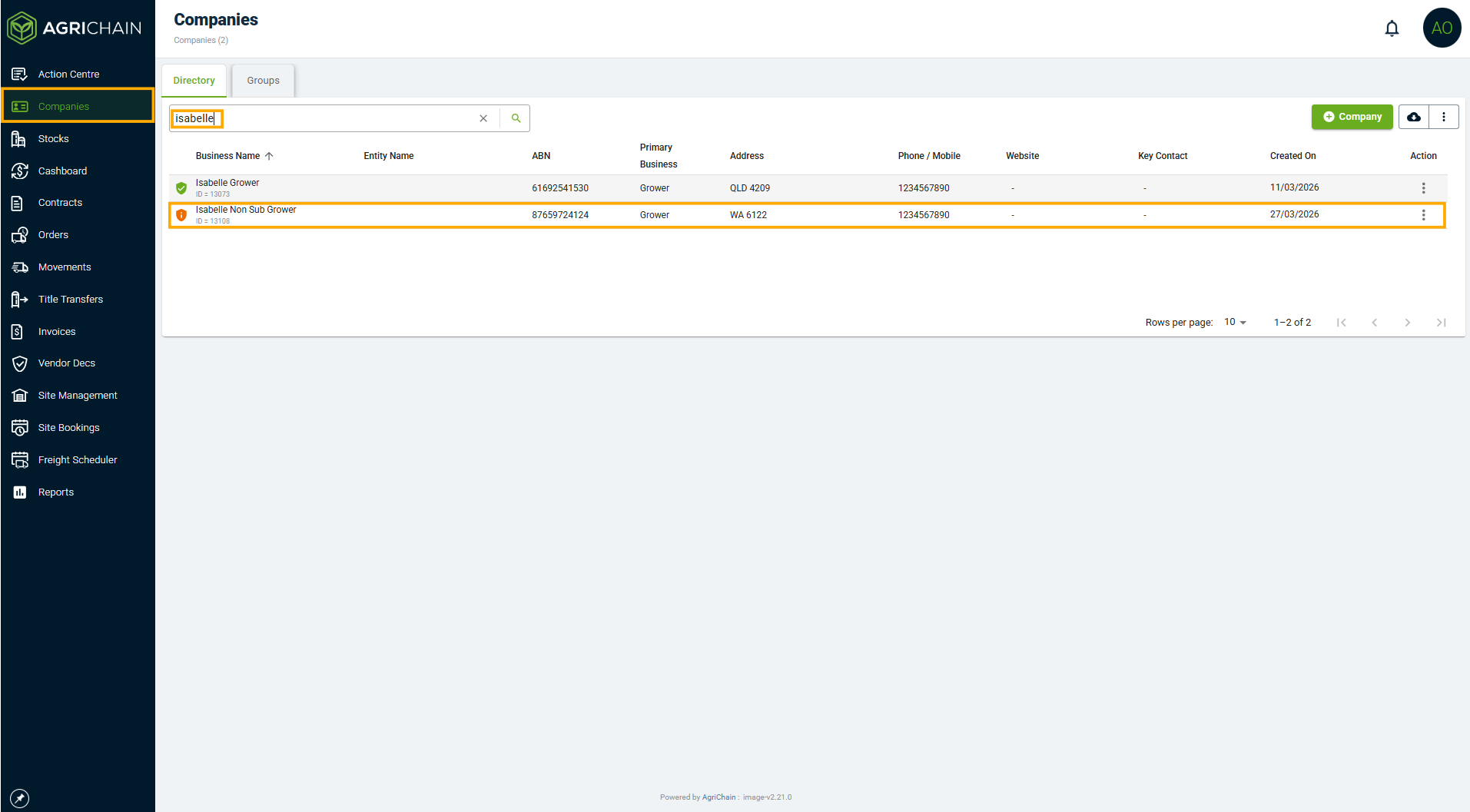
- Click on "Companies" in the left navigation bar. You will then be brought to your company's directory. Find and click on the company in the directory you want to edit.
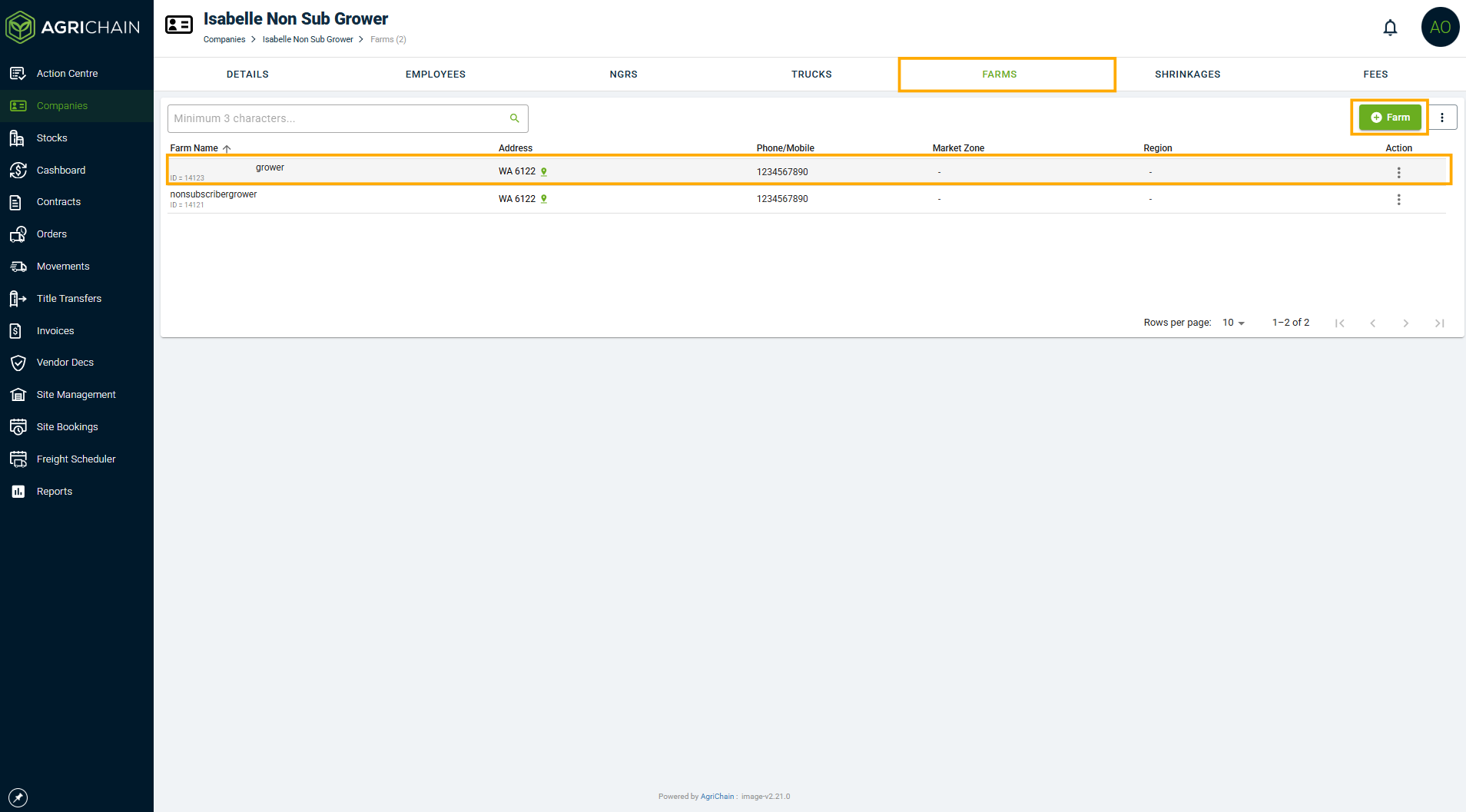
- Along the top of the page, you will see a number of tabs that will show the various details and settings for the company. Click on the "Sites" tab. To add a site, click the "+Site" button in the top-right of the screen. To edit an existing site, find the site in the list and click on it.
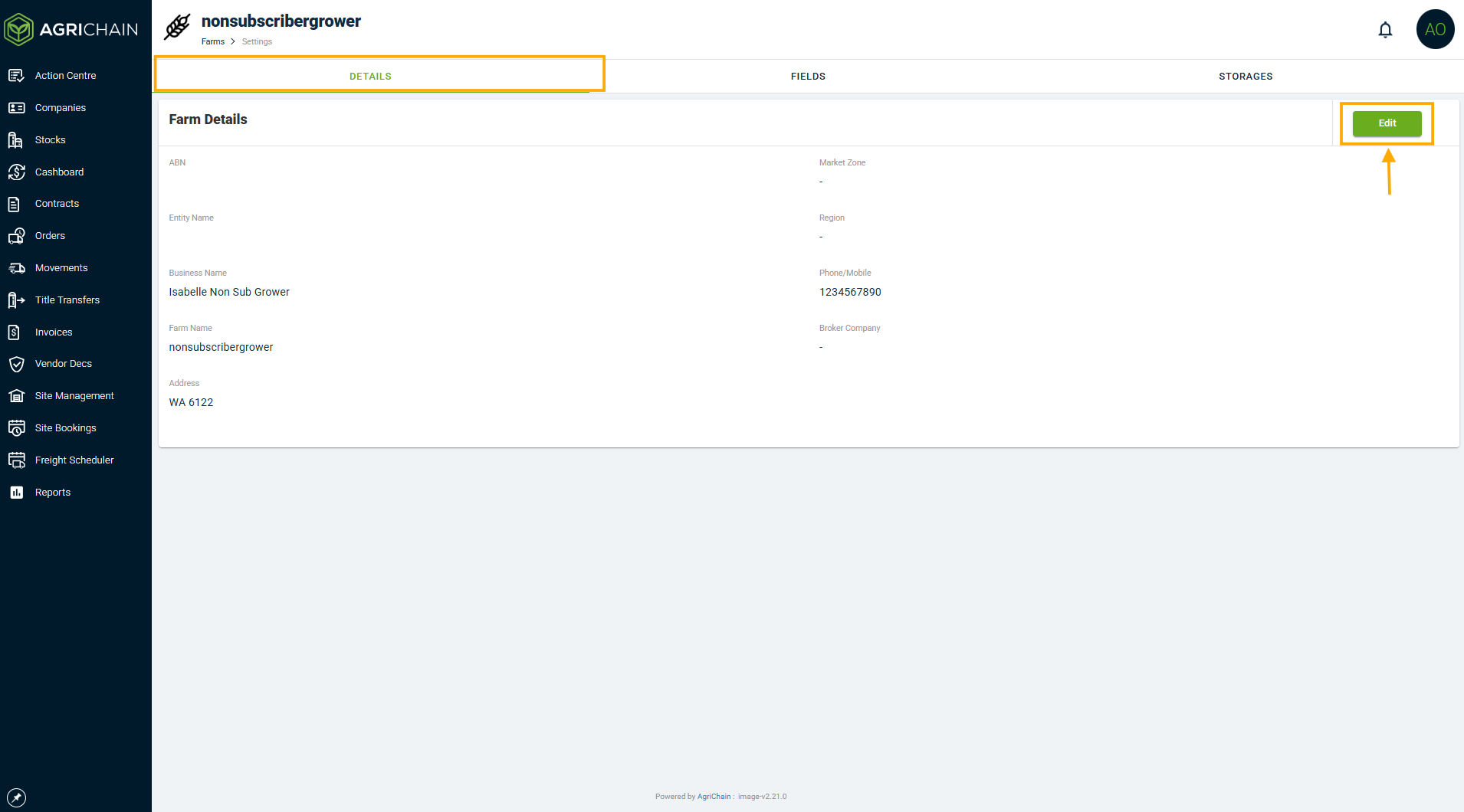
- For each site, you will be able to define the:
- Name: used to identify the site
- Address: the address of the site (this field is verified through Google)
- Location: used to refine GPS location tracking for freight movements, allowing you to pinpoint the exact location trucks should navigate to (ie. a specific entrance or loading dock)
- Market zone: To learn more about the market zone, please refer here: [Market Zone]
- Region: To learn more about the Region, please refer here [Region]
- Phone/mobile: the primary phone number for the site
- Email: the primary email address for the site (if applicable)
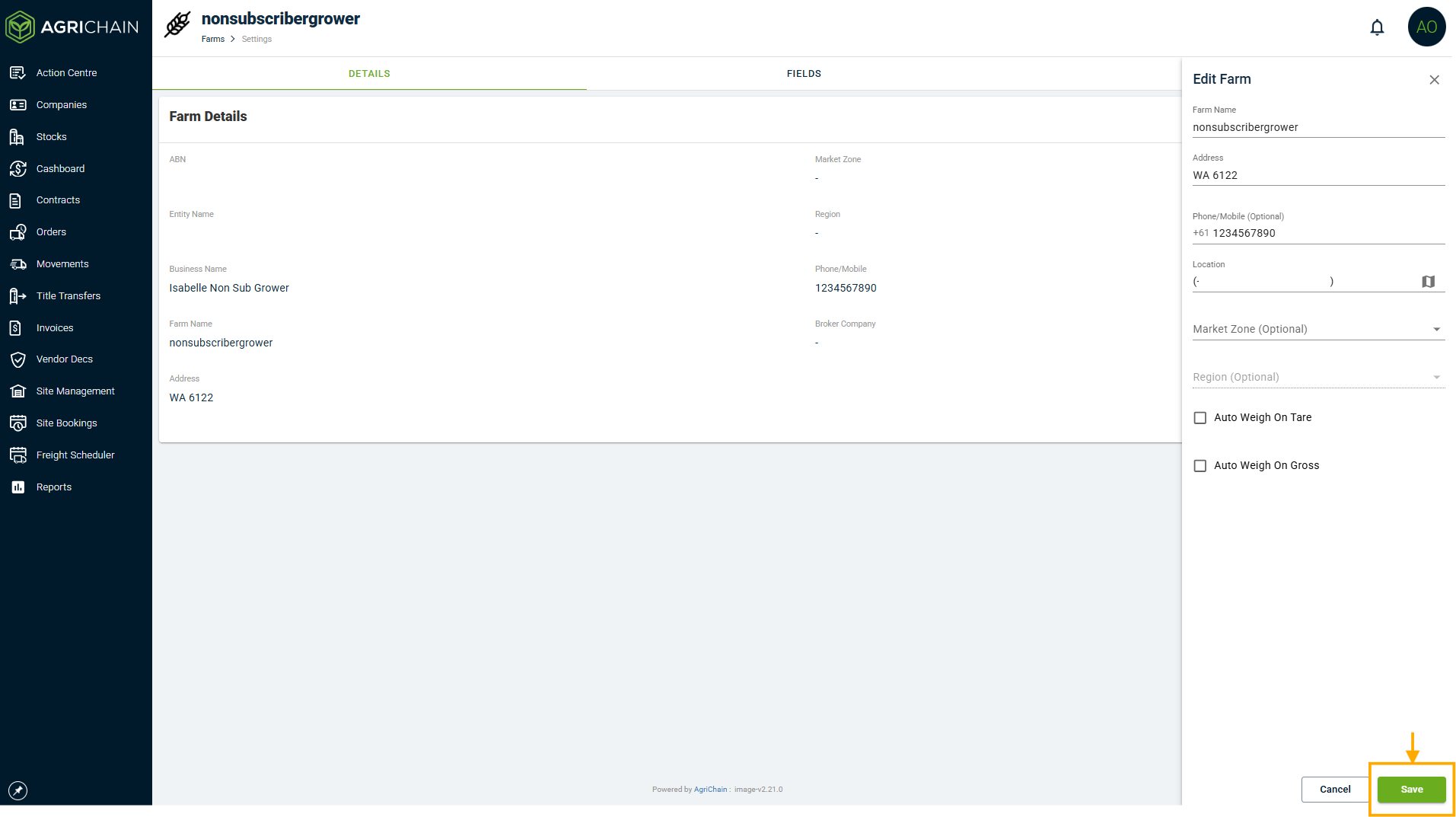
- Once you have finished adding or editing the site, click the "Save" button at the bottom of the form.
How to edit your Company's Sites:
Your sites can be managed from within your company's details. Once in the company details, please start from step 4 as per the above instructions.
Important: Please ensure that the location (i.e., the GPS coordinates) of the site/farm is accurate so that truck drivers can view the correct location on our mobile app when picking up or delivering. Furthermore, the system displays the calculated distance in kilometres on the movement details page. Levy will also be impacted, as it uses a rate that includes the distance travelled for deliveries to non-BHC sites in AgriChain.How to map location for a Site
- Click on the Site location Map symbol.
- Please type the address into the Address field, and then copy and paste the same address into the search bar on the map. This will automatically relocate the pin to a nearby location based on the entered address.
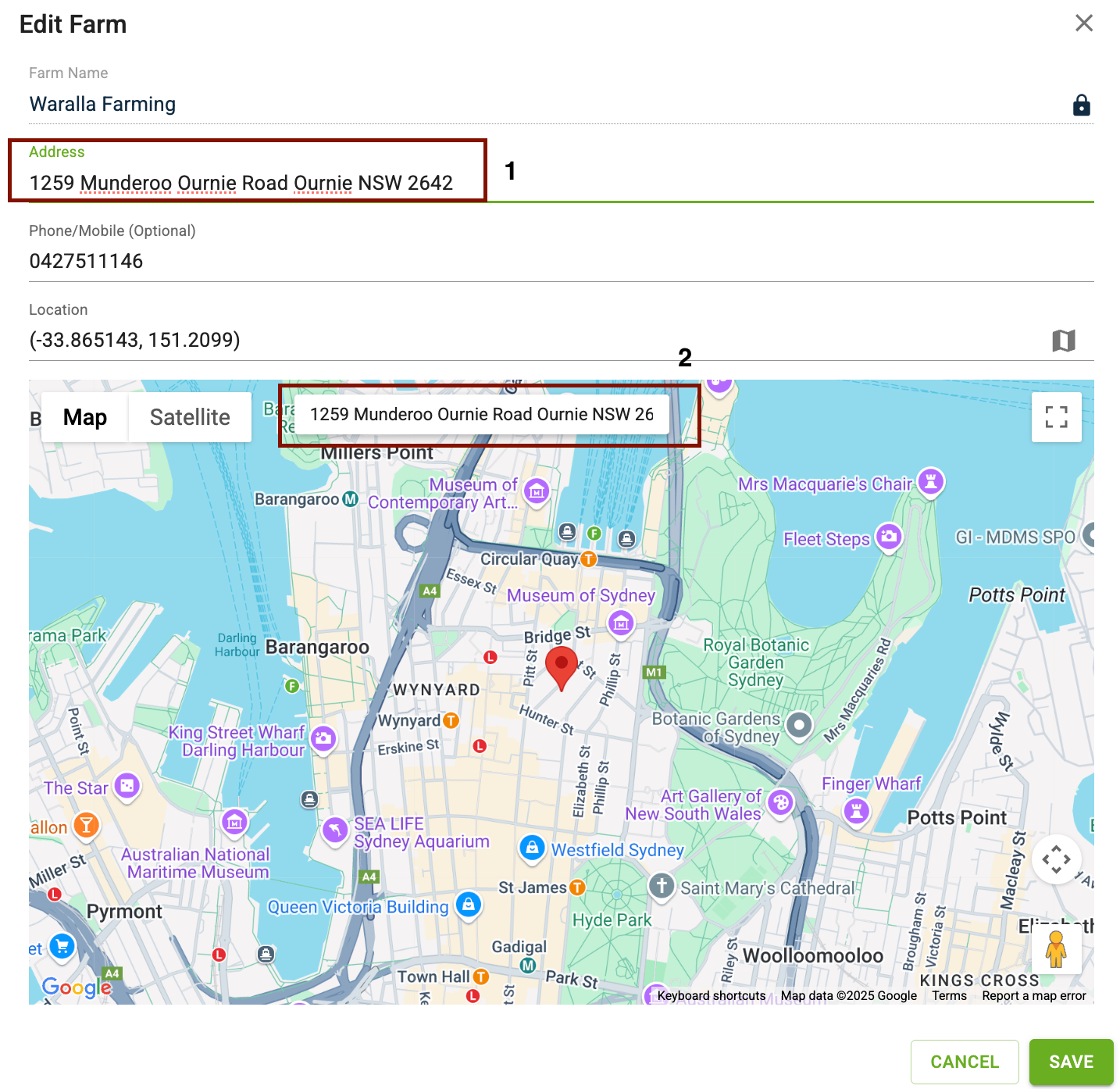
- Please note that moving the pin will not change the address in the Address field.
This approach gives you the flexibility to:
- Enter the exact address in the Address field.
- Use the map’s search to navigate close to that location.
- Manually place the pin at the precise coordinates on the map.
This ensures both the accurate address entry and pinpointed location on the map remain intact.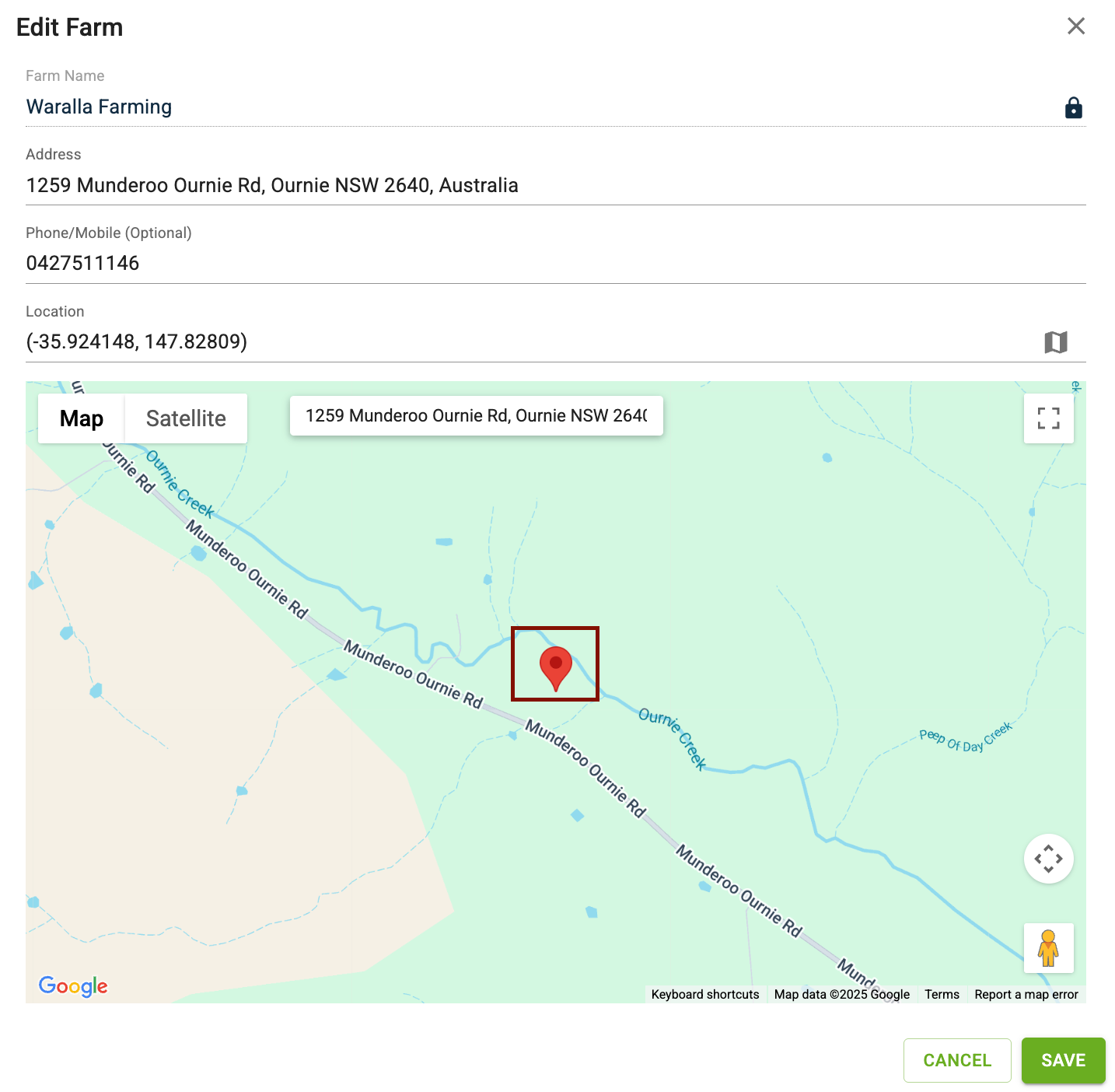
- Once you're done, don’t forget to save the changes.
FAQs
Why can't I edit the site for some companies?
If you are not able to edit sites for a company, it is likely that the company is currently an AgriChain user, the site details will be locked, and you will not be able to edit them. This is because the company controls their site details in the AgriChain system. If you believe their site details need amending, please contact the company directly.
Some information on the company is wrong. Can I edit it?
If the company is not an AgriChain user but has already been added to the global directory by another user, the site details will be automatically populated, but can still be edited by you. Please note that if you make changes to the site details, these changes will be system-wide, and all other AgriChain users with that company in their directory will be able to see the changes you make.
Why do some companies not have a site?
If the company has never been added to the AgriChain system by any user, you will need to enter the site details to complete their profile.
Was this article helpful?
That’s Great!
Thank you for your feedback
Sorry! We couldn't be helpful
Thank you for your feedback
Feedback sent
We appreciate your effort and will try to fix the article