Introduction
On AgriChain, users may use the 'Regrade/Reseason Stock' feature to regrade or reseason a particular commodity in bulk. This guide will walk you through the steps of regrading or reasoning your own stock as well as third-party stock.
How to Regrade or Reseason stock:
- Log in to AgriChain using your credentials.
- Navigate to the Stock module from the left-hand side menu (tip: click the pin icon to expand module names).
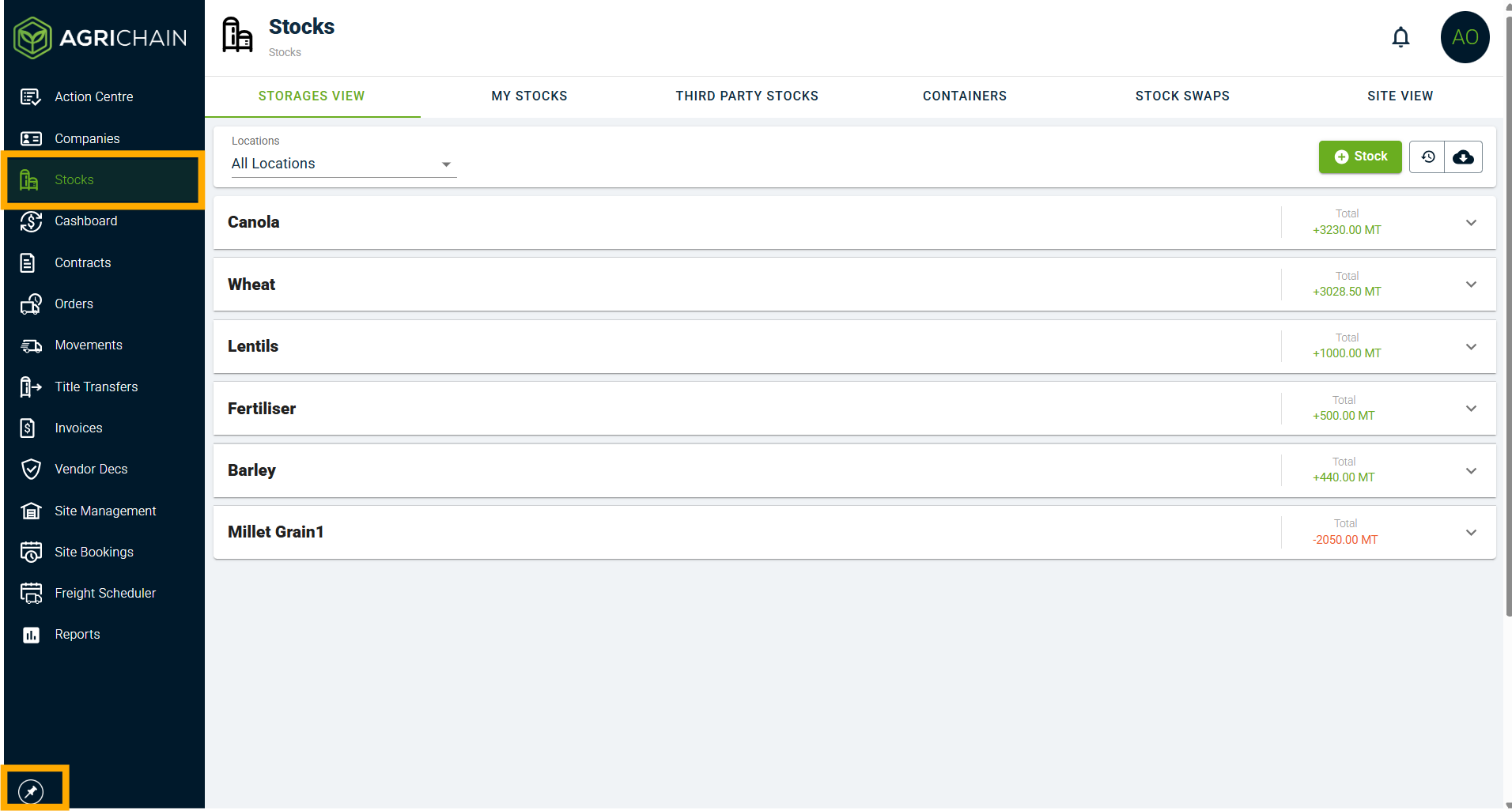
- You may now select one of the two ownership views (Note: This is usually only applicable for bulk handler companies).
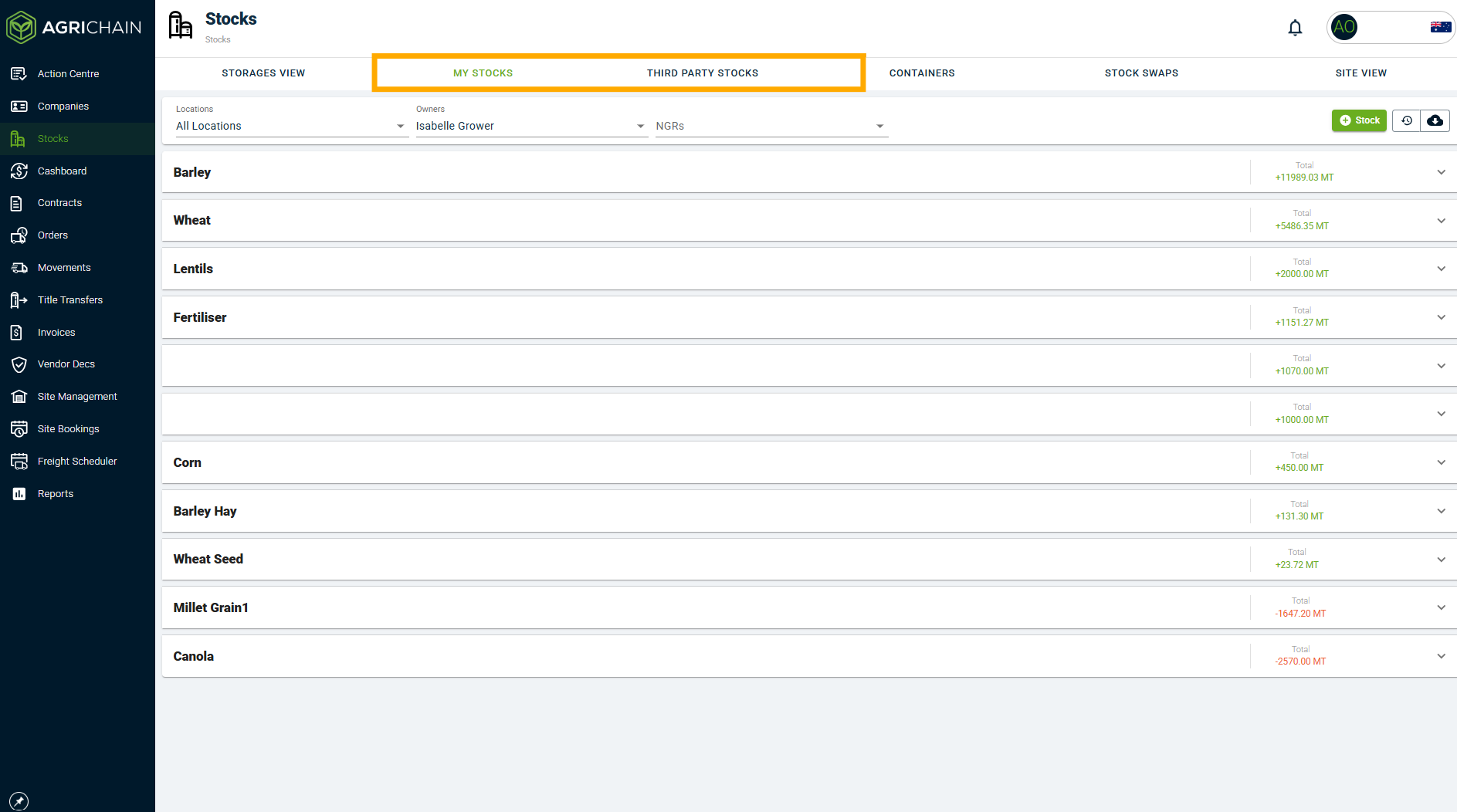
- If you want to Regrade or Reseason your own stock, please select "My Stock".
- If you want to Regrade or Reseason your Growers' or Buyers' stock, please select "Third-Party Stock".
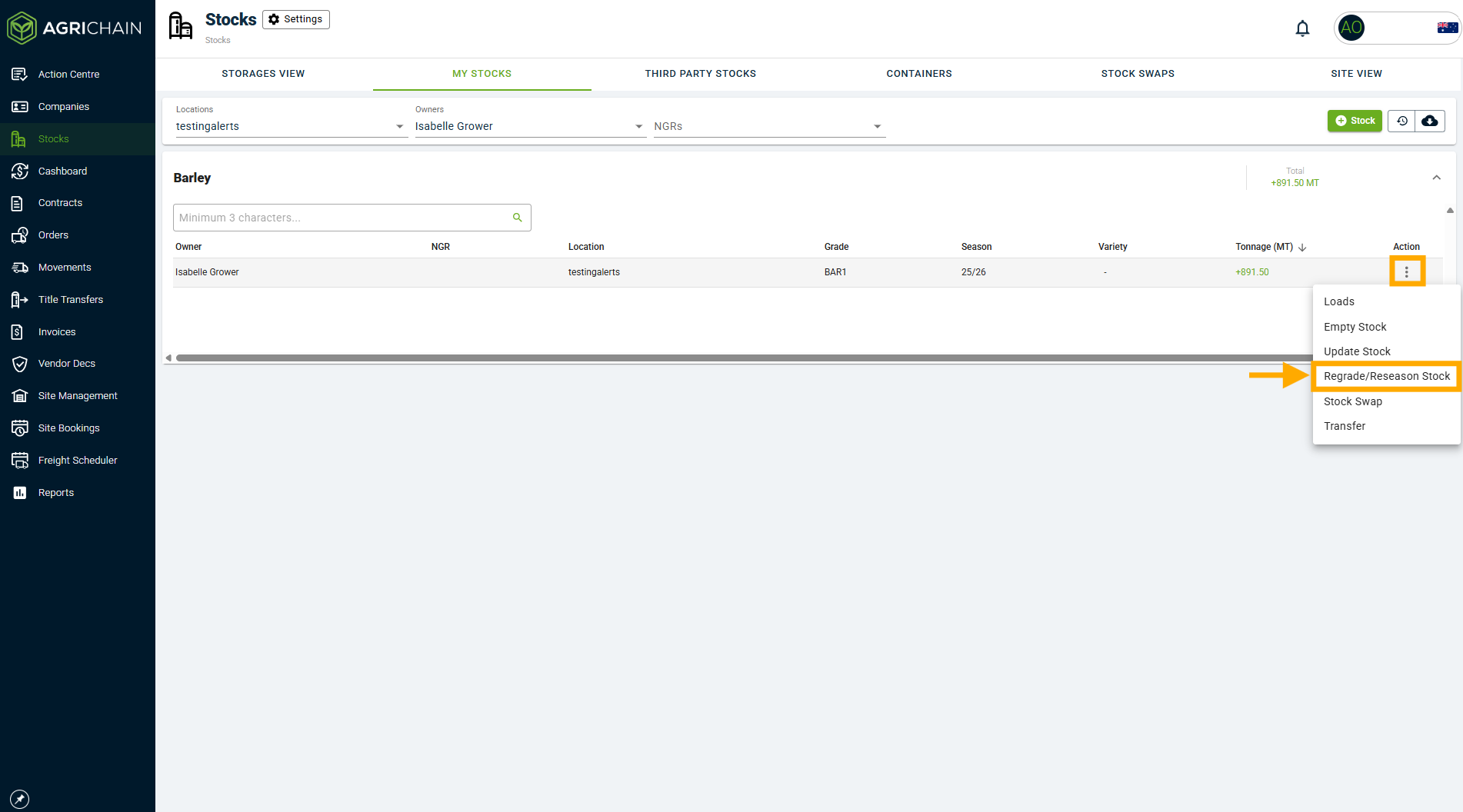
- Locate the specific stock you would like to Regrade or Reseason, then click on the 3-dot action menu and select "Regrade/Reseason Stock".
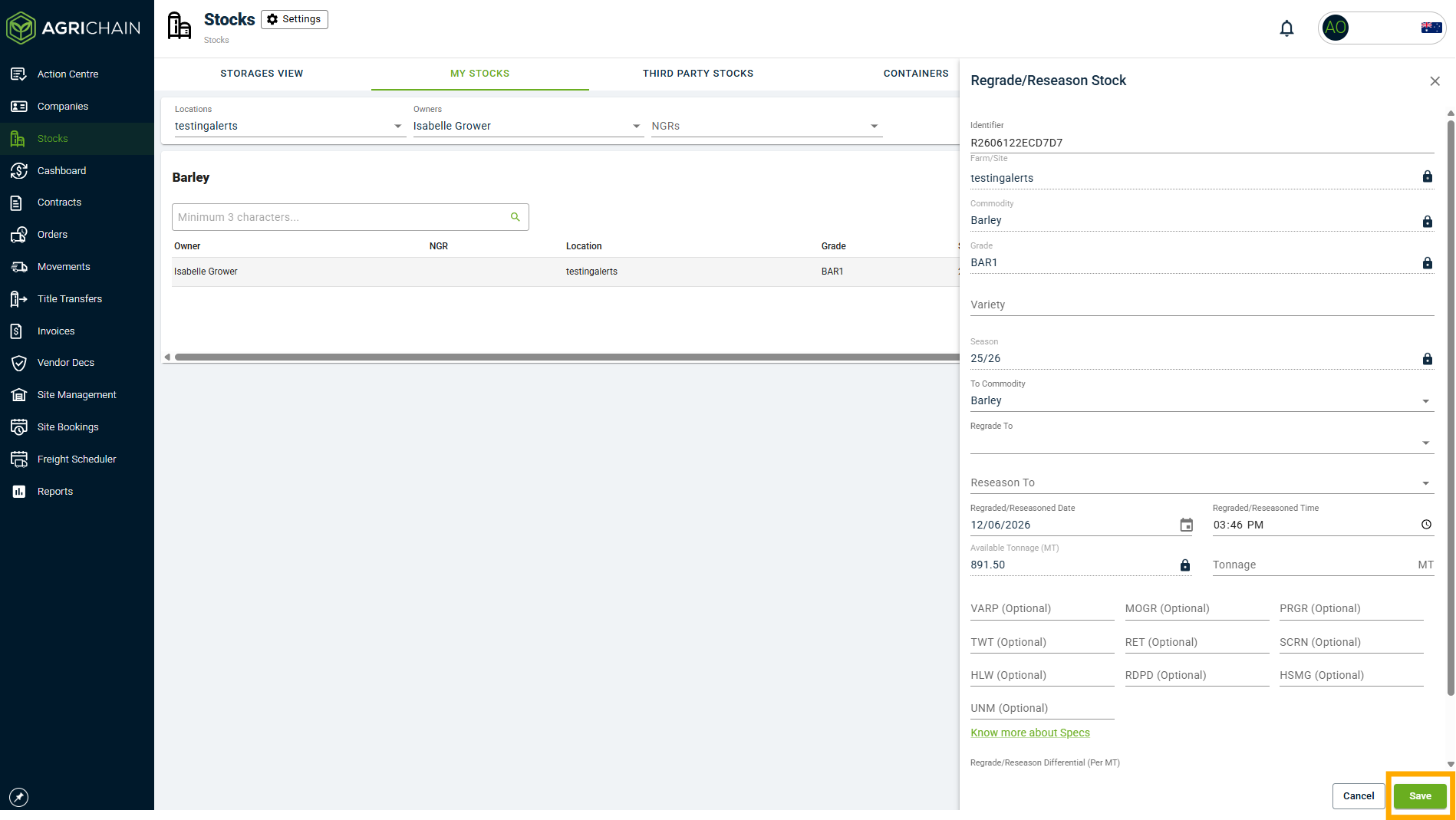
- Fill in the "Regrade/Reseason Stock" pop up and click "Save".
Note: The Regrade/Reseason Stock feature is not available for Grower Canola loads if the site provides load-by-load transfer. In this case, please regrade/reseason stock by navigating to individual loads and updating the seasons and grades. However, if Canola loads have been transferred to and are in the ownership of a Trader/Buyer, the Regrade/Reseason Stock feature can be used by the site.Note: If you want to regrade/reseason your stock and have it reflected on the Storages View, you will need to use the Storage-to-Storage Transfer instead. This is linked below under "Related Articles".
FAQs
Can the grade/season of stock on AgriChain be changed?
AgriChain makes it easy for users to regrade and reseason their stock and stock in their care. Users can decide to which grade/ season the stock can be changed to as well as what time and date the transaction should be recorded for. Users can choose to change all or part of the stock as well as add a differential to be paid by the stock owner.
Where can I view previous regrades/reseasons?
Previous regrades can be viewed in the inload/outload history listing by clicking on the specific stock combination. Alternatively, you can view this in "Site View" in the Stocks module.
Why am I unable to execute the 'Regrade/Reseason Stock' feature?
You will need to ensure all key details are filled in or selected. This includes 'Variety', if it has been made a mandatory data field at your site/farm. This also includes the 'Regrade/Reseason Differential (Per MT)' price and if not applicable, please enter a value of zero ('0') to proceed.
In the event a load (movement) is missing its 'Variety', return to the original load and edit it to include the variety. Once done, proceed as normal to regrade/reseason.
Should I use the 'Regrade/Reseason Stock' feature?
If you are going to regrade/reseason your customer's stocks, that is third party stocks stored at your site, use the 'Regrade/Reseason Stock' feature. Noting that a regrade/reseason in the "THIRD PARTY STOCKS" view (ownership levels) does not affect the "STORAGES" view (physical levels).
If you are going to regrade/reseason your OWN stocks, the 'Storage to Storage Transfer' feature in the "STORAGES" tab view should be used instead.
Why is the "Grade" section greyed out when I try to Regrade/Reseason Stock?
When "Grade" is greyed out, this tells us that there is more than one grade existing in the stock line you are wanting to regrade or reseason.
Step-by-Step Instructions to Regrade/Reseason Stocks when Grade is greyed out
To solve this issue, follow these steps:
- Click the stock line you are wanting to regrade/reseason, this will open up a list of movements/updates
- Click on "Grade" and scan for what the different grades are in the stock

- Now go back to the original stock line and follow the Regrade/Reseason Stocks process, but nominate the grade and tonnages of that grade you'd like to regrade. Repeat until all grades in that stock line have been reseasoned one at a time, appropriately.
Related Articles
Was this article helpful?
That’s Great!
Thank you for your feedback
Sorry! We couldn't be helpful
Thank you for your feedback
Feedback sent
We appreciate your effort and will try to fix the article