Introduction
When reviewing your Storages View, My Stocks View, or Third Party Stocks View, you may notice variations in tonnage, ownership, or grade balances. This article covers:
- Common causes of stock discrepancies
- Troubleshooting steps
- Recommended ways to keep Storages and Ownership Views balanced
If the issue cannot be resolved after troubleshooting, please submit a ticket to Support and answer the 3 questions listed at the bottom of this article.
Which view is the disparity showing in?
There are three views: "Storages" view, "My Stocks" view or "Third Party Stocks" view. "My Stocks" and "Third Party Stocks" are both considered Ownership views whereas "Storages view" is its own category.
The Storages View gives users a way to look at stock on their sites bifurcated by commodity and storage. On the other hand, the stock in Ownership View is completely distinct from the stock in storage and shows stock held by different entities.
There is no link between the stock shown in the Storages View and the stock held in Ownership.
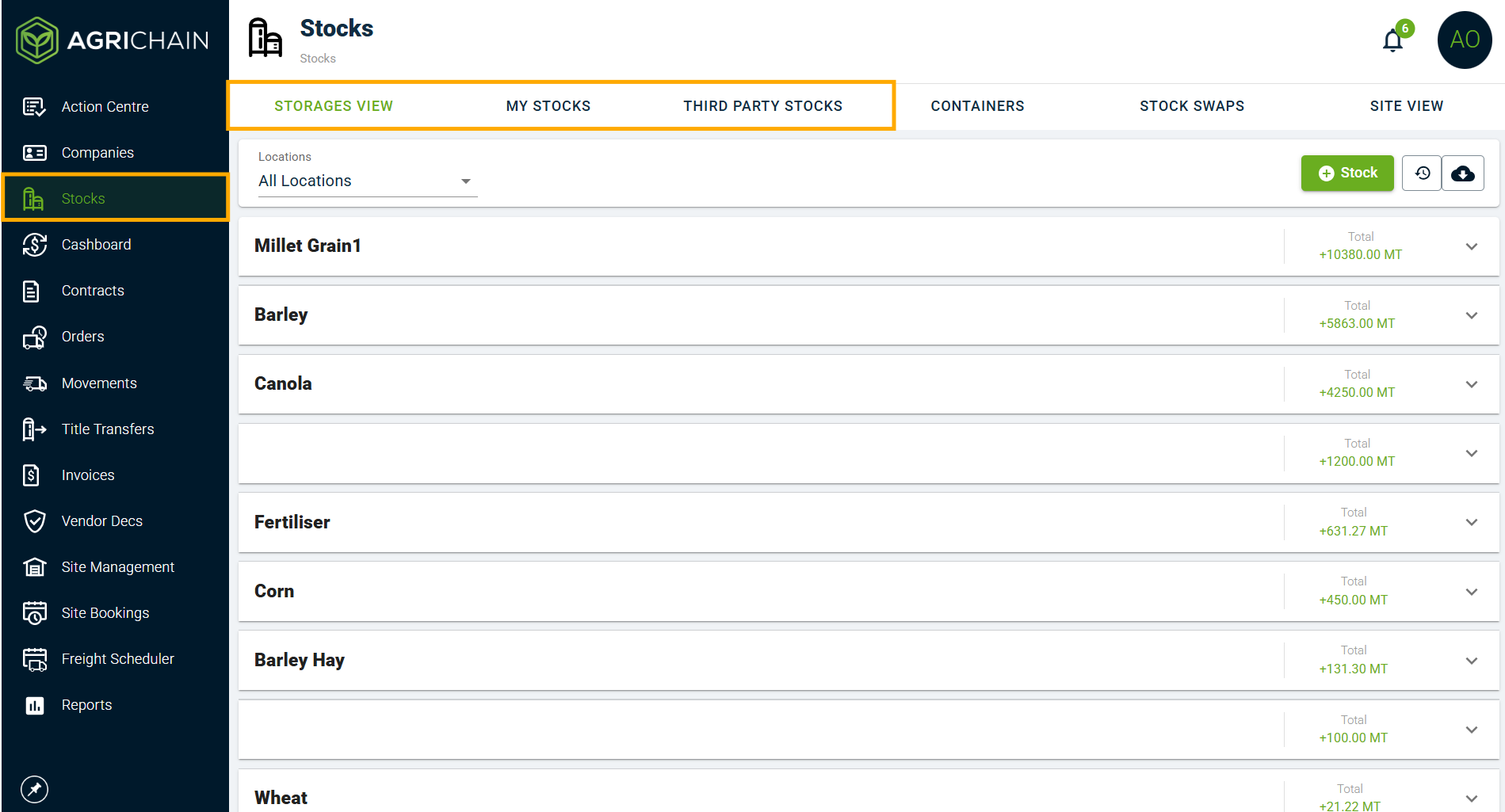
Table of Contents
Click on the issue you're facing to skip to that part of the Article.
1. Why is my Storages View reflecting more tonnage than my physical storages or My Stocks View?
2. Why do I have a storage called "Farmgate" with stocks in it?
3. Why does My Storages View show a different Grade spread of a Commodity than My Stocks View?
4. Why is the tonnage of a Commodity more than it should be at one of my Sites?
5. Why do I have a negative tonnage line in my Storages View?
6. I've done a physical stock take, and need to adjust my Stock completely, how do I do it?
7. Need help, submit a ticket.
Why is my Storages View reflecting more tonnage than my physical storages or My Stocks View?
Common causes:
Stock Empty was performed in "My Stocks", but "Manage Storages" was not ticked when this was performed.
Troubleshooting steps:
1. To check for Stock Empties, go to "My Stocks" and select the Location, Owner (of Commodity) and NGR of Stock that was emptied. Click "Historical View" button to bring up Stock line that was emptied.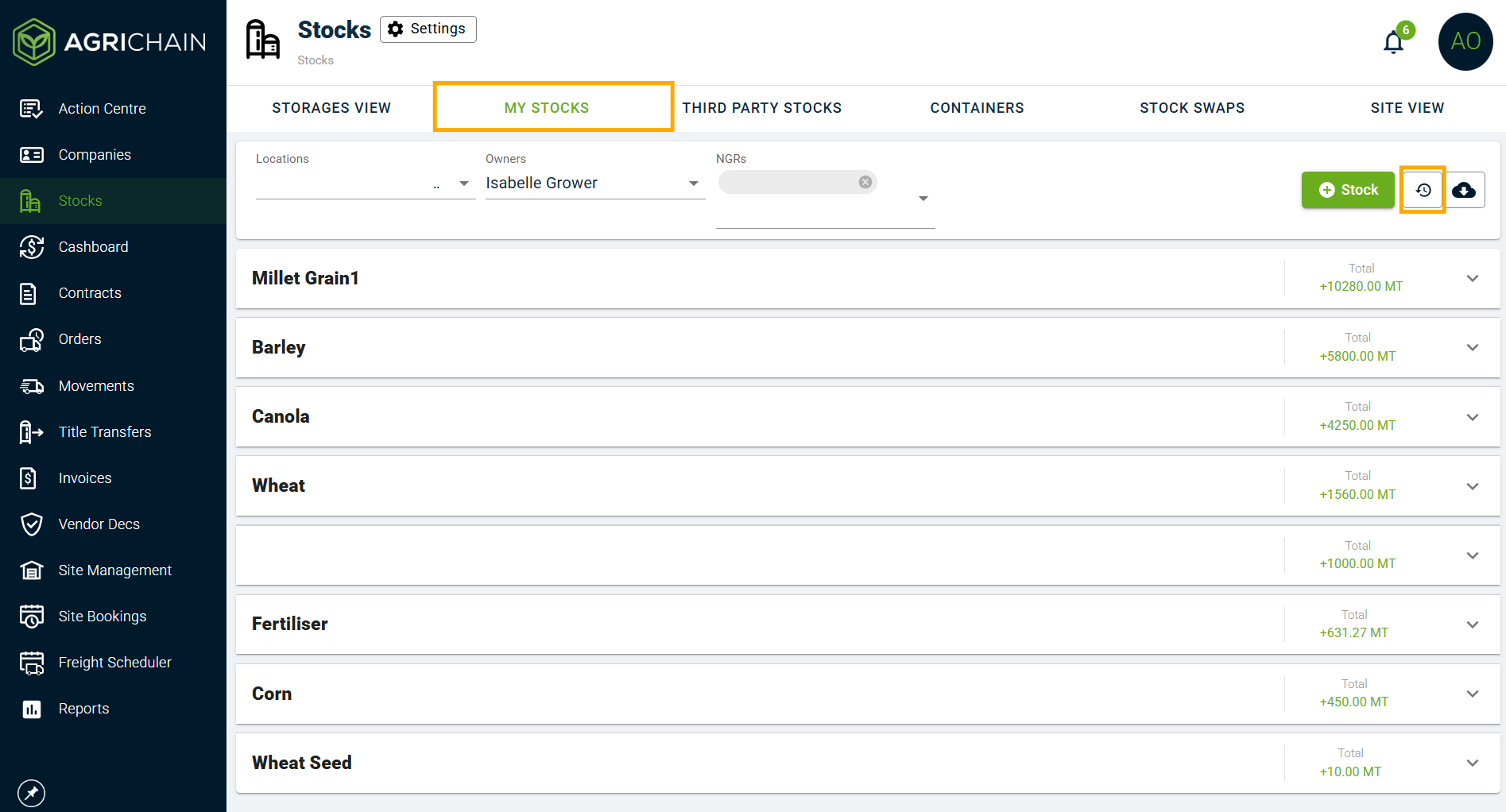
2. Click the Commodity to see the lines under it, tonnage will be +0.00, click that line to see Loads and Updates. Locate "Stock empty" and click line.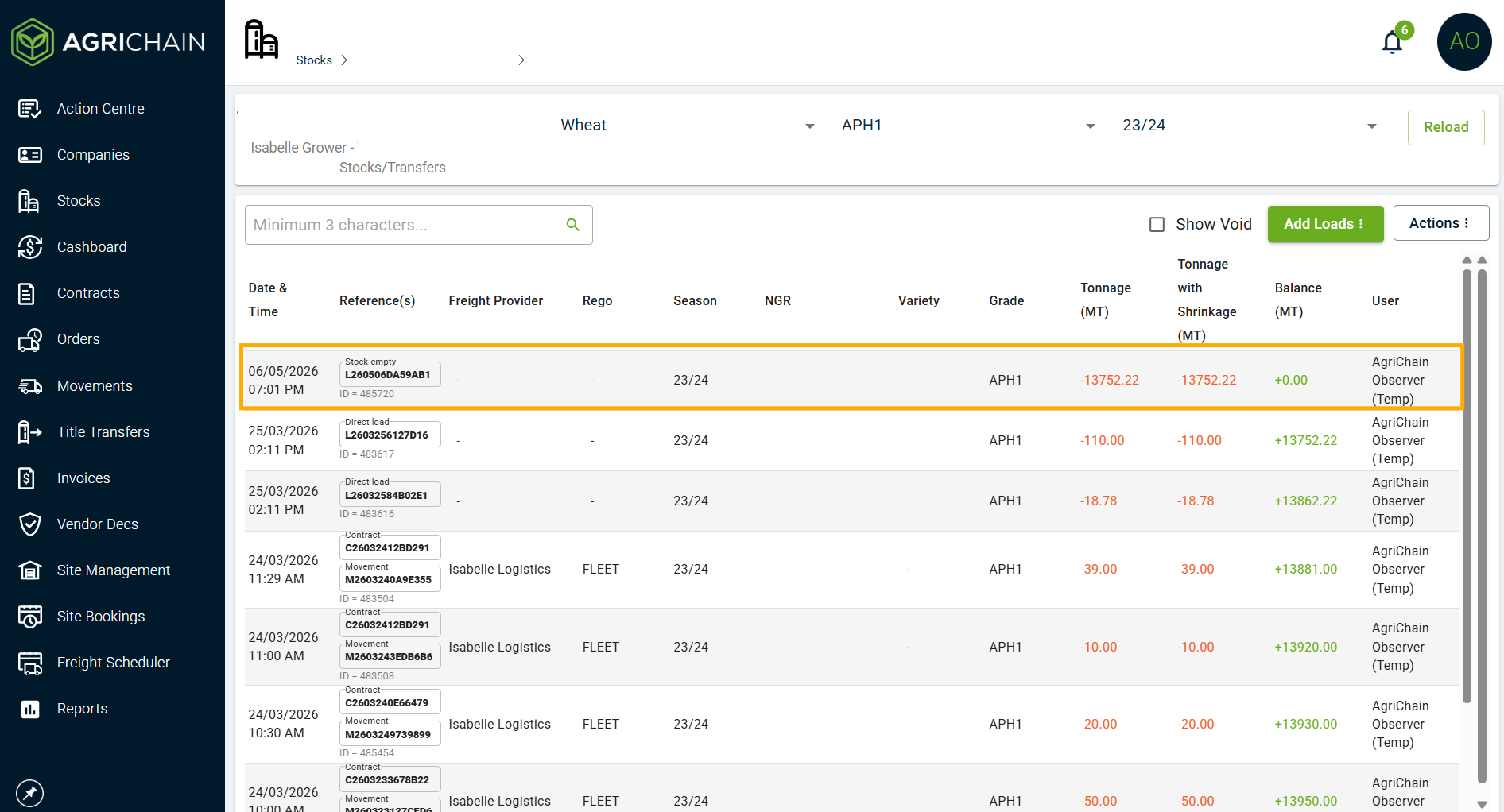
3. Nominate which Storage or multiple Storages this tonnage was emptied out of and nominate which Storages the tonnages for the Stock Empty were deducted from and click "Save". Views will balance.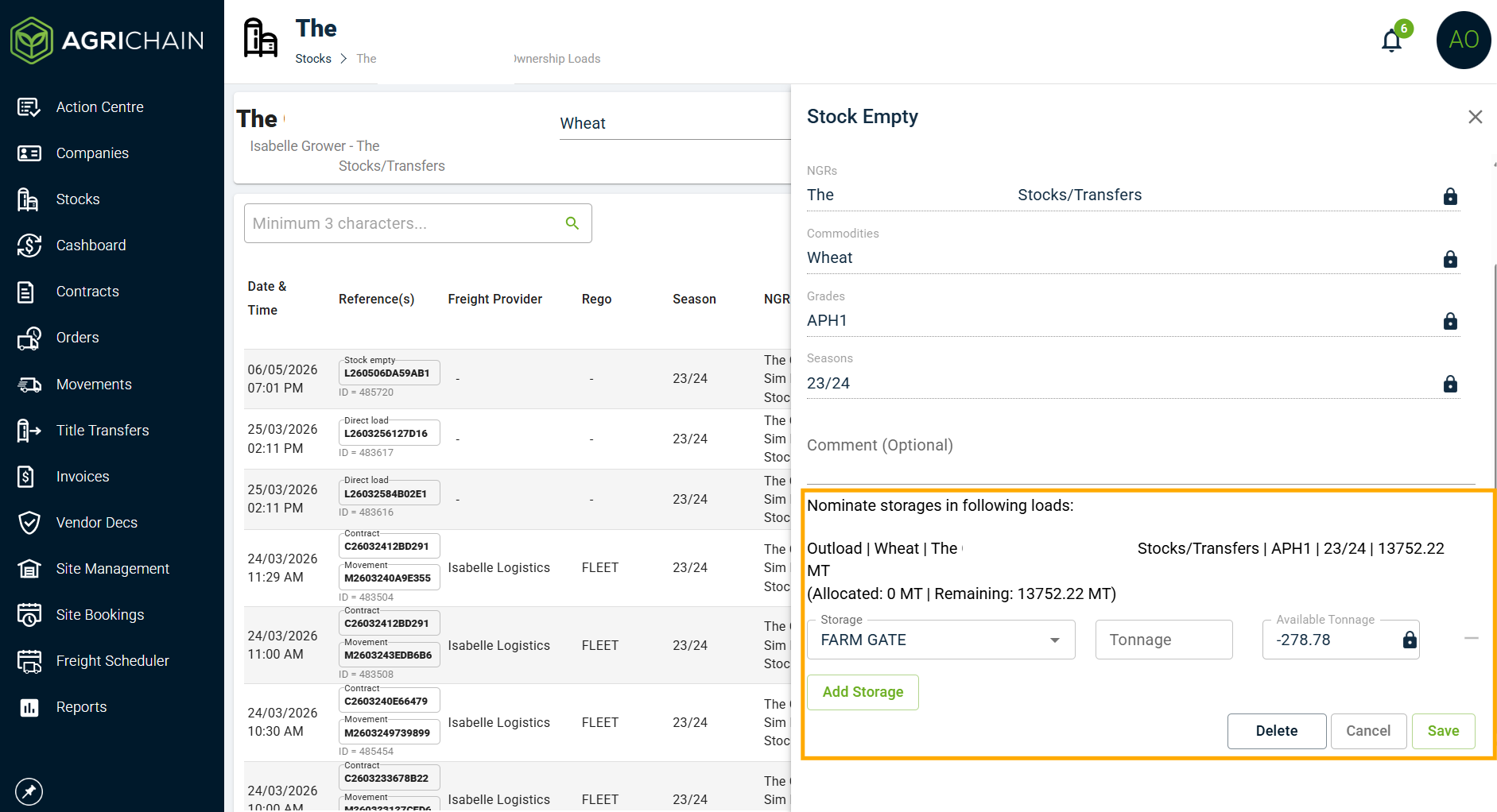
Why do I have a storage called "Farmgate" with stocks in it?
Common cause: Storage has not been nominated correctly in Loads, so "Farm Gate" was selected.
Troubleshooting steps:
1. Go through "Loads" in that Commodity in My Stocks View:
2. If Commodity tonnage is less than it should be in Storages view - check for Inloads at that Site where Storage was NOT nominated (has "Farm Gate" nominated in Storage field). If Commodity tonnage is higher than it should be - check for Outloads at that Site where Storage was NOT nominated (has "Farm Gate" nominated in Storage field).
3. Then click to open that Load, and edit the Inload or Outload details to reflect the correct storage.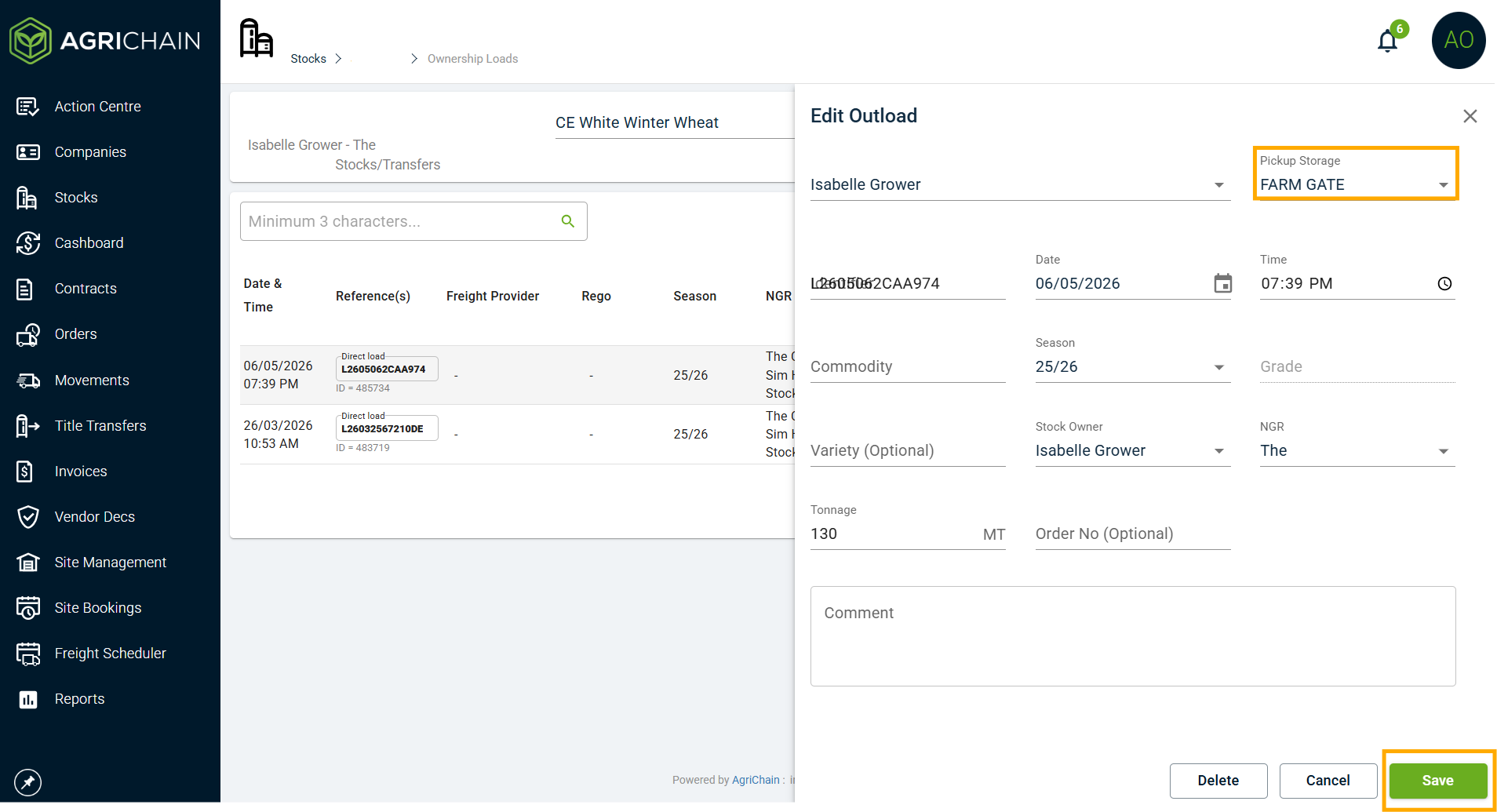
Why does My Storages View show a different Grade spread of a Commodity than My Stocks View?
Note: Storages View shows grade bifurcation at the storage level to make it transparent to the user what transactions they performed on the storages. System doesn't try to balance between Storage and Ownership view on a Grade level. It can only track this balance at the Commodity level. This is because, users frequently outload a grade from a Storage that doesn't even contain that grade to begin with.
Common causes: Grade that was Inloaded was different to Grade that was Outloaded in one or more loads, and that tonnage of Commodity was not Regraded appropriately prior to being Outloaded as another Grade.
Troubleshooting steps: Enter Storages View. Click "Historical View" button to bring up history and browse for the historical Inloads and Outloads of a Grade, will be able to see if a Grade was Inloaded as one Grade but Outloaded as another. Then use Regrade/Reseason to correct the Grade Spread in Storages View.
Why is the tonnage of a Commodity more than it should be at one of my Sites?
Common cause: When user has used "Stock Swap", they've added a Variety to the commodity that was not already recorded for the Commodity - so now it hasn't been deducted from the original site but has been added to the desired site.
Troubleshooting steps: Enter My Stocks or Third Party Stocks View. Select "All Locations" and all NGR's if you have more than one. Click "Historical View" button to bring up history and browse for Commodity lines with the same Grade and Season, but one with a Variety and the other without. Open those lines, and compare with the Storages View of both sites.
Why do I have a negative tonnage line in my Storages View?
Common causes: The Storage nominated in a Movement or Update of Stock was the wrong one.
Troubleshooting steps: Enter Storages View. Click "Historical View" button to bring up history and browse for the historical Inloads and Outloads of a Commodity. Check the Storage nominated for Loads are the correct storage.
I've done a physical stock take, and need to adjust my Stock completely, how do I do it?
Troubleshooting steps: There are many ways to do it - manually adding Inloads and Outloads is a common one. However, the best way to do it is by using "Update Stock", you just need to adjust the Stock lines to what you've physically calculated in terms of Grades and Tonnage, the system will add Inloads and Outloads as required automatically. This will lead to more accurate records as it removes human error.
Still can't solve it? Submit a ticket to Support, please answer the listed questions in your ticket.
Reach out to our Support team by visiting https://agrichain.freshdesk.com/support/home, and raise a ticket.
Please include answers to these questions in your ticket:
1. Which exact Commodity and Grade/s do you feel have the wrong tonnage?
2. Is the total of that Commodity and Grade correct in either Storages or Ownership View?
3. When was the last time the totals were right in both views? Can you provide us a date or date range of when it showed discrepancies?
Was this article helpful?
That’s Great!
Thank you for your feedback
Sorry! We couldn't be helpful
Thank you for your feedback
Feedback sent
We appreciate your effort and will try to fix the article