Introduction
An AgriChain account allows you to log in to our platform and mobile to start managing your grain supply chain. With an AgriChain account, you can do things like:
- Checking orders
- Booking into Sites
- and much more.
On AgriChain, different user types (e.g., growers, traders) follow different sign-up processes. Please refer to the instructions for your user type to understand the correct process.
To sign up as a grower, please follow the steps below:
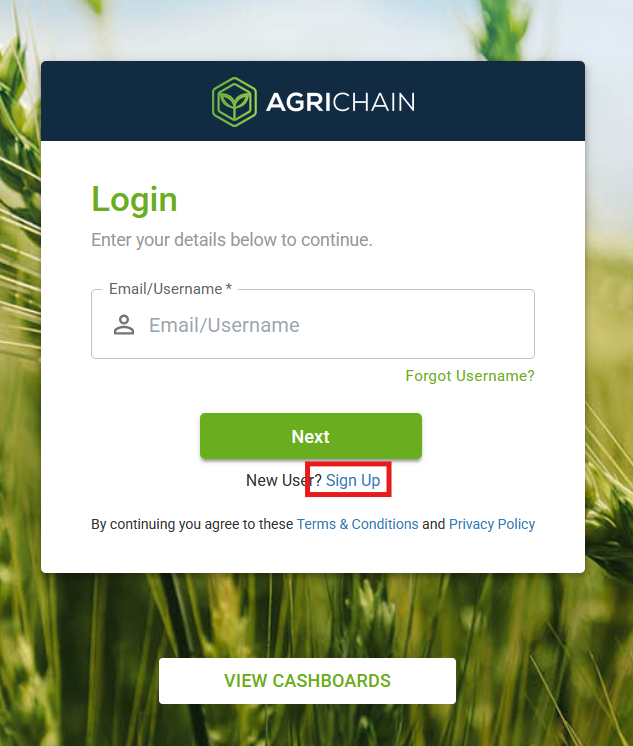
Go to: https://platform.agrichain.com/#/
Click on the 'Sign Up' button to begin the registration process.
Enter Company Details
Enter your NGR - The system will fetch your relevant information from the MyNGR portal
Enter your mobile number.
Optionally, you can enter your website.
Fields like Invoice Start of Week, Invoice End of Week, and Default Payment Terms are pre-filled by default but can be updated as per your preference.
You may also upload your company logo (optional).
Click on "Continue"
If your company already exists and is registered on AgriChain, the system will prompt you to contact your company admins to create your account.
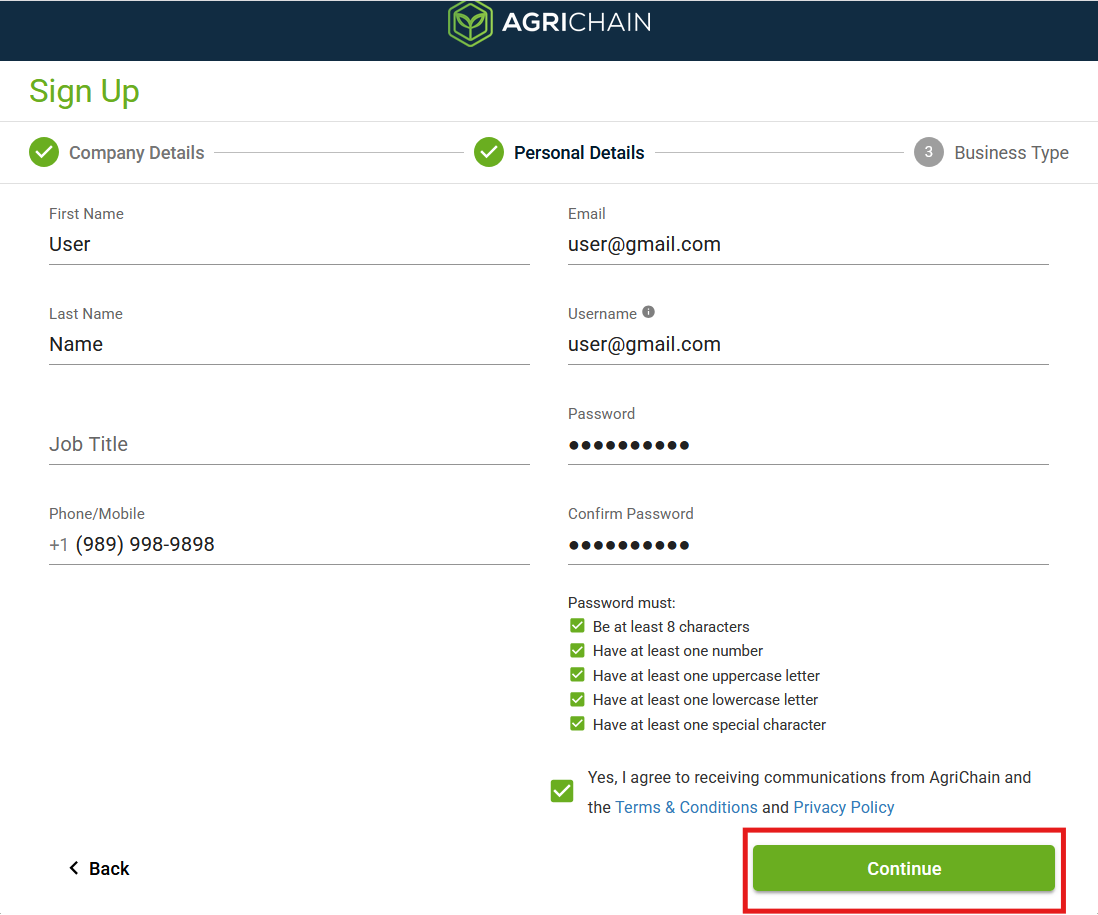
Fill in Personal Details and Create Login Credentials
Enter your name, email address, mobile number and set a User name (space sensitive) and password.
These credentials will be used for future logins.
Click on "Continue"
Select the appropriate Business type and click finish.
You should be seeing the 'Sign Up Complete' message. Please allow the team some time to activate your account.
Note: If your company already exists and is yet to be registered on AgriChain, you will be logged in immediately without needing activation.To sign up as any other user type, please follow the steps below:
Go to: https://platform.agrichain.com/#/
Click on the 'Sign Up' button to begin the registration process.
Enter Company Details
Enter your ABN - The system will fetch your relevant information from the ABN Lookup Service.
Enter your mobile number.
Optionally, you can enter your website.
Fields like Invoice Start of Week, Invoice End of Week, and Default Payment Terms are pre-filled by default but can be updated as per your preference.
You may also upload your company logo (optional).
Click on "Continue"
If your company already exists and is registered on AgriChain, the system will prompt you to contact your company admins to create your account.

However, if your company is not registered, you may select your name on the list of employees if available or sign up if not available.
Fill in Personal Details and Create Login Credentials
Enter your name, email address, mobile number and set a User name (space sensitive) and password.
These credentials will be used for future logins.
Click on "Continue"
Select the appropriate Business type and click finish.
You should be seeing the 'Sign Up Complete' message. Please allow the team some time to activate your account.
FAQs
I am not able to log in and is faced with the error 'This account is not active'
Contact your company admin or reach out to us at support@agrichain.com
Was this article helpful?
That’s Great!
Thank you for your feedback
Sorry! We couldn't be helpful
Thank you for your feedback
Feedback sent
We appreciate your effort and will try to fix the article