Introduction
In AgriChain, a field (or paddock) is where you plant crops and harvest from. You may add multiple fields to your account.
Step-by-Step Instructions to Add or Edit a Field Associated with a Farm:
- Log in to AgriChain using your credentials.
- Navigate to the 'Farms' section from your Profile Initials (top right-hand corner). This will display a list of farms linked to your profile.
- To add or edit a field of a specific farm, please click on the 3-dot 'Action' menu and click on 'Settings'
- In the farm's setting page, please click on the 'Field' tab.
- To add a field, click the '+Field' button in the top-right of the screen.
- For each field, you will be able to define the:
- Name - used to identify the site
- Location - used to refine GPS location tracking for freight movements, allowing you to pinpoint the exact location trucks should navigate to (ie, a specific entrance or loading dock)
- Market zone - To learn more about the market zone, please refer here: [Market Zone]
- Region - To learn more about the Region, please refer here [Region]
- Size - The size of the field in hectares
- Ownership - The type of ownership structure of the field.
- Commodity
- Grade
- Variety
- NGR
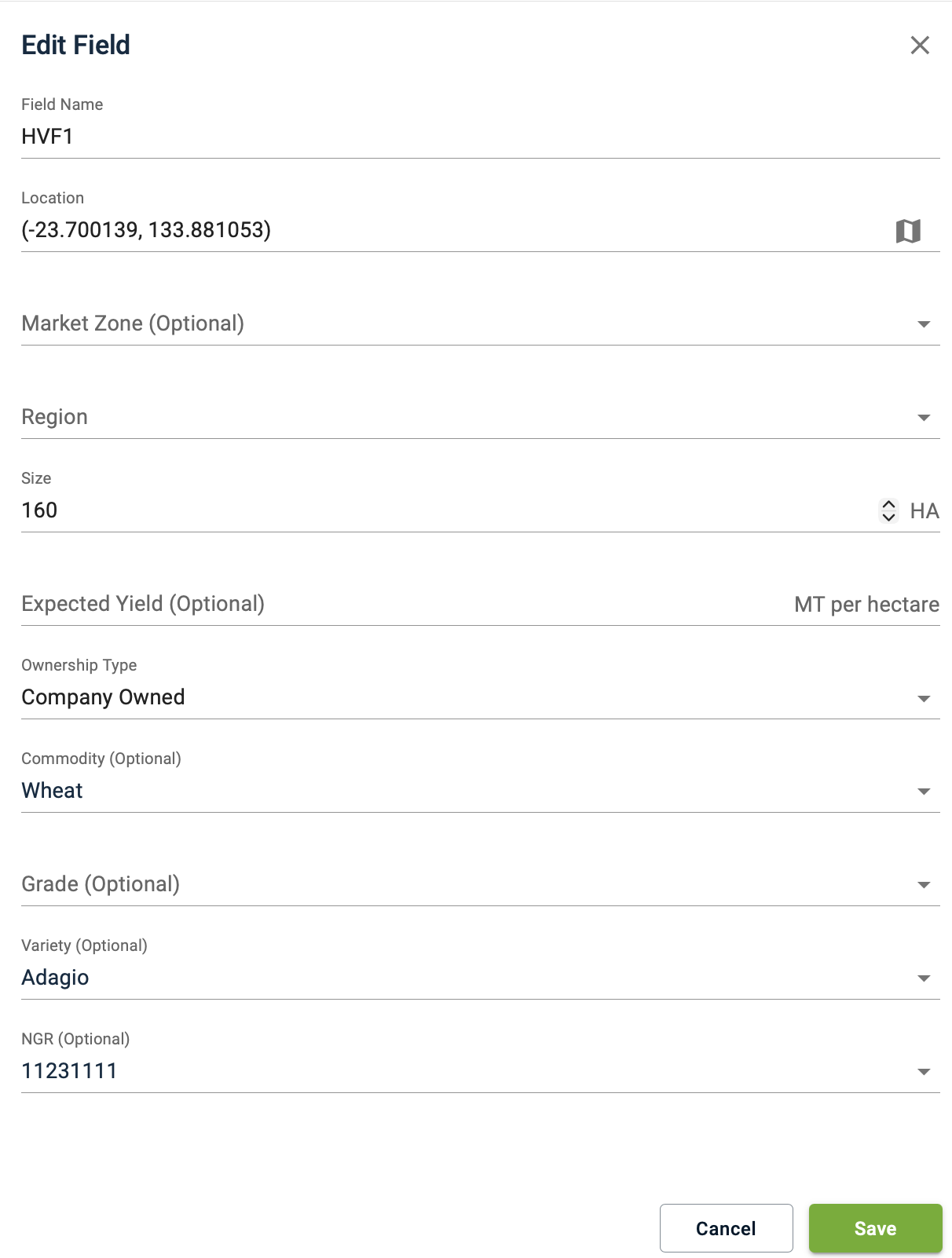
- For each field, you will be able to define the:
- To edit an existing field, find the field in the list and click on it.
- Once you have finished adding or editing the field, click the 'Save' button at the bottom of the form.
Important: Please ensure that the location (i.e., the GPS coordinates) of the field is accurate so that truck drivers can view the correct location on our mobile app when picking up or delivering. Furthermore, the system displays the calculated distance in kilometres on the movement details page. Levy will also be impacted, as it uses a rate that includes the distance travelled for deliveries to non-BHC sites in AgriChain.FAQs
Why can't I edit the field for some companies?
If you are not able to edit fields for a company, it is likely that the company is currently an AgriChain user, the field details will be locked, and you will not be able to edit them. This is because the company controls their field details in the AgriChain system. If you believe their field details need amending, please contact the company directly.
Some information on the company is wrong. Can I edit it?
If the company is not an AgriChain user but has already been added to the global directory by another user, the field details will be automatically populated, but can still be edited by you. Please note that if you make changes to the field details, these changes will be system-wide, and all other AgriChain users with that company in their directory will be able to see the changes you make.
Why do some companies not have a field?
If the company has never been added to the AgriChain system by any user, you will need to enter the field details to complete their profile.
Was this article helpful?
That’s Great!
Thank you for your feedback
Sorry! We couldn't be helpful
Thank you for your feedback
Feedback sent
We appreciate your effort and will try to fix the article