Introduction
On the AgriChain web platform, Growers can generate Paddock Reports. These reports are currently available on a per farm basis.
Each farm-level Paddock Report includes key details such as Total Yield (MT), Yield (MT per HA), outloaded commodity by field, and the relevant commodity specifications entered.
To download a Paddock Report
- Log into your AgriChain Account on the Web platform.
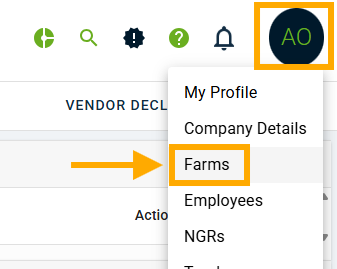
From your AgriChain Profile Initials in the top right-hand corner of the page, go to 'Farms'.
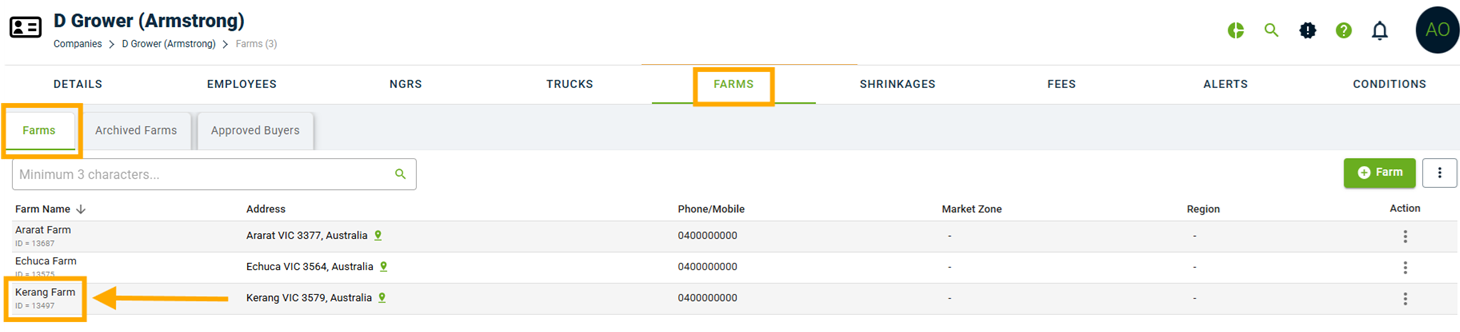
Click into the farm you are after.
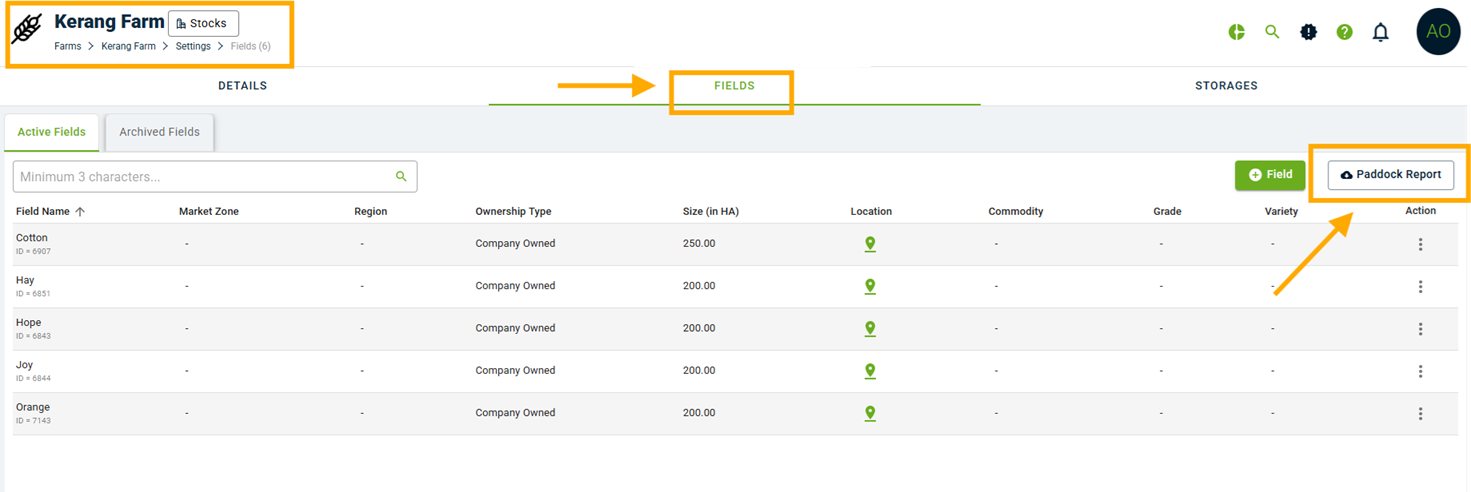
Once on the selected farm's page, go to the 'FIELDS' tab and click on the 'Paddock Report' button.
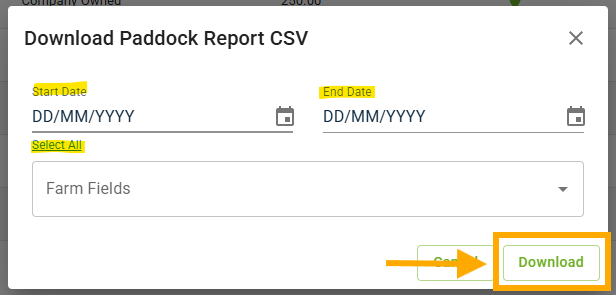
A pop-up will appear to select/input the Start and End Date of your Paddock Report and desired Farm Fields. If you would like to download a Paddock Report with ALL fields in the farm, leave blank.
Once ready, click on 'Download' to generate the Paddock Report for your selected farm.
Was this article helpful?
That’s Great!
Thank you for your feedback
Sorry! We couldn't be helpful
Thank you for your feedback
Feedback sent
We appreciate your effort and will try to fix the article