Introduction
The Update Stock functionality allows users to change the quantity of a stock combination in storage or in their ownership.
How can one update their stock?
Users have multiple options to update stock - Inloads/Outloads, Stock Swap, Regrade/Reseason etc. The Stock Update functionality allows users to simply change the quantity of a stock combination without having to go through the complete inload/outload report to create the right set of loads to balance these out.
Step-by-step Instructions on how to update stock:
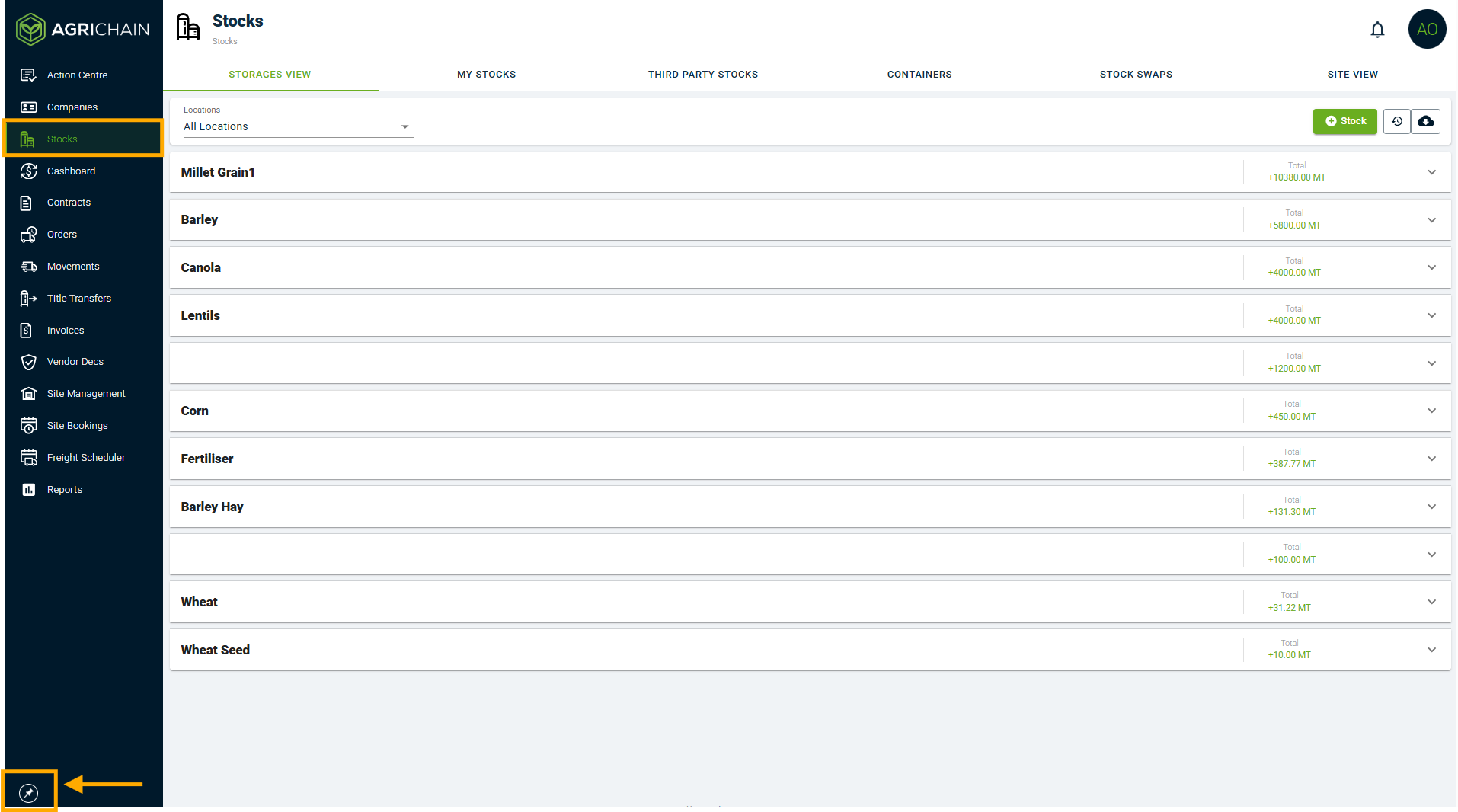
- Open Stocks in left taskbar, can click pin icon to expand taskbar if required
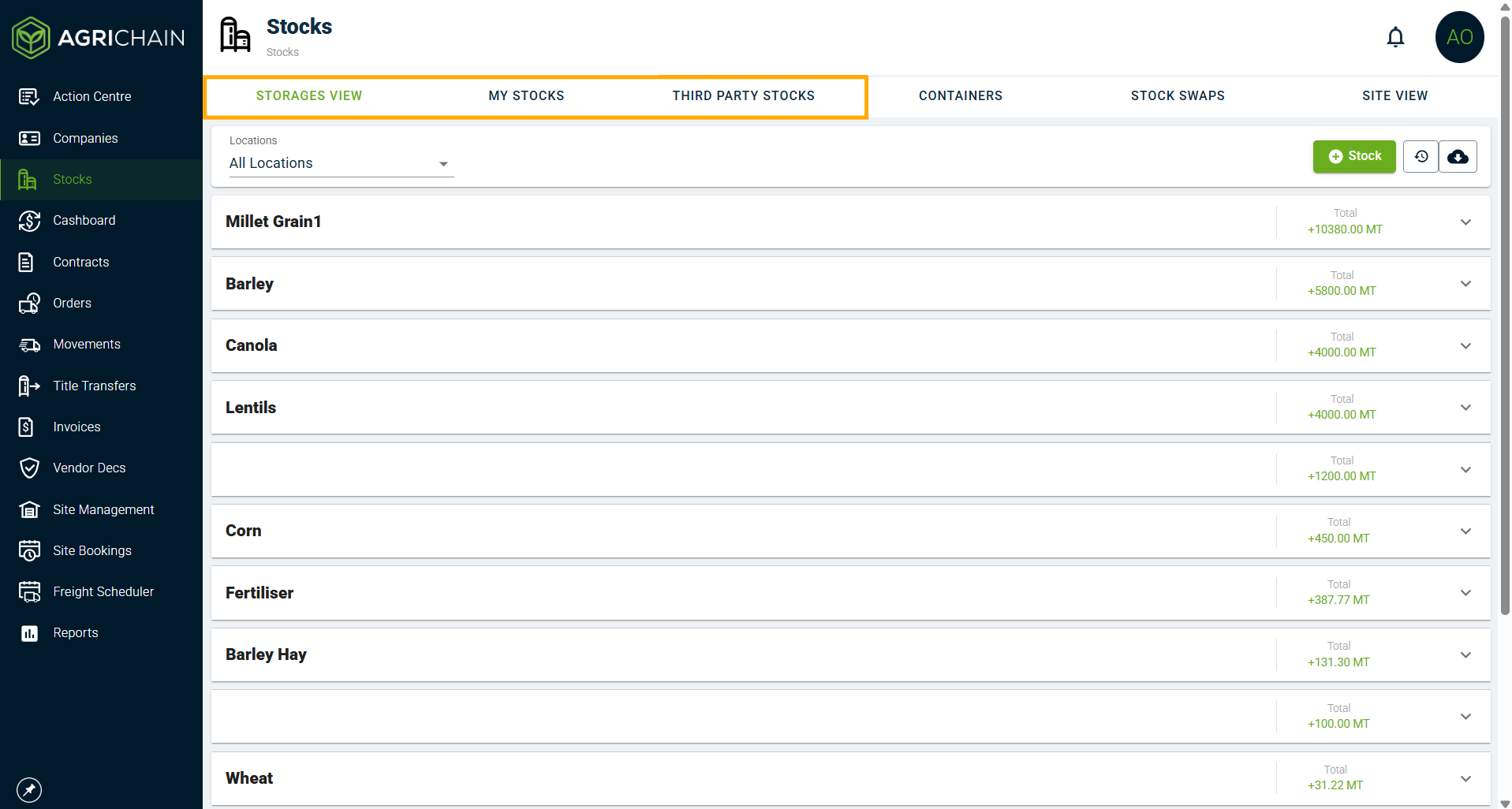
- Choose Storages or one of the ownership views as per requirement
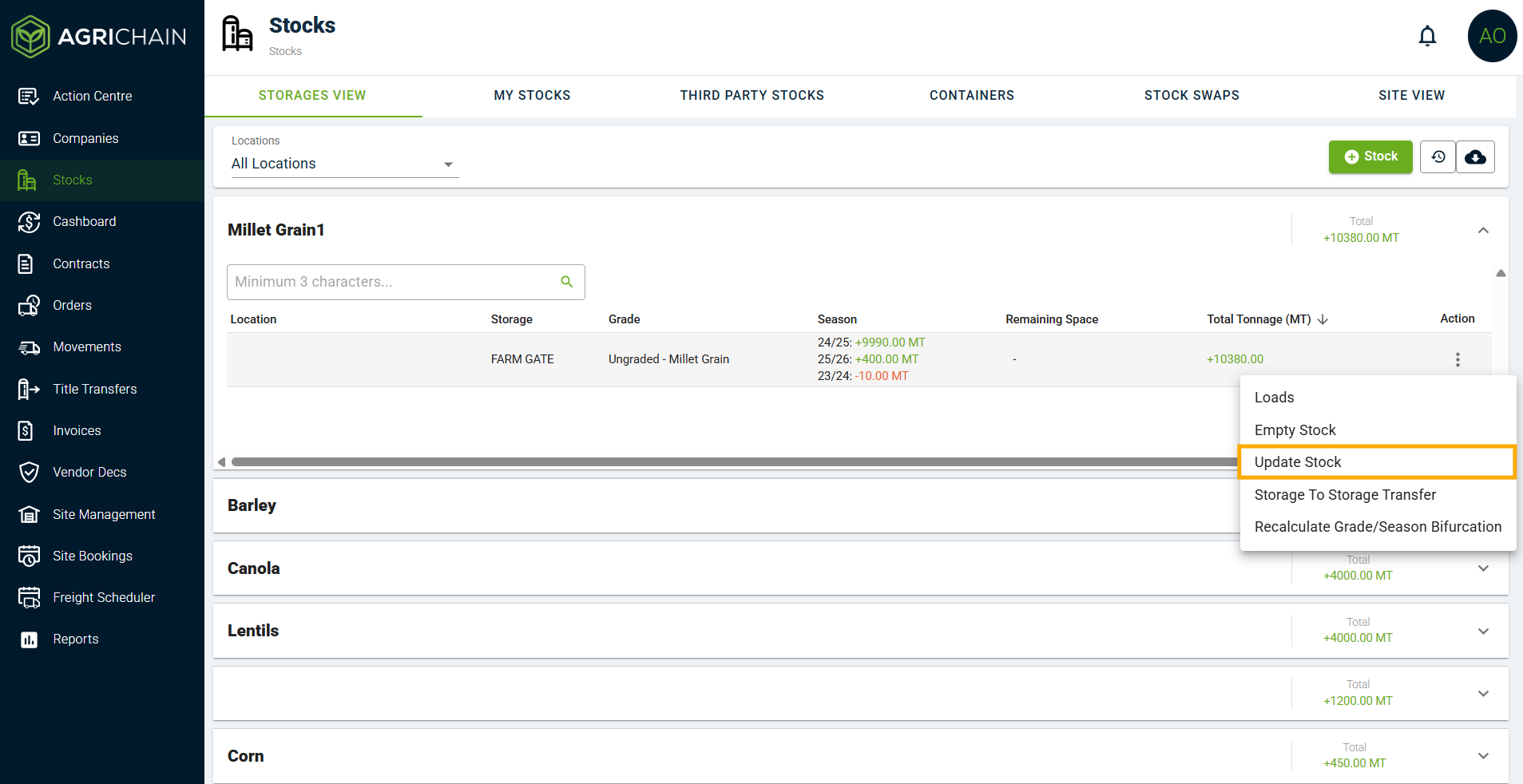
- Select the commodity and stock combination/storage you wish to update.
- Click on the 3-dot menu and select "Update Stock".
- Fill out the update stock form.
Important: The grade, variety and season fields in the Update Stock form are just to filter the required combination for the update, it should NOT be used to reseason/regrade a commodity

E.g. A user wants to update stock, and clicks on 10MT of Wheat, (Site 1, FARM GATE, APH2 grade). On the Update Stock form the user changes grade to APH1 and enters tonnage as 30MT, this creates a new stock line or updates a pre existing line of Wheat with APH1 grade, Site 1, Farm Gate properties but the initial APH2 grade Wheat selected does NOT change.
Stock Update in Ownership View (My Stocks/3rd Party Stocks) VS Storages View
When a stock update is done on the ownership views, it affects the tonnage under ownership and does not change the stock in storage. Whereas, when a stock update is made in the storages view, there is no change in the ownership. This can sometime lead to a mismatch in the two views while reconciling stocks.
Related Articles
Was this article helpful?
That’s Great!
Thank you for your feedback
Sorry! We couldn't be helpful
Thank you for your feedback
Feedback sent
We appreciate your effort and will try to fix the article