Introduction
Subscribers of AgriChain can 1) add Outload from storage, container or field against a booking or 2) create an Inload using our Mobile App. This process is available to BHCs, Growers, and Traders.
Processing loads for inload and outload are similar operations. The only difference is the order of events when processing loads.
For example, for "New Outload", you will tare the truck first, as opposed to "New Inload" where you gross in the truck first.
Before processing the load, please ensure that your customer has booked in to your Site via Site Booking. Customers can refer to this article to complete Site Booking: Refer Article.
To add an Inload/Outload against a booking:
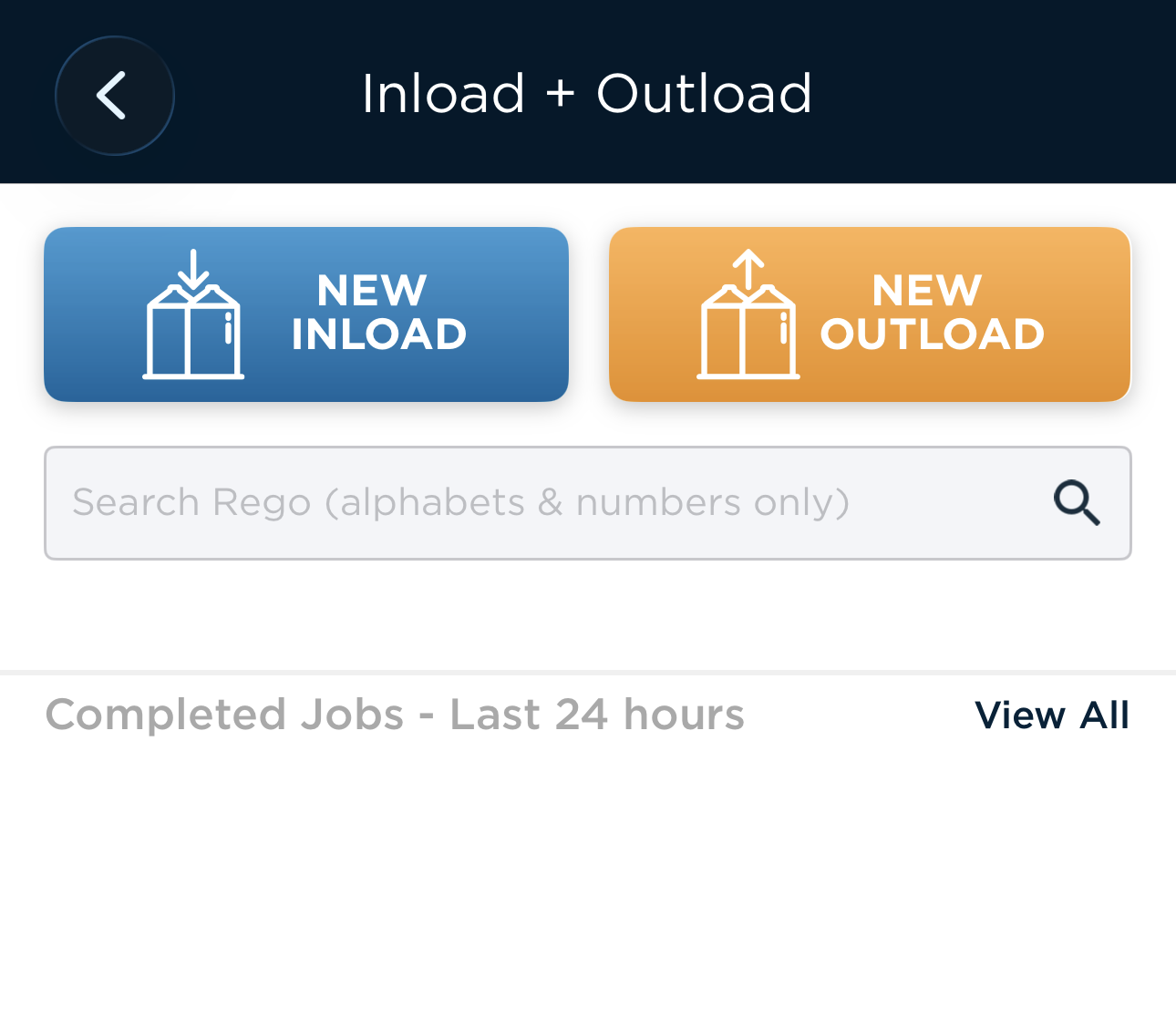
- On the main page, select 'Inload + Outload'

- Tap on either "NEW INLOAD" or "NEW OUTLOAD" depending on the truck.
- Enter the truck rego.
- Tap on "Booking/Order" to find the booking for the truck, alternatively select Inload/Outload against an order if required when the truck does not have a booking.
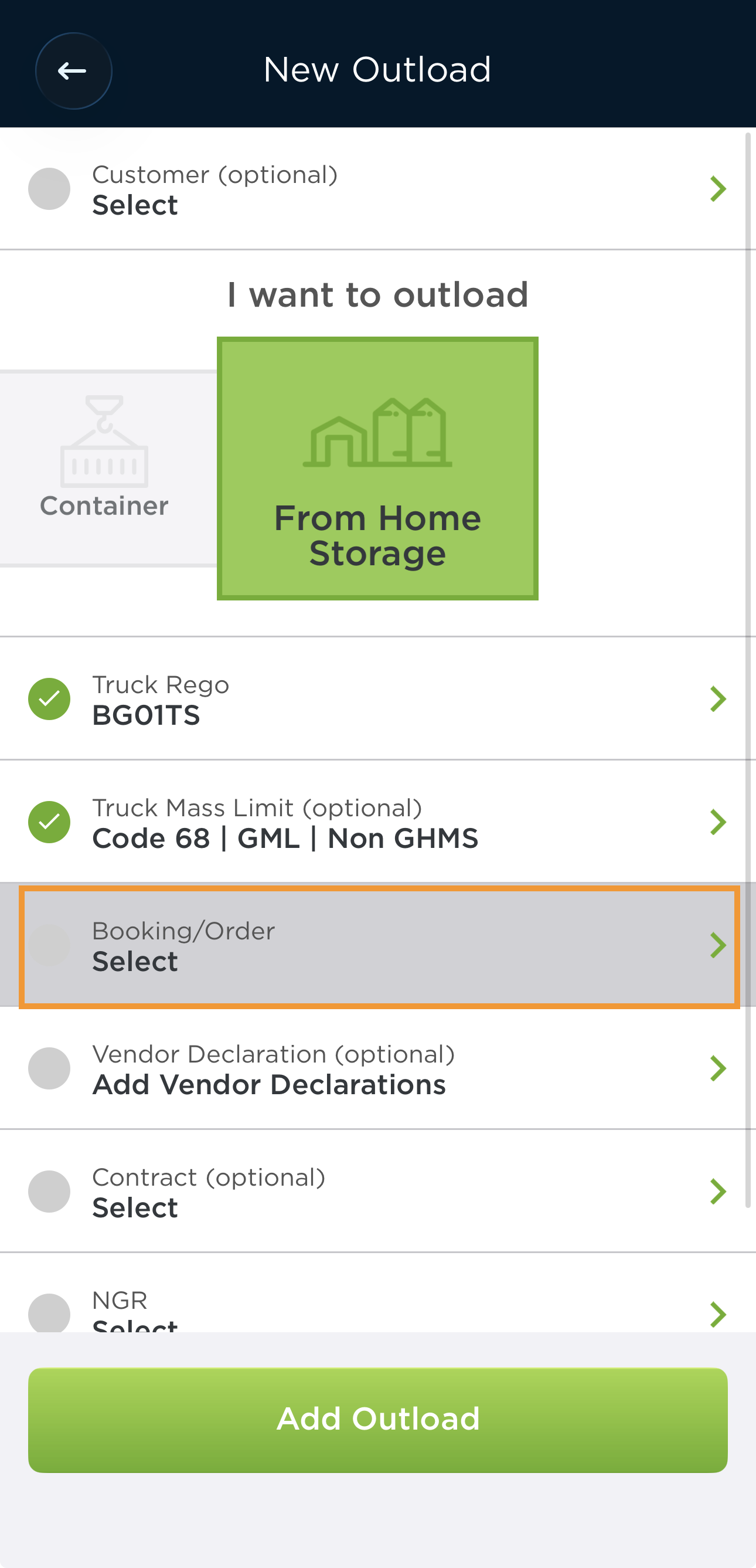
- Tap "Add Inload" or "Add Outload" once you have select the booking.
Note: If you cannot find a booking, please check the date of the slot that your customer have booked in and ensure that it is the correct date. - Enter the NGR details and truck rego that is transporting the load. Once that is done, click "Add Inload" or "Add Outload"
- Enter the tare weight of the truck. If your weighbridge is connected to AgriChain app, you may click 'Capture Weight'.

Tip: You may also tap on "Next" at the top right corner to quickly move through the pages. - On the 'Inload + Outload' status screen, click '+Storage'.

- Select a storage to outload from and click 'Save' once completed.
- Click '+Specs' to include any relevant specifications details.
- Click '+Gross' to enter the gross weight/tare weight of the truck after loading.

- Click 'Complete', confirm all details and sign off on 'Chain of Responsibility'.
Was this article helpful?
That’s Great!
Thank you for your feedback
Sorry! We couldn't be helpful
Thank you for your feedback
Feedback sent
We appreciate your effort and will try to fix the article