Introduction
The Cashboard will contain multiple prices for multiple commodities and grades. At times, users can get lost. With that, there are multiple ways to find the right cash price for your grain.
Search
The easiest way to find a cash price is to use the search bar at the top. Cash Prices can be searched on any of the visible fields (site, commodity, grade, season, etc.)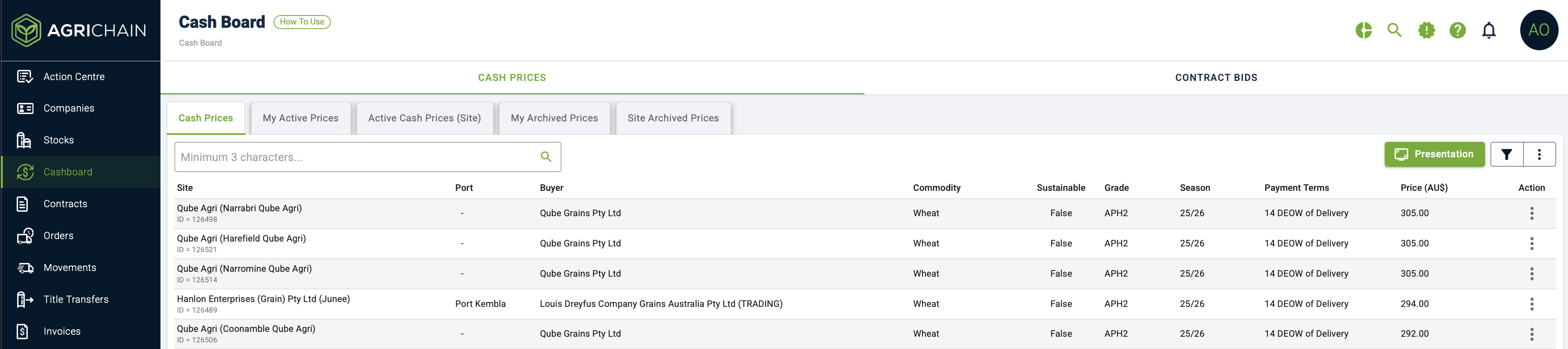
Filters
Filters are an excellent way of narrowing down cash prices shown.
Options are available to filter by site, port, buyer, commodity, grade, and season.
Filters can also be used to customise what prices to be shown in the 'Presentation Mode'

What is the Presentation Mode?
If you wish to display the cash board to a large group of people, such as in a lobby or office, you can use Presentation Mode. In this mode, all cash prices are shown sequentially by commodity.

How can I customise the Presentation Mode?
The Presentation Mode can be customised using the Filters functionality provided. Once Filters have been set, they are also applied to the presentation mode. Allowing users to present cash prices at only their sites or only for a specific commodity, etc. You will not be able to search prices in Presentation Mode.
Was this article helpful?
That’s Great!
Thank you for your feedback
Sorry! We couldn't be helpful
Thank you for your feedback
Feedback sent
We appreciate your effort and will try to fix the article