Introduction
Brokerage Invoices can be generated on AgriChain and will be linked to its associated commodity contract.
This is dependent on the brokerage details entered during broker note / contract creation such as:
- Brokerage Payable By
- Charged at Pre- or Post-delivery
- Fee Type at per MT, flat fee or % of sale
- Rate
How to Create a Brokerage Invoice
To create a brokerage invoice, you can use one of the two methods below.
Method 1 - Invoices Module
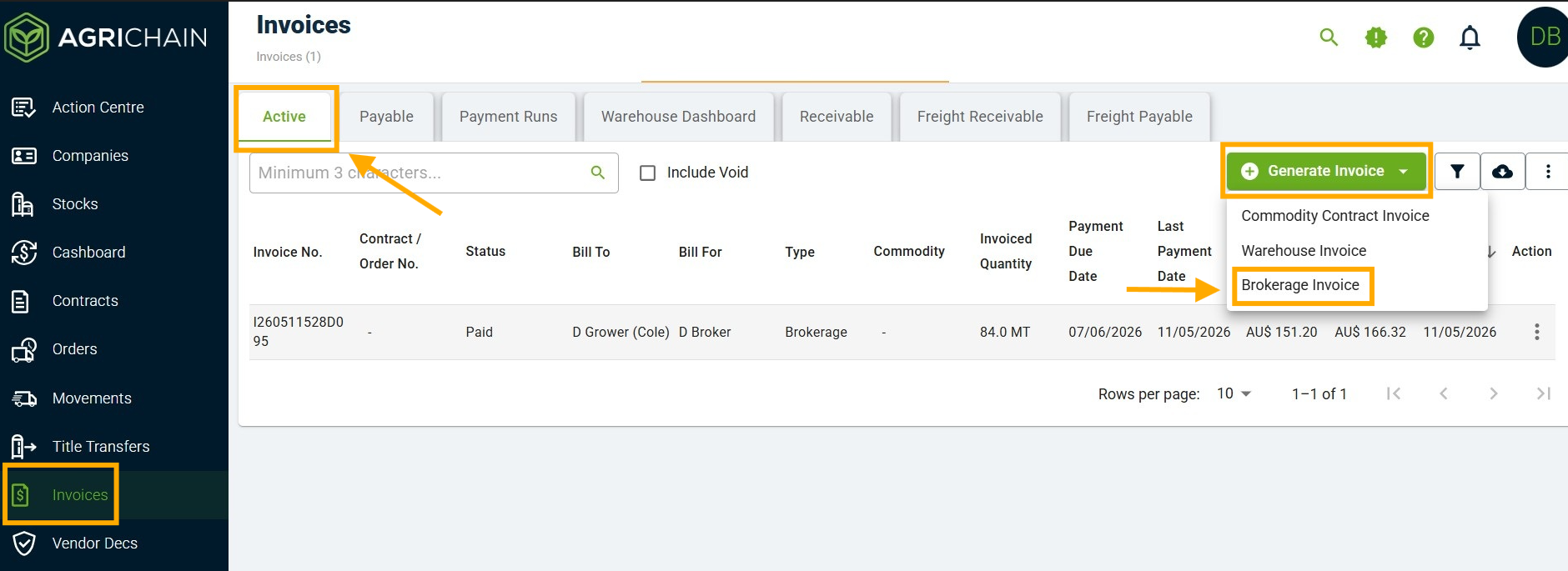
- In the 'Invoices' module under the 'Active', click on the green "Generate Invoice" button and select "Brokerage Invoice".
- On the brokerage invoice creation form, select and fill in the remaining details such as:
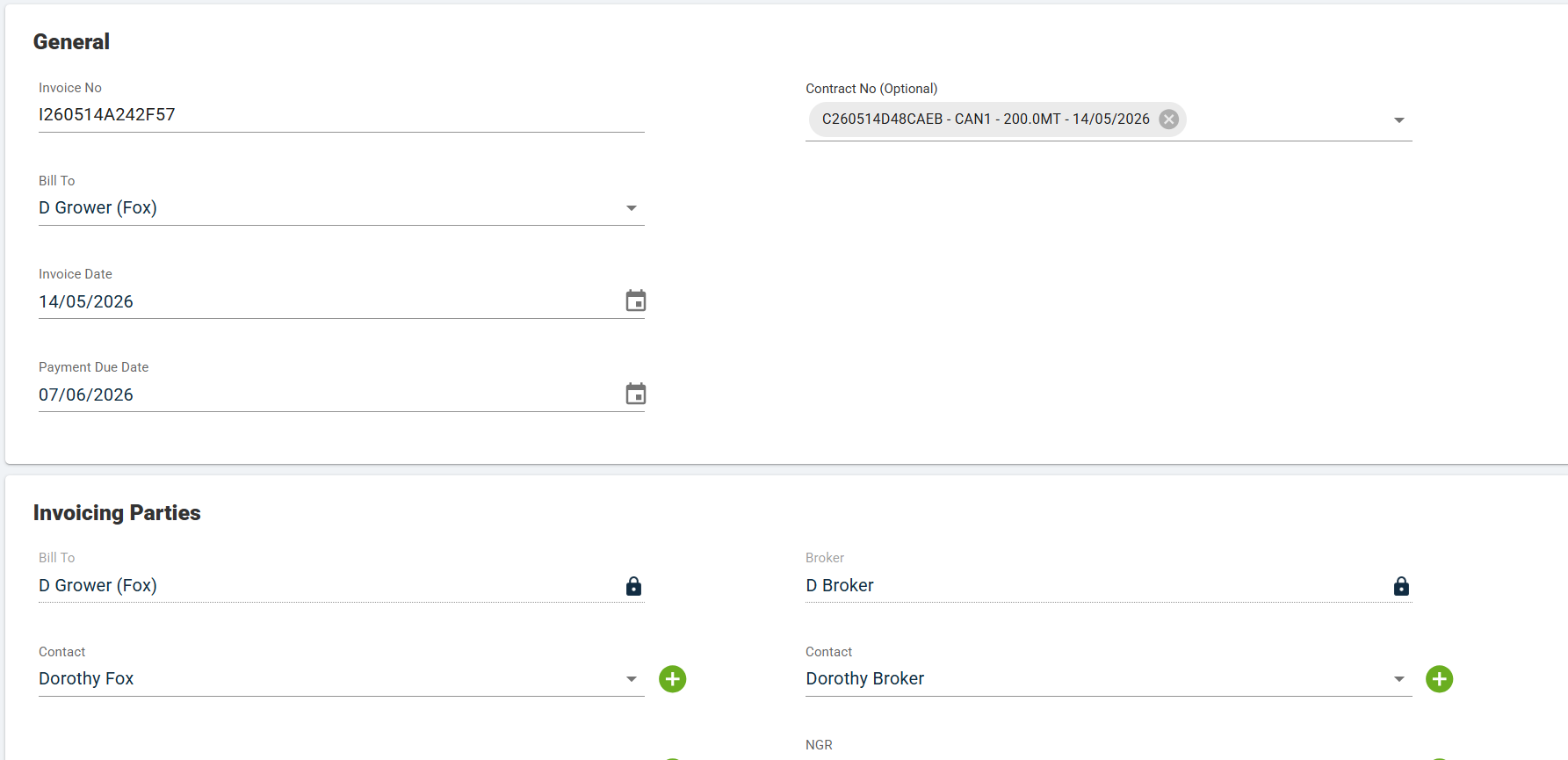
- The Bill To counterparty
- Contract Number, noting that a maximum of six contracts can be bulk invoiced for brokerage.
- Once done, scroll to the bottom and select "Continue and Review".
- Review the brokerage invoice preview.
- Once satisfied, click on "Submit".
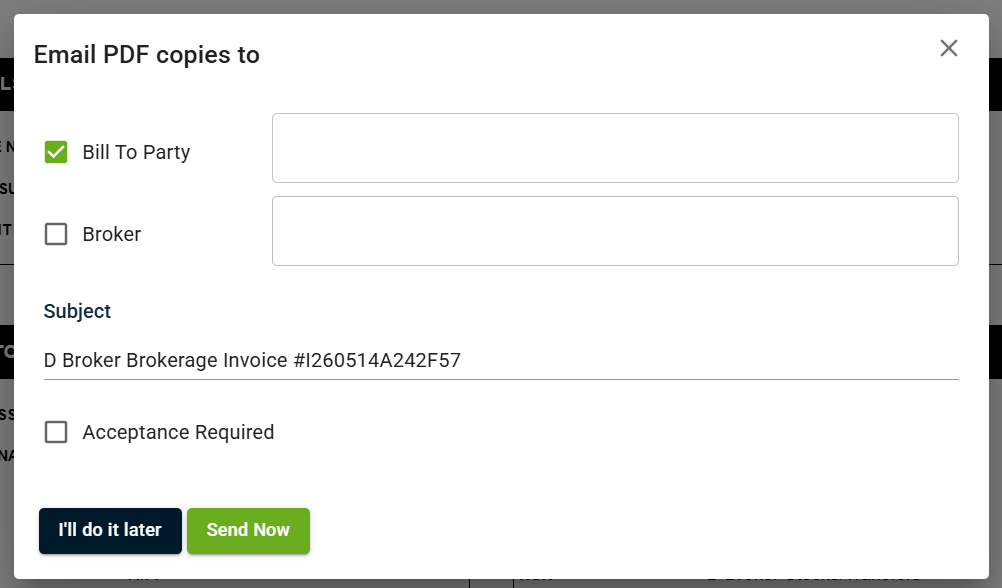
- You will have the option to email a PDF copy of the brokerage invoice to your counterparty ("Send Now"), or do it later.
- Once generated, the brokerage invoice will appear under the 'Active' tab in the invoices module.
Method 2 - Commodity Contract Page
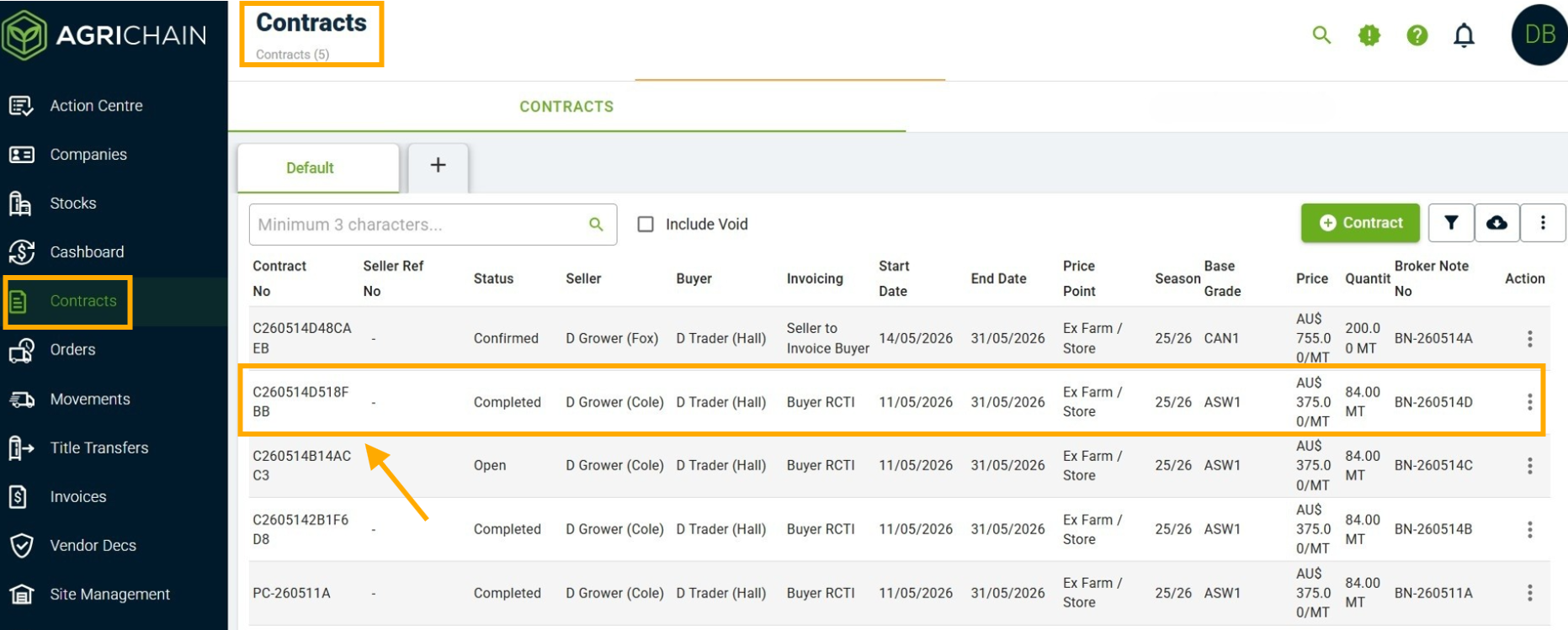
- In the 'Contracts' module, identify the specific contract you intend to generate a brokerage invoice for.
- Go into the contract by clicking into the line item.
- On the contract's page, click on the "INVOICE" tab.
- Click on the green "Generate Invoice" button and select "Brokerage Invoice".
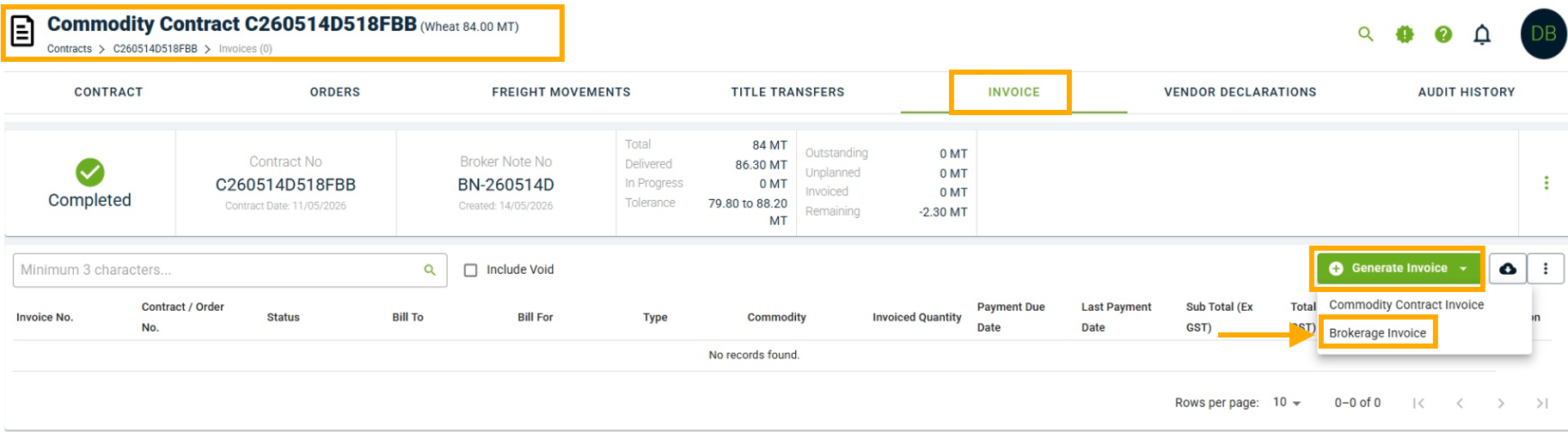
- The brokerage invoice creation form will default to being against the commodity contract.
- Select the Bill To counterparty and fill in the remaining details, if applicable.
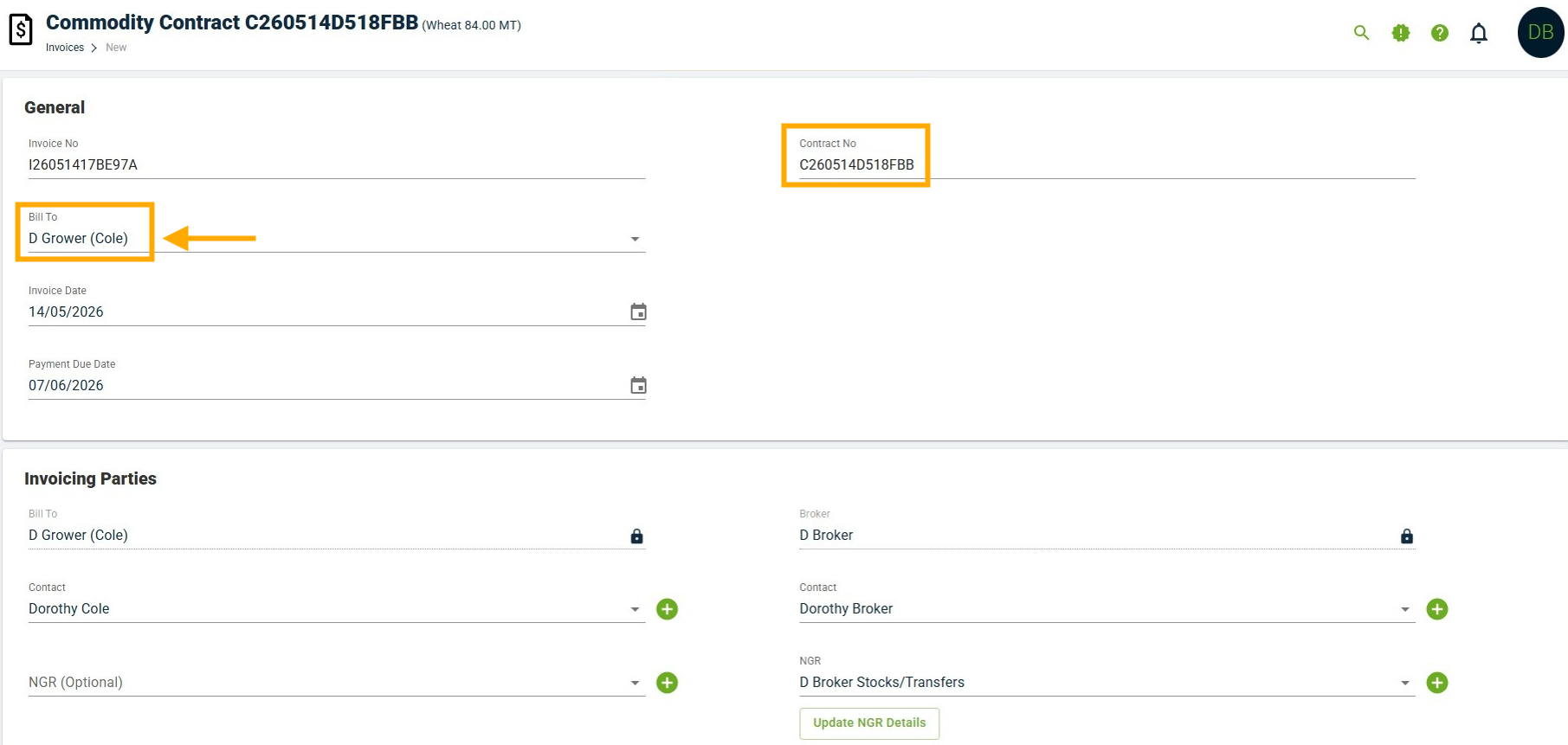
- Once done, scroll to the bottom and select "Continue and Review".
- Review the brokerage invoice preview.
- Once satisfied, click on "Submit".
- You will have the option to email a PDF copy of the brokerage invoice to your counterparty ("Send Now"), or do it later.
- Once generated, the brokerage invoice will appear under the commodity contract's "INVOICE" tab.
FAQ
Why am I unable to generate a brokerage invoice?
Occasionally, brokerage fees are charged post-delivery. If this occurs, enter a record of the freight movements (loads), title transfers or if not applicable, mark the contract as complete.
Refer to the Marking Contracts as Complete without Freight Movements article.
Was this article helpful?
That’s Great!
Thank you for your feedback
Sorry! We couldn't be helpful
Thank you for your feedback
Feedback sent
We appreciate your effort and will try to fix the article