Introduction
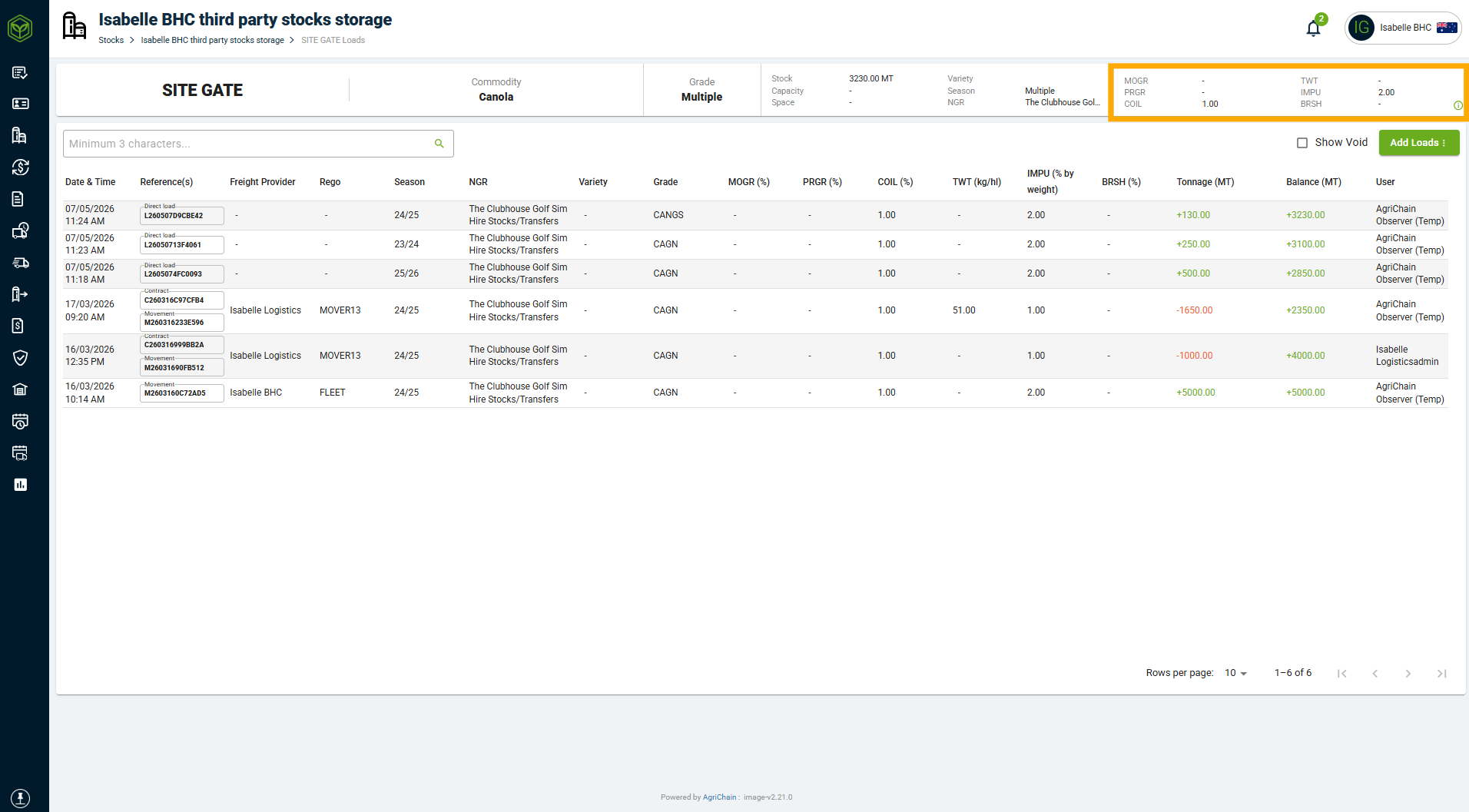
Stack averages are the average specification of grain inside a silo or bunker. On AgriChain, the system calculates stack averages based on the input of test results while inloading. Bulk handlers may use this information to identify grades of the commodity and supply this information to buyers. This feature is only available for Subscribers.
How to Get Stack Averages
- Log in to AgriChain using your credentials.
- Navigate to the Stocks module from the left-hand side menu (tip: click "pin" icon in bottom left of screen to expand module names).
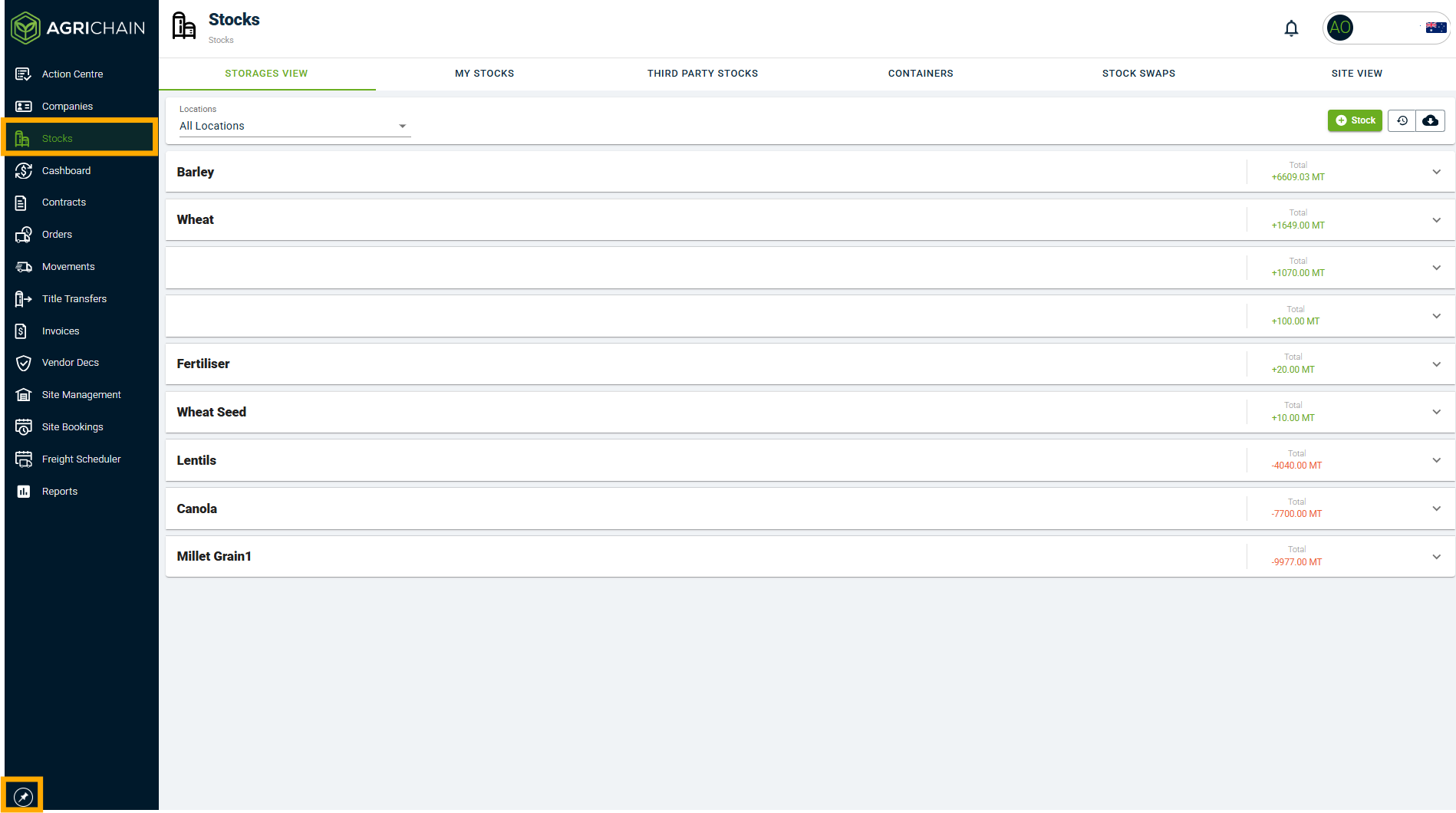
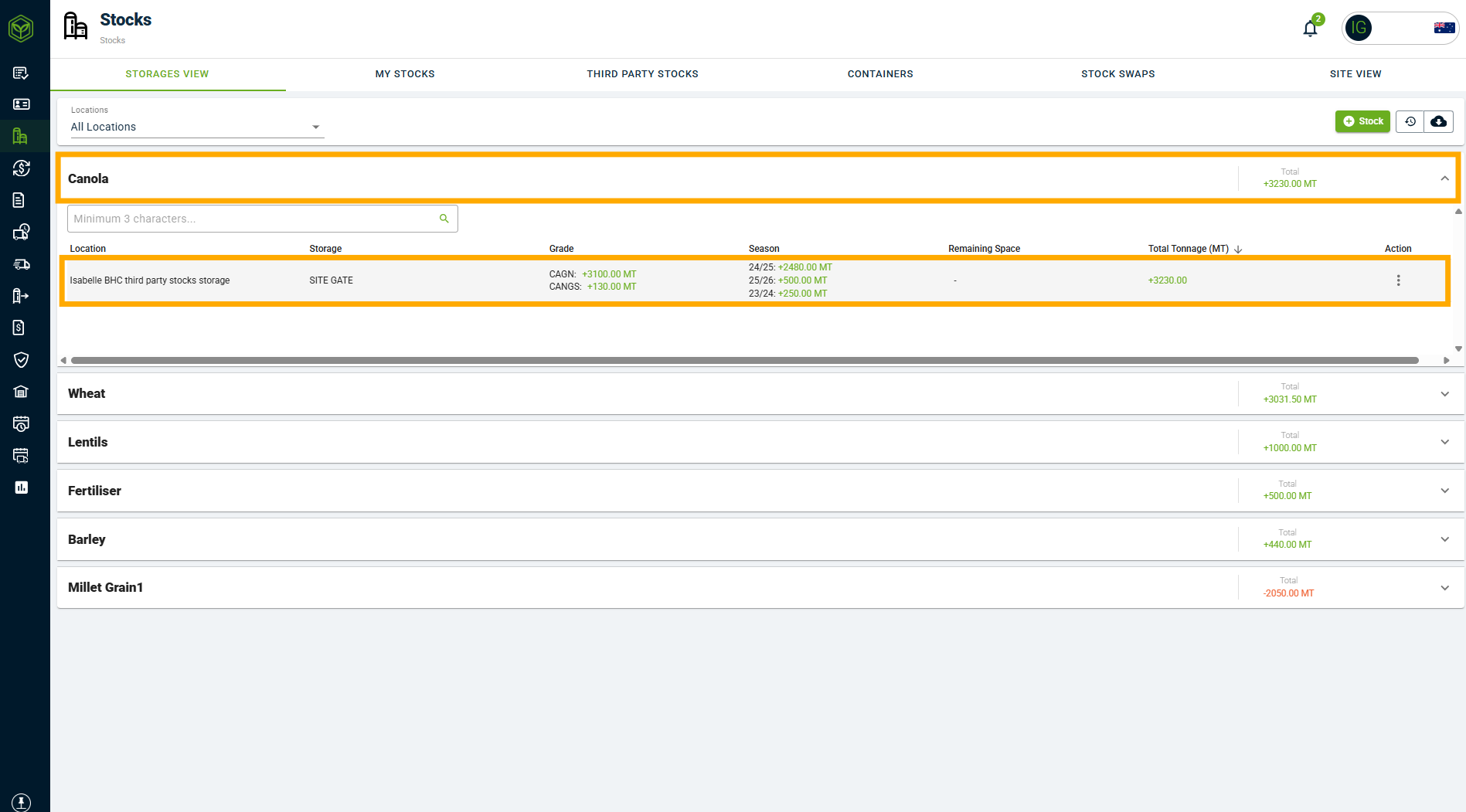
- In the 'Storages View', click the related Commodity line to expand, then select any storage and click into it. If you are looking for a specific Location, please apply using the Location filter at the top of the page.
- Once you have clicked into the detailed view of a storage, you will see the specifications located in the top right corner of the storage screen.
You may also download the 'Storage Report' to have this information in a CSV format. Refer to the Related Articles section at the end of this article.
You may also refer to the video tutorial below:
FAQs
Why is the stack averages column empty for me?
This is because no test results were entered for the loads delivered into the silo. To display stack averages, you must enter test results for all loads.
Why can't I see 'Storages View'?
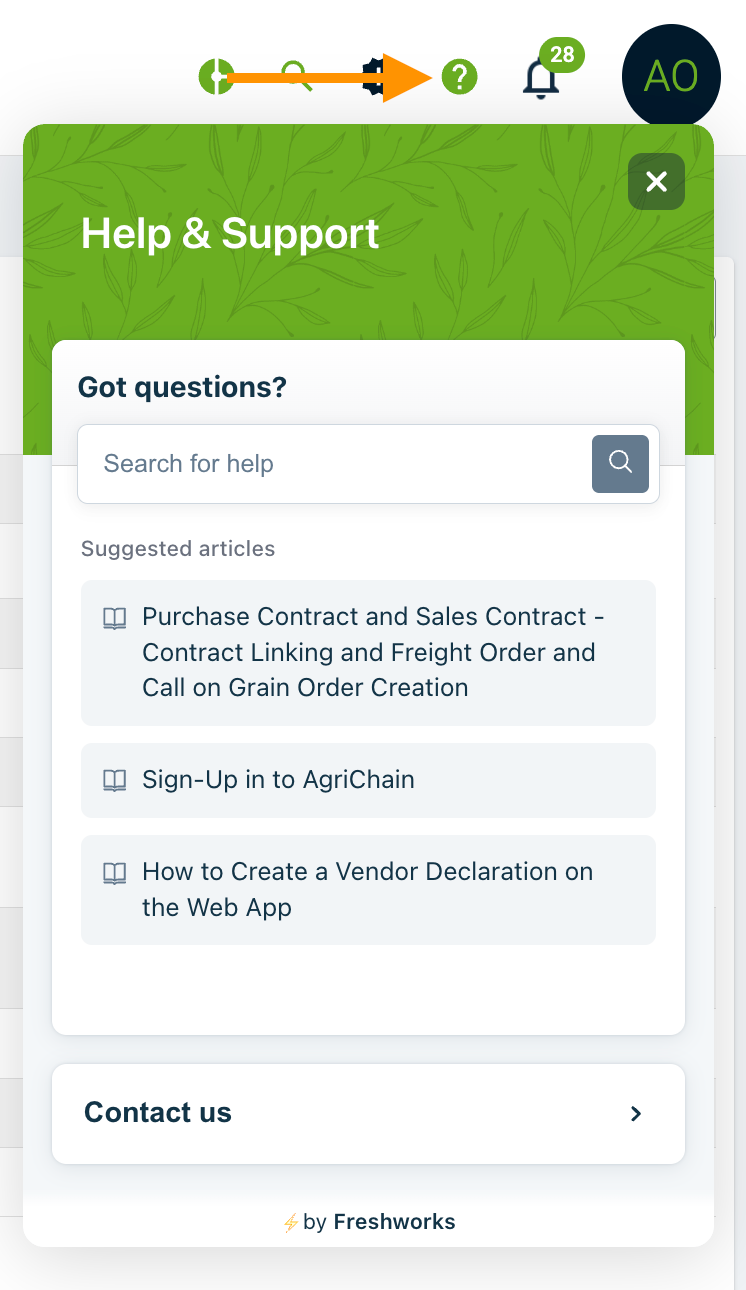
This feature is only available for AgriChain subscribers. If you need access, please reach out to our team for more information by submitting a ticket via the Help '?' Widget and clicking on 'Contact Us'.
Related Articles
Was this article helpful?
That’s Great!
Thank you for your feedback
Sorry! We couldn't be helpful
Thank you for your feedback
Feedback sent
We appreciate your effort and will try to fix the article