Introduction
There is a feature in AgriChain whereby recipients of Invoices are automatically populated according to the counterparties and employees involved in a Commodity Contract, Freight Order, Freight Movements or Freight Allocations. If you are needing to edit the recipients of these Invoices prior to generating them, there is a way to do this without editing the Contract, Order, Movement or Allocation involved.
Note: This method only works if there is an existing invoice to be created for that company.
Amending Recipients in Invoicing Module
- Log in to AgriChain using your credentials.
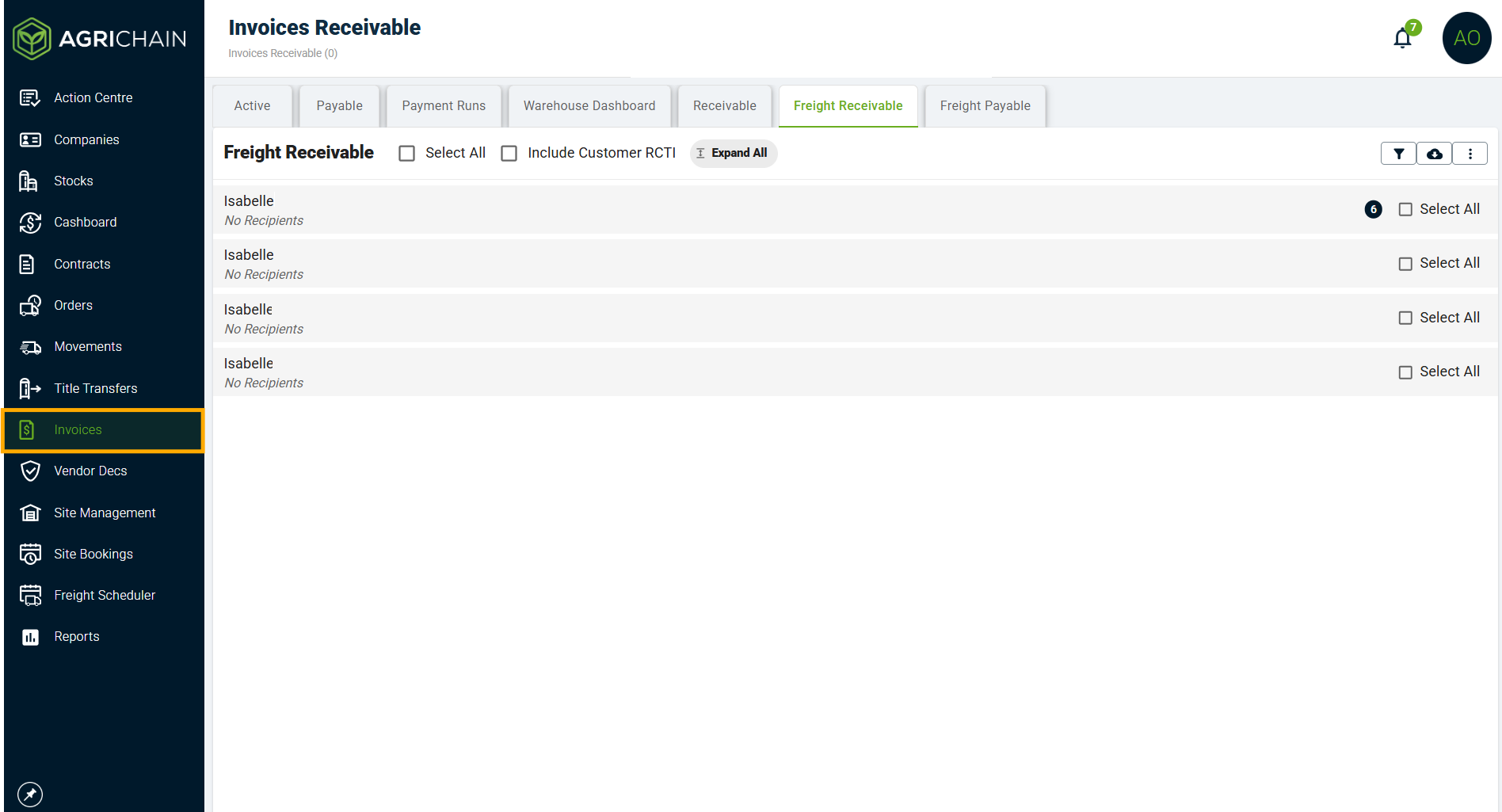
- Navigate to the Invoices module from the left-hand side menu, select relevant tab from options at top of screen.
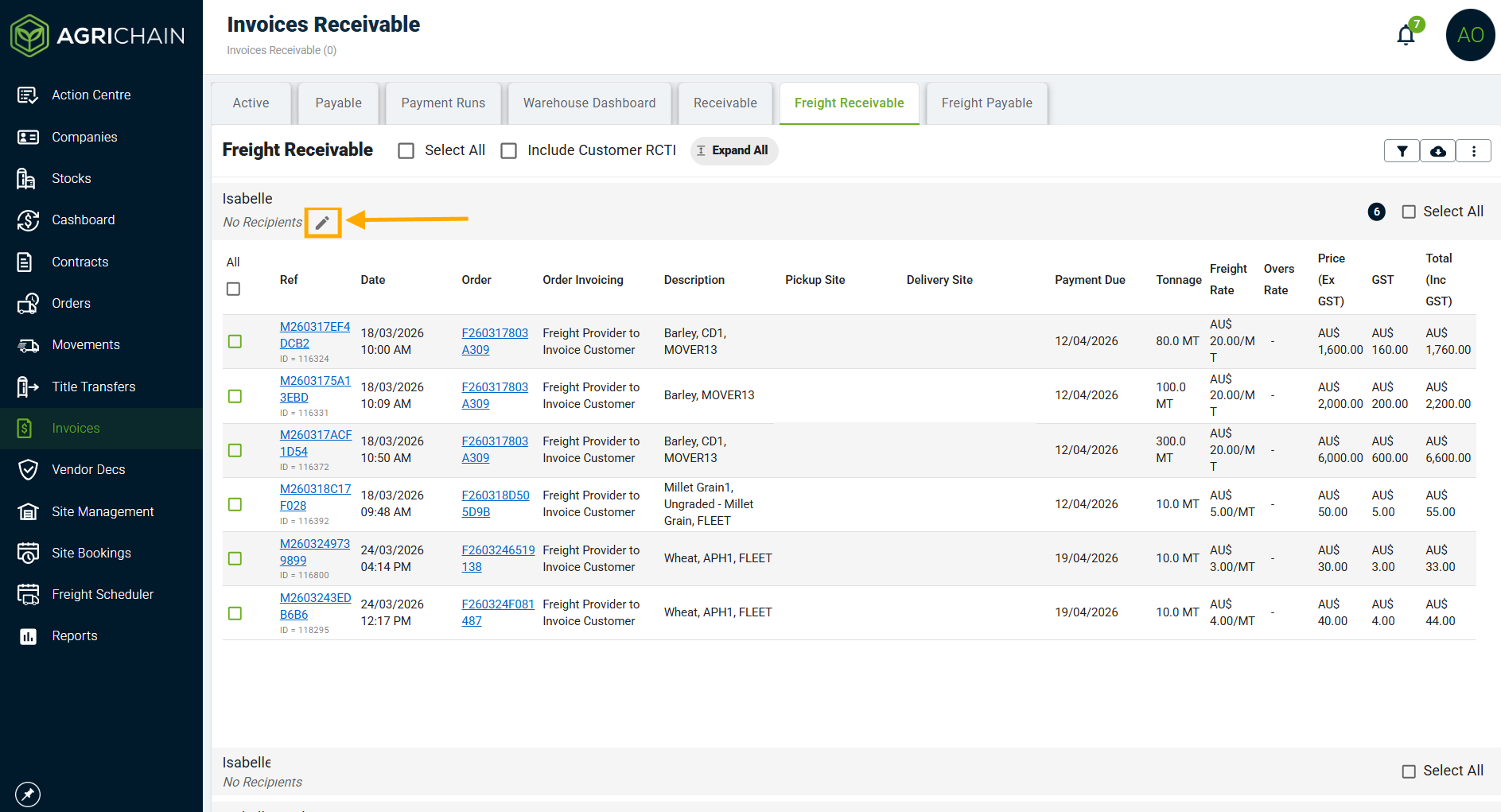
- Click on the Company you're wanting to edit the Recipients for and click the "edit" icon.
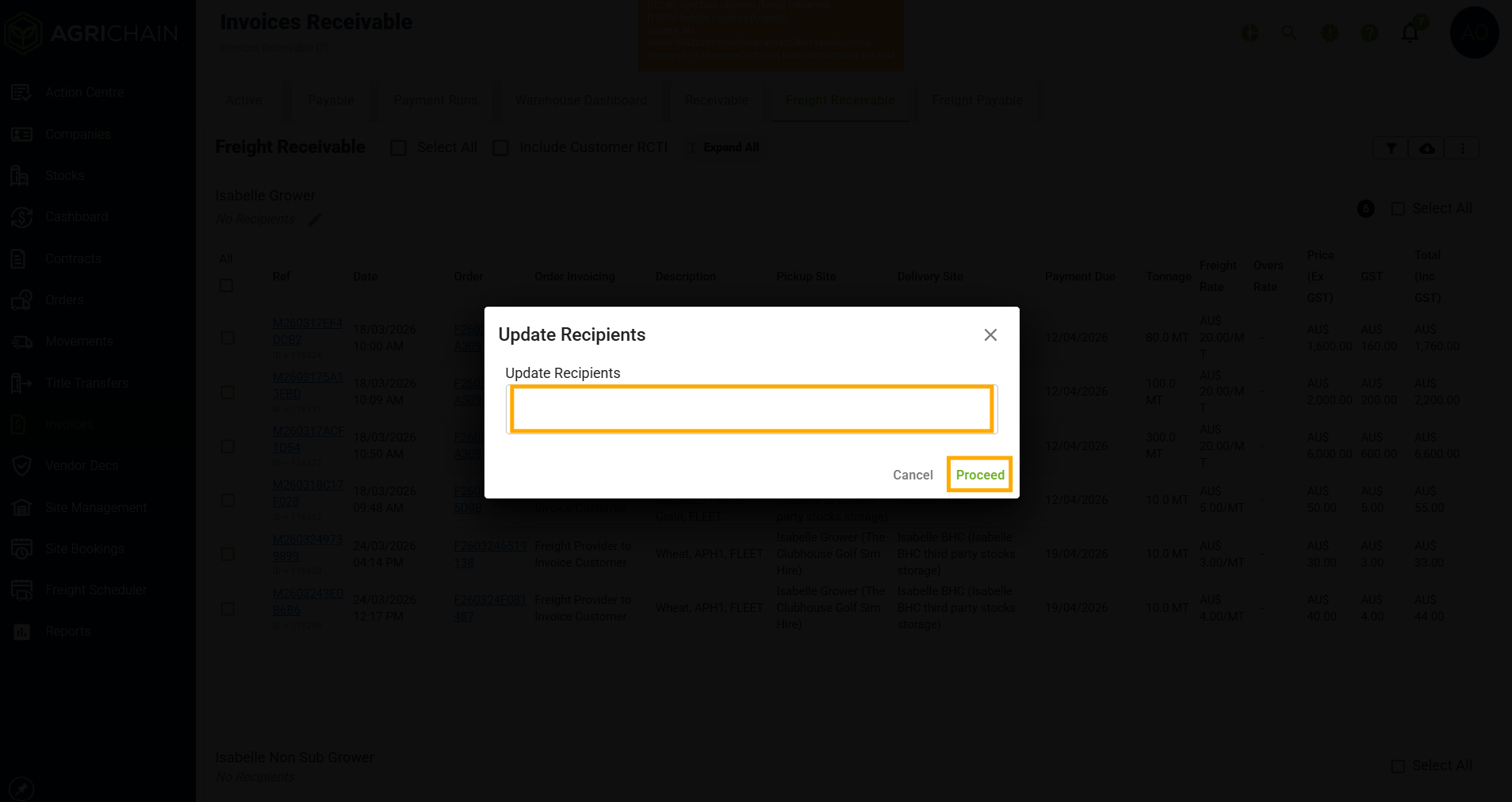
- A white box will appear in the centre of the screen, enter the emails or names you'd like to be recipients of the invoices for that company and delete any you'd like removed. Click "Proceed" when finished.
Was this article helpful?
That’s Great!
Thank you for your feedback
Sorry! We couldn't be helpful
Thank you for your feedback
Feedback sent
We appreciate your effort and will try to fix the article