Introduction
After submitting container records on Grainstor, additional supporting documentation can be attached to the container inspection record.
It is also good to ensure that you have met the Prerequisites for submitting PRA & PEMS on Grainstor (click here).
How to Attach Supporting Documentation to Container Inspection Records
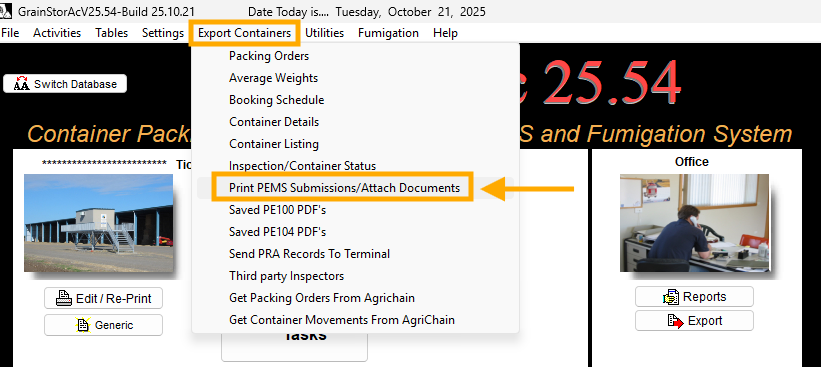
If additional, supporting documentation needs to be uploaded against the Container Inspection, go to the ‘Export Containers’ menu → Select ‘Print PEMS Submissions/Attach Documents’
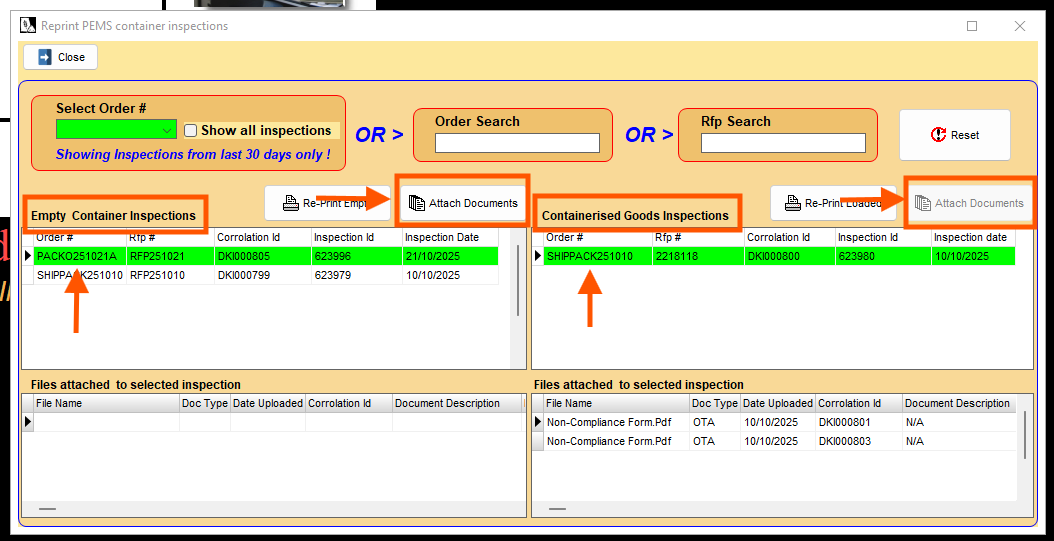
A pop-up will appear. Depending on whether you are attaching support documentation to ‘Empty Container Inspections’ or ‘Containerised Goods Inspections’ → Select the Pack Order No. → then select ‘ Attach Documents’.
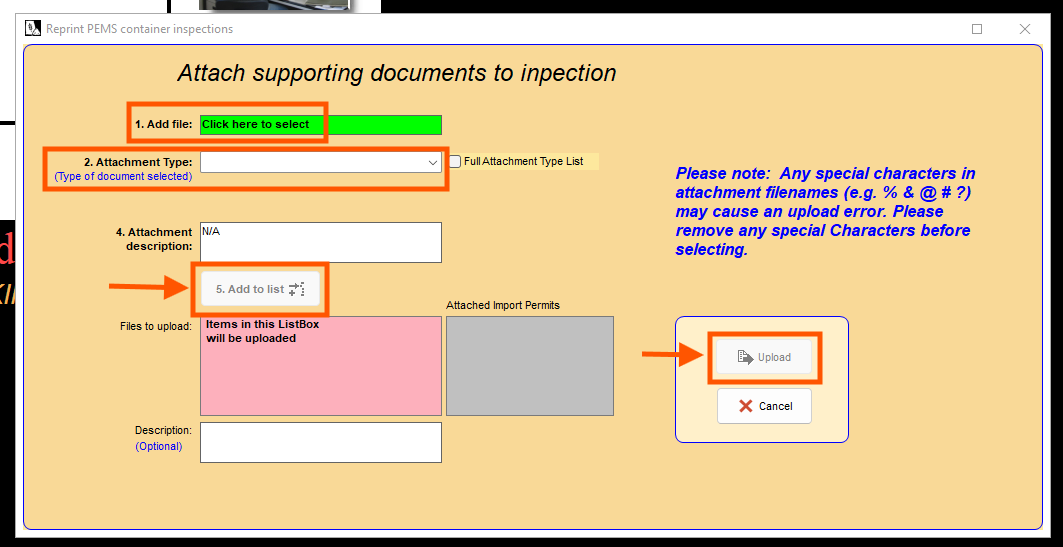
Another pop-up will appear. Add the file → Nominate the ‘Attachment Type’ → Enter an ‘Attachment Description’ if applicable → then select ‘Add to list’ → before selecting ‘Upload’.
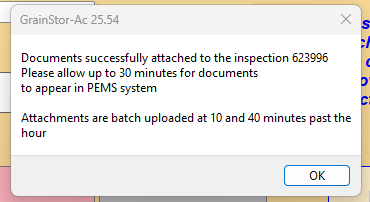
If successfully attached, you will receive the following notification.
Was this article helpful?
That’s Great!
Thank you for your feedback
Sorry! We couldn't be helpful
Thank you for your feedback
Feedback sent
We appreciate your effort and will try to fix the article