Introduction
In the AgriChain mobile app, it is possible to nominate two or more storages to deduct a commodity from or load a commodity into. It is also possible to nominate the tonnage amounts you would like to deduct from each or add into each storage. This functionality is currently supported only in the Standard Load flow. Therefore, to achieve the desired outcome, the user needs to use the Standard Load flow, regardless of whether the QuickLoad toggle is also enabled. For more on this, refer to the "Related Articles" section at the end of this article.
NOTE:
If a storage is not appearing, please check...
- The storage has been added to the farm.
- The storage is sitting under the correct farm or site, and not a different one.
How to select more than one storage for loads
- Log into the AgriChain app, select the farm you're processing an inload or outload from.
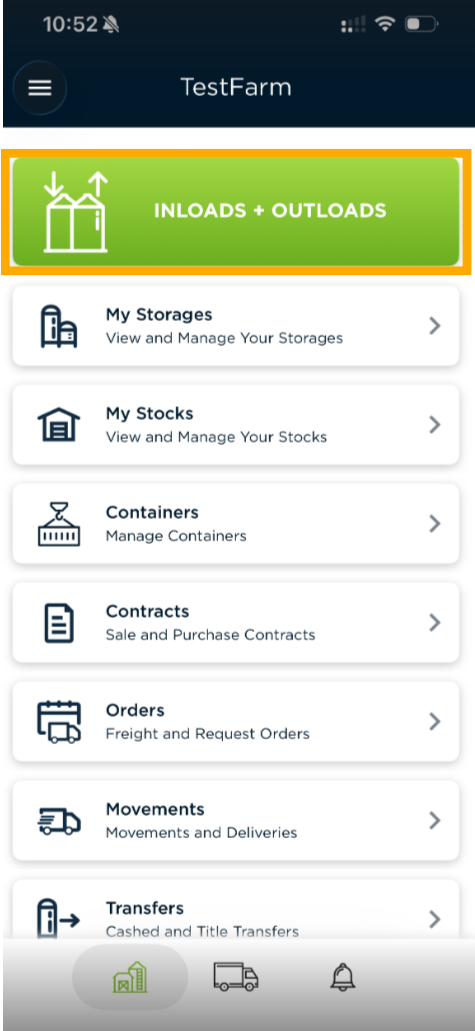
- Click the "INLOADS + OUTLOADS" button at the top of your screen.
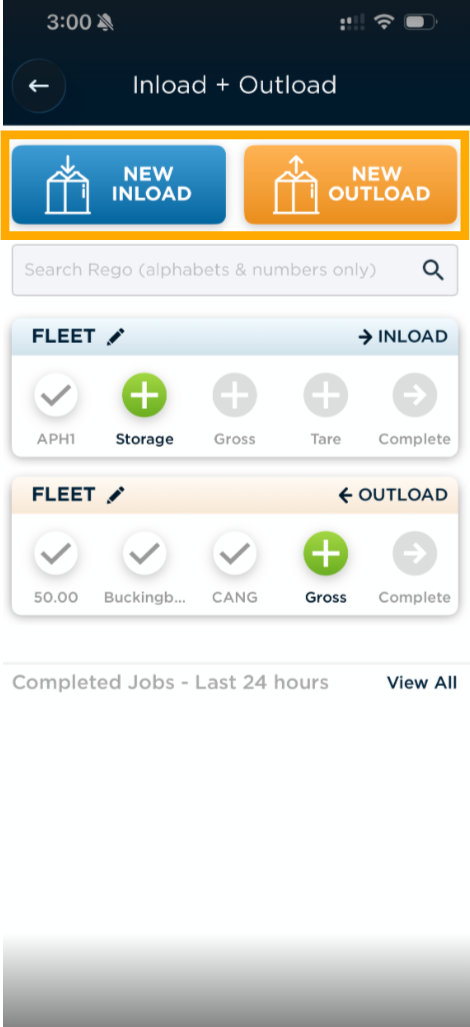
- Select "NEW INLOAD" or "NEW OUTLOAD", depending on which you're requiring.
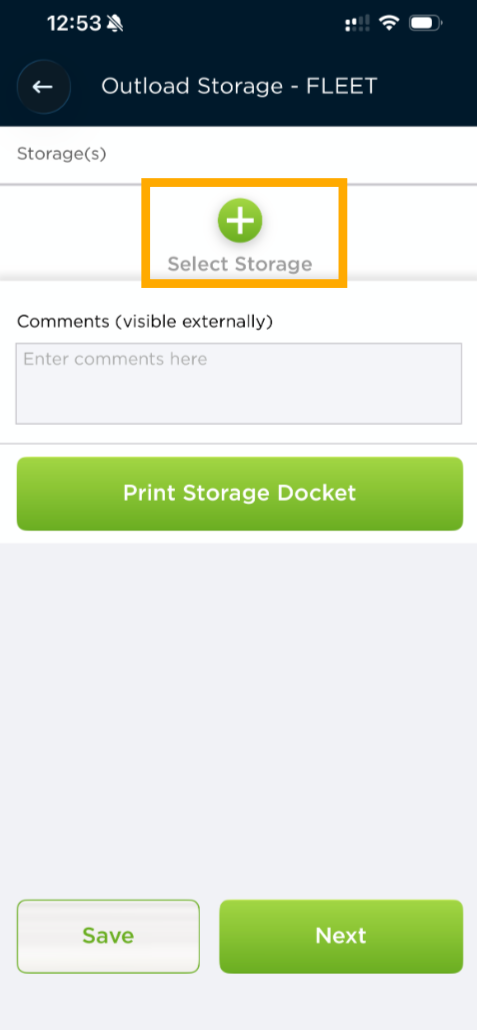
- Fill out the relevant details, when you reach this page in the flow, click the "+ Select Storage" button to add your first storage.
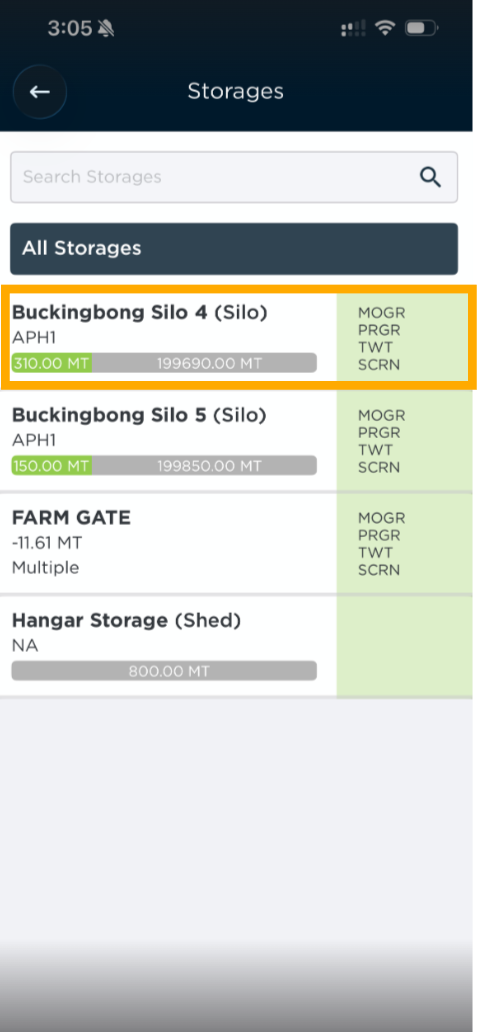
- You will be taken to a list of your storages, please click on the first storage you want to nominate for the load.
- You will be taken back to the initial page, please click the " + Add Blend" button again to select another storage.
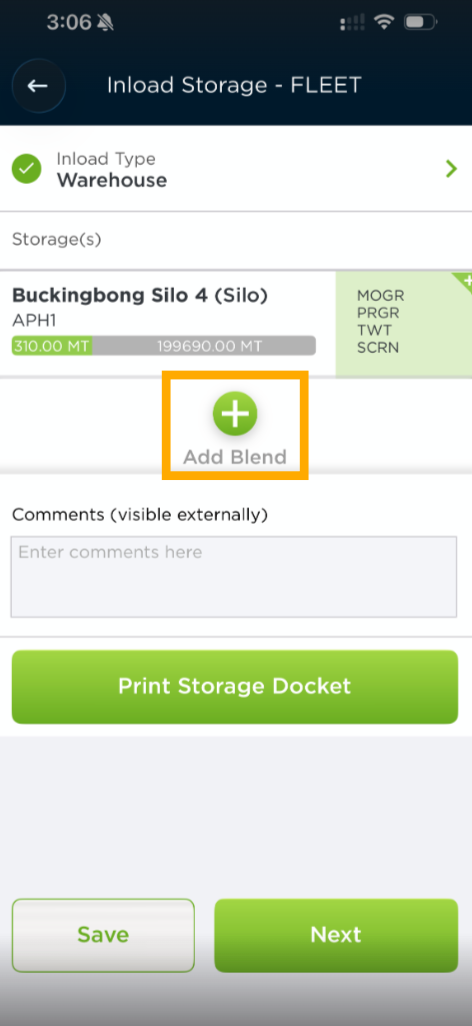
- You will be able to see the remaining storages you have to choose from, please select another storage to nominate it.
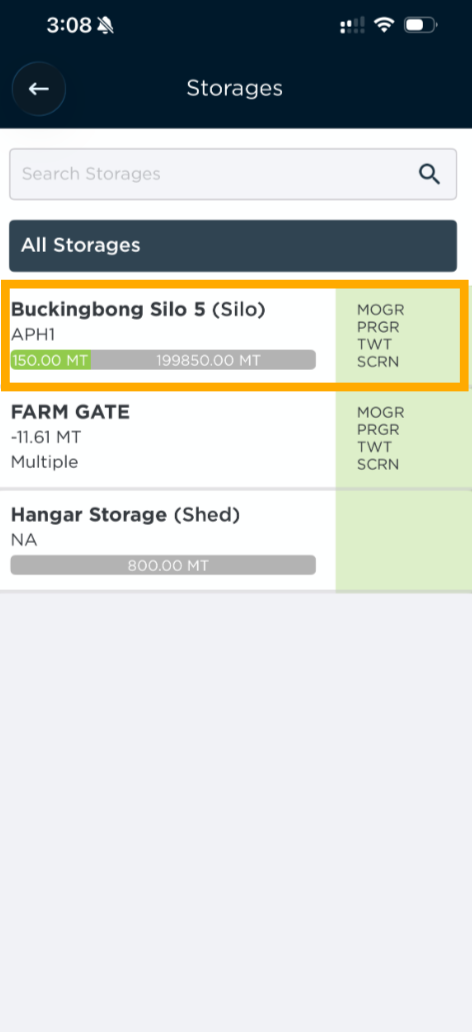
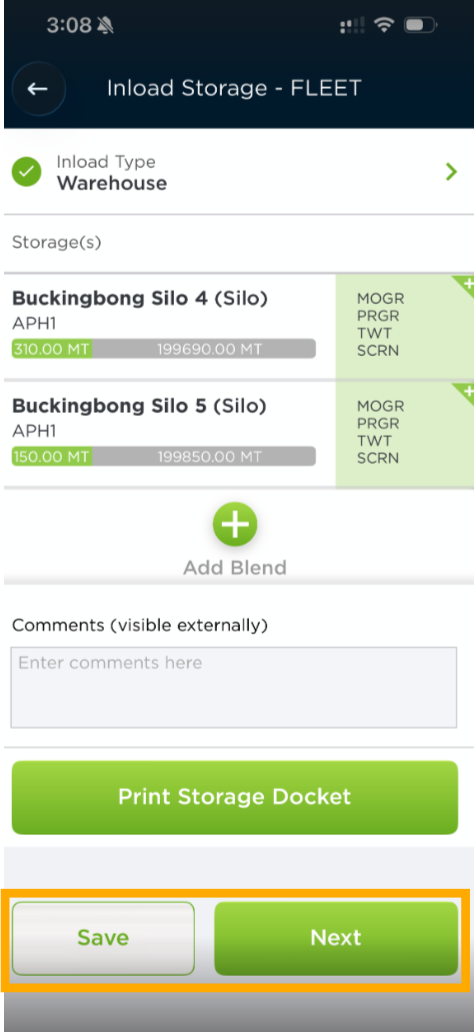
- Repeat for as many storages as you would like to nominate for the load, and when all storages have been nominated - select "Next" or "Save".
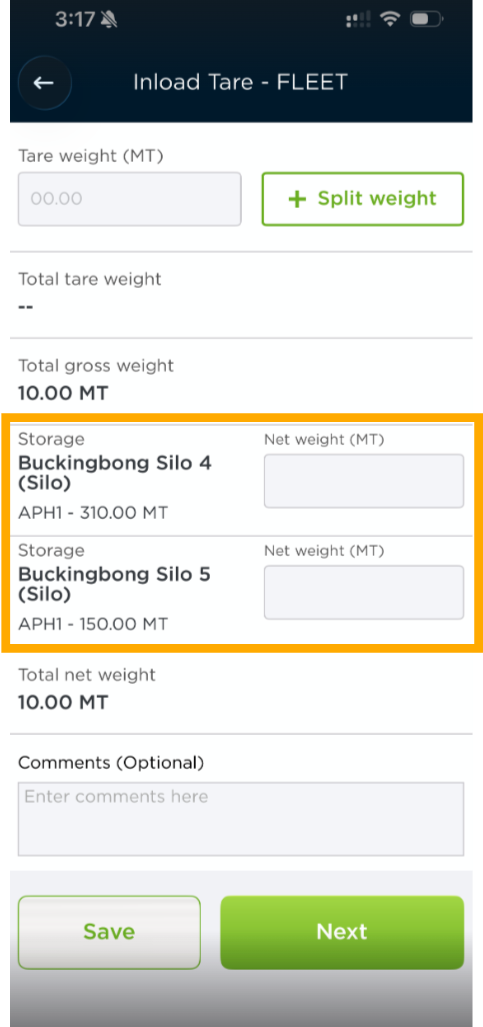
- You will need to enter Gross and Tare weights and fill out other information (depending on the flow) - but then you come across a section asking you to nominate the tonnages you would like deducted from or added to.
You will enter in the Net weight (MT) being added to each storage or taken out of each storage. Please note: the system will prefill the Net weight field by dividing the overall New weight tonnage of the load - just click the box to change the value. See what this looks like for both outloads and inloads here: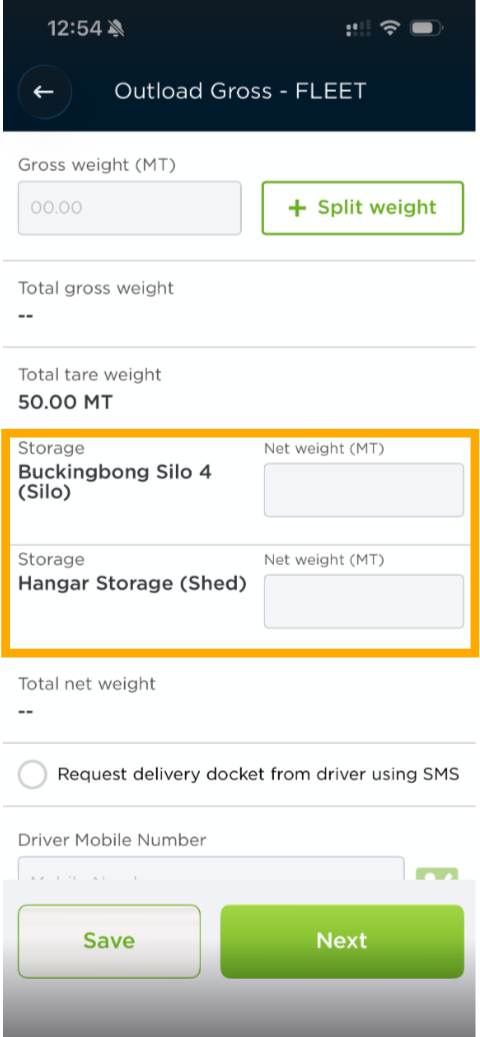
Related Articles
Was this article helpful?
That’s Great!
Thank you for your feedback
Sorry! We couldn't be helpful
Thank you for your feedback
Feedback sent
We appreciate your effort and will try to fix the article