Introduction
Employee details such as email address, phone number, title, and role within the company can be updated by both the Company Admin and Office Admin.
Updating/editing employee details
To update/edit an employee details, please follow the steps below:
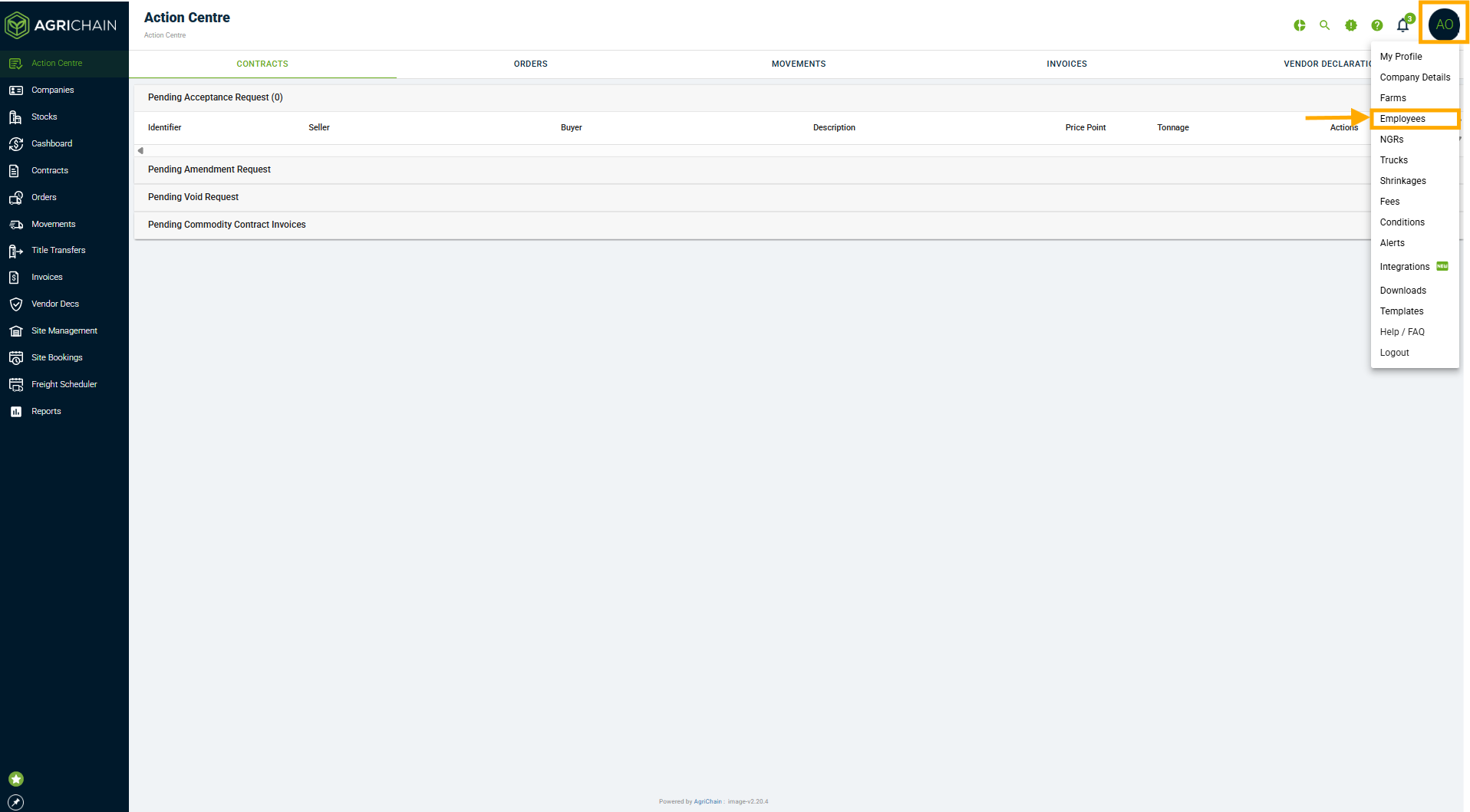
- Click on your profile bubble in the top-right corner of the screen. Select "Employees" from the drop down menu.
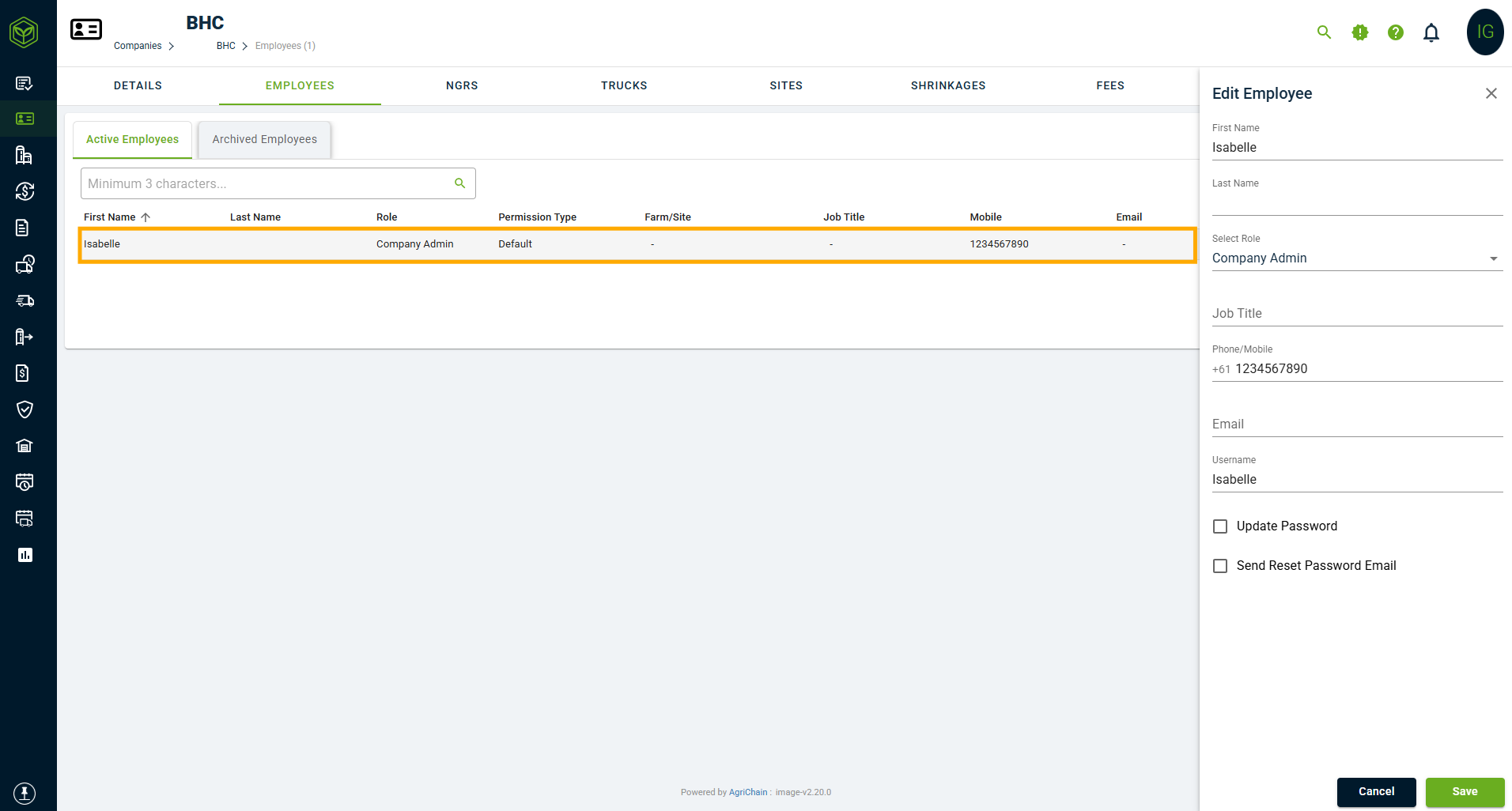
- In the Employees tab, select the employee whose details need to be amended/edited.
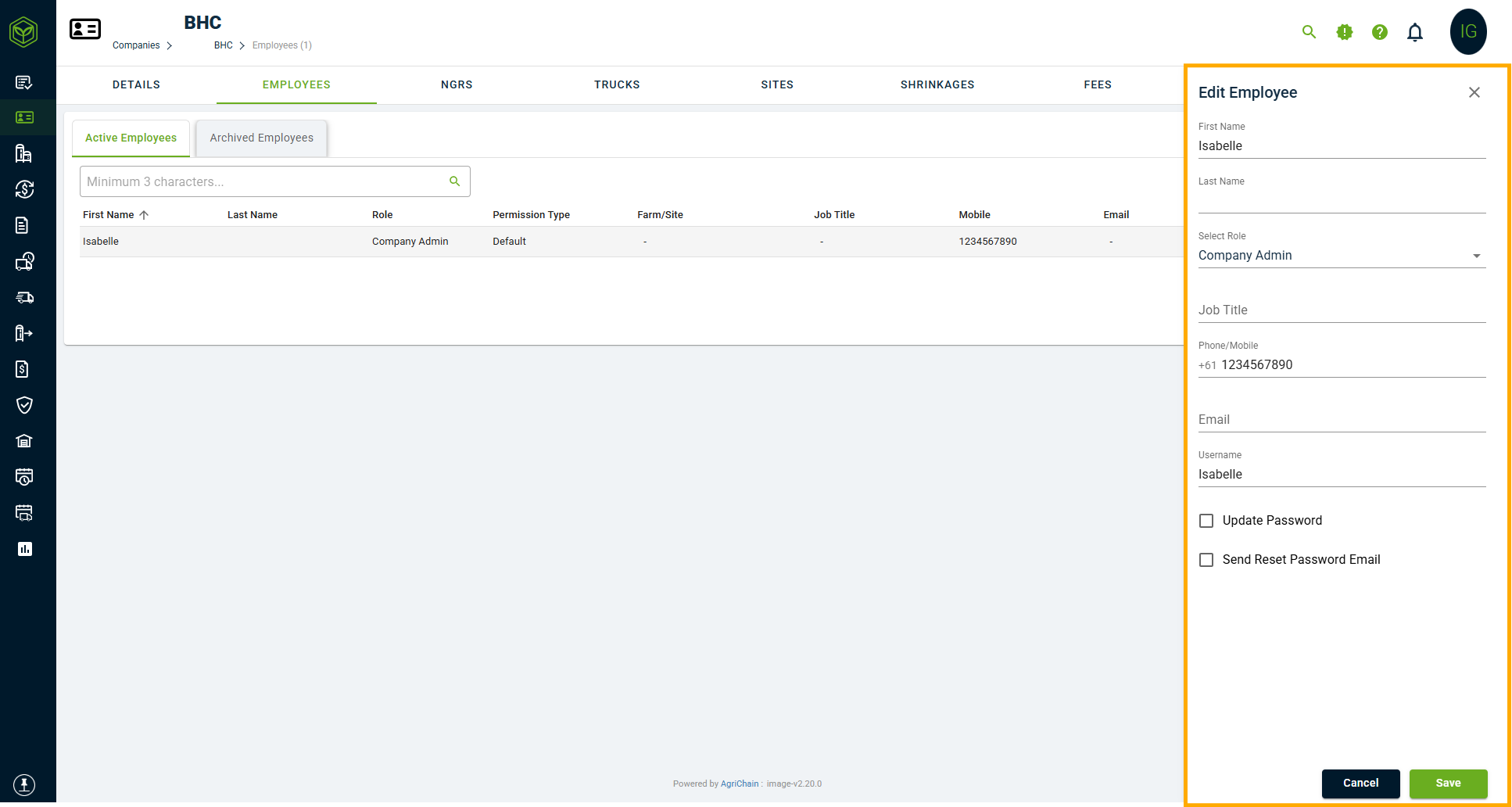
- Update the relevant information, such as email address, username role. (You can read more here: Navigating company roles and permissions article).
- Once all necessary changes are made, click "Save" to confirm.
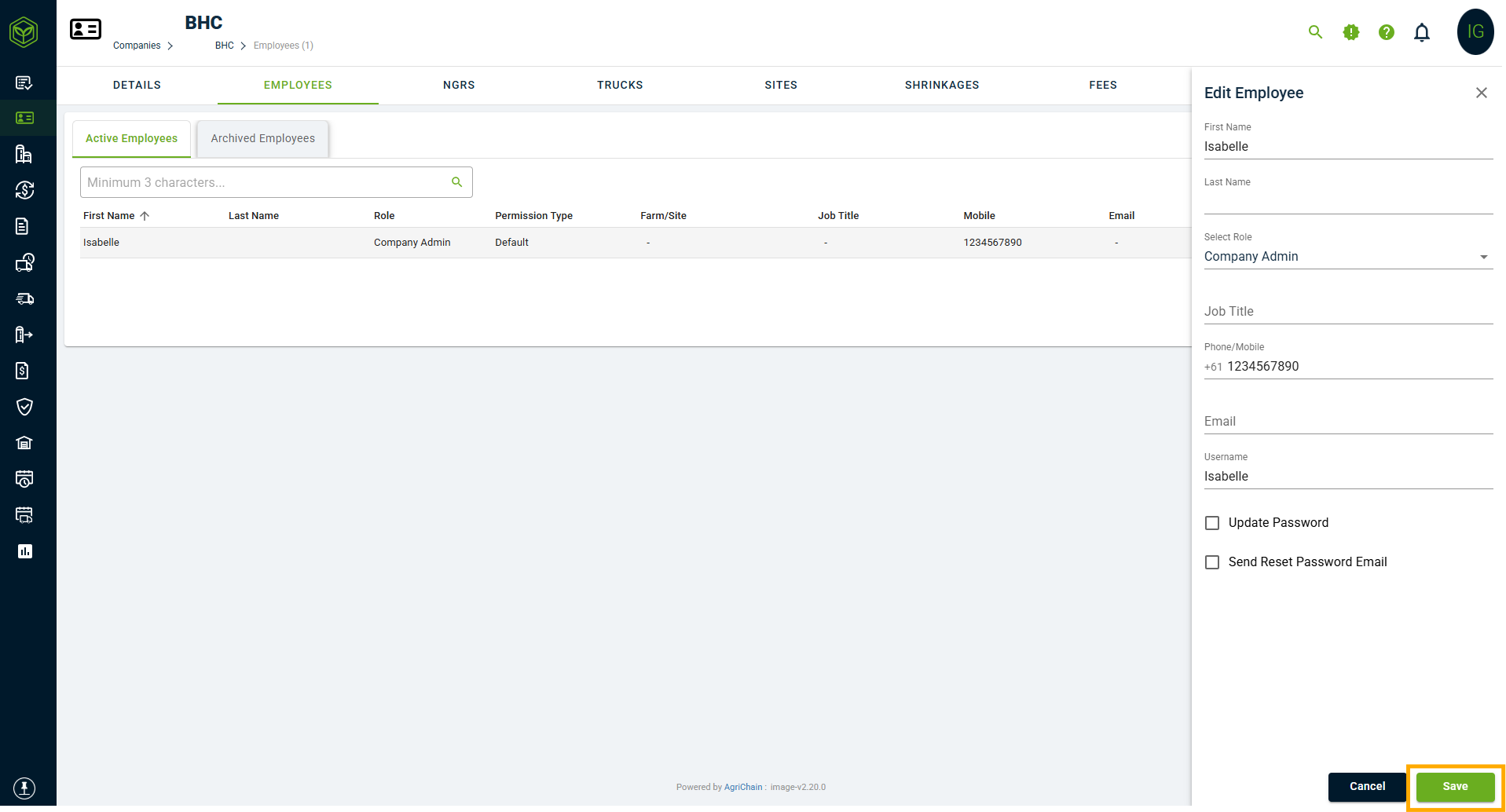
Note: Whenever a new email address or username is entered for an employee, the system will prompt for authentication. The user making the change (e.g. Company Admin) must enter their own AgriChain password to confirm and save the update.
Related Articles
Was this article helpful?
That’s Great!
Thank you for your feedback
Sorry! We couldn't be helpful
Thank you for your feedback
Feedback sent
We appreciate your effort and will try to fix the article