Introduction
This article provides guidance on selecting the correct order type to create when acting as a Customer (Seller or Buyer) or Freight Provider on the AgriChain platform.
This guidance also applies to Sites acting on behalf of Customers or Freight Providers NOT registered with an AgriChain account.
- If the Customer (Seller or Buyer) or Freight Provider is registered with an AgriChain account, Site Owners should direct the Customer or Freight Provider to create the relevant order type themselves following the guidance below.
- Noting that registered AgriChain account users, especially those with Subscriber status, can initiate and execute the following on behalf of other users.
Customer (Seller or Buyer)
As a Seller or Buyer, create one of the following order types based on your situation.
Orders Against a Contract
- You know the Freight Provider and are organising the freight → Create a Freight Order [Refer Article].
- You know the Freight Provider, are organising the freight, and have received a Parent Freight Order from another AgriChain user (Seller/Buyer) → Create a Freight Allocation against the parent Freight Order [Refer Article].
- You are not organising the freight → Create a Call On Grain Order [Refer Article].
Orders Not Against a Contract
- You know the Freight Provider and are organising the freight → Create a Customer-Only Freight Order.
- You do NOT know the Freight Provider → Create the following Request Orders [Refer Article]:
- a Pickup Request Order for the pickup site.
- a Delivery Request Order for the delivery site.
- This allows freight to be arranged later once a Freight Provider is known.
Important: If a site order number is provided by a customer, depending on whether it is a:
→ Pickup Site: Enter this site order number in the 'Pickup Order No (Optional)' field on the order creation form.
→ Delivery Site: Enter this site order number in the 'Delivery Order No (Optional)' field on the order creation form.
Freight Provider
As a Freight Provider, create one of the following order types based on your situation.
Orders Against a Contract
- You are the Freight Provider → Create a Freight Order [Refer Article].
- You are the Main Freight Provider, will sub-contract the order, and have received a Parent Freight Order from another AgriChain user (Seller/Buyer) → Create a Freight Allocation to your sub-contractor against the parent Freight Order [Refer Article].
Orders Not Against a Contract
- You are the Freight Provider → Create a Customer-Only Freight Order.
- You are the Freight Provider and have received a Pickup/Delivery Request Order Number → Create a Freight Order.
Important: If a site order number is provided by a customer, depending on whether it is a:
→ Pickup Site: Enter this site order number in the 'Pickup Order No (Optional)' field on the order creation form.
→ Delivery Site: Enter this site order number in the 'Delivery Order No (Optional)' field on the order creation form.
Need More Help
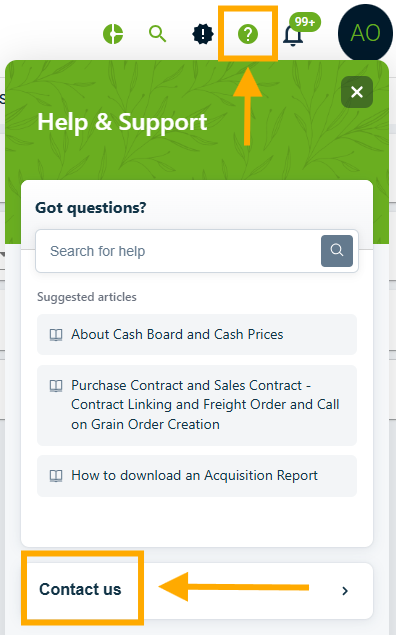
If you are still unsure on which order type to create, please submit a support ticket to AgriChain for best-practice advice.
Was this article helpful?
That’s Great!
Thank you for your feedback
Sorry! We couldn't be helpful
Thank you for your feedback
Feedback sent
We appreciate your effort and will try to fix the article