Introduction
Custom Views is a feature for subscribers that allows user to save multiple filters for different view in their movements/contracts tab instead of reapplying filters each time or changing filters for each instances.
Custom Views is currently only available for the Movements and Contract Module. AgriChain will slowly implement it for other modules.
How to set up Custom Views:
- In the Movements/Contract Module, click on the '+' icon right above the 'Search' bar. This creates a new Custom View for you to save the filters you'd like.
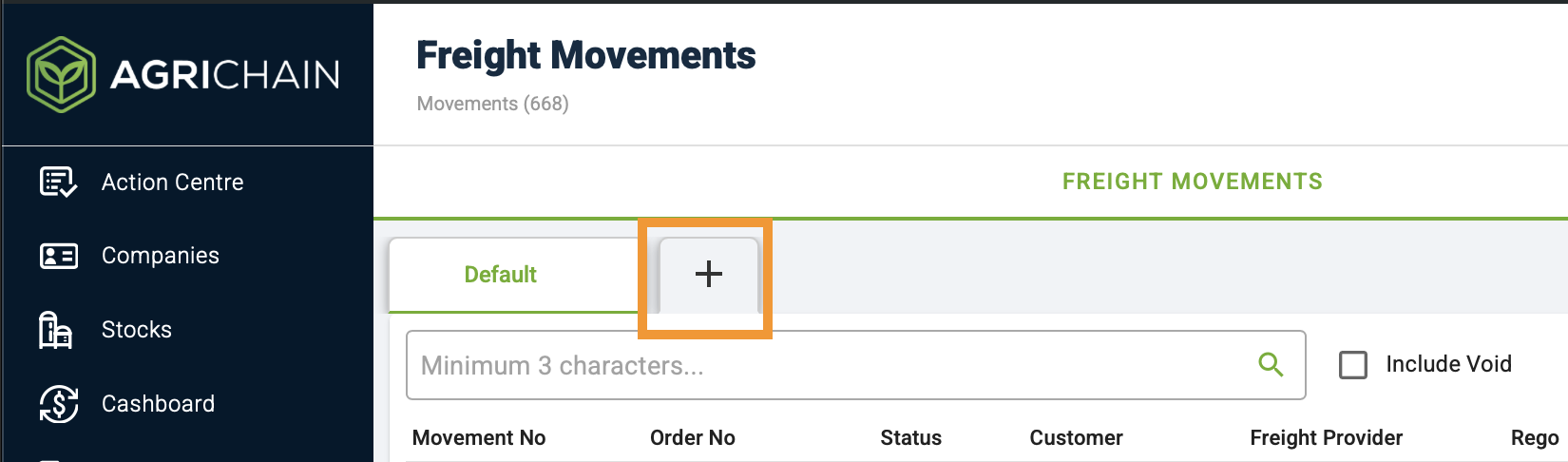
- When you create the Custom View, you will be prompted to enter a name for that view for easier navigation.
- Once you have save the name, you can now start applying filters.
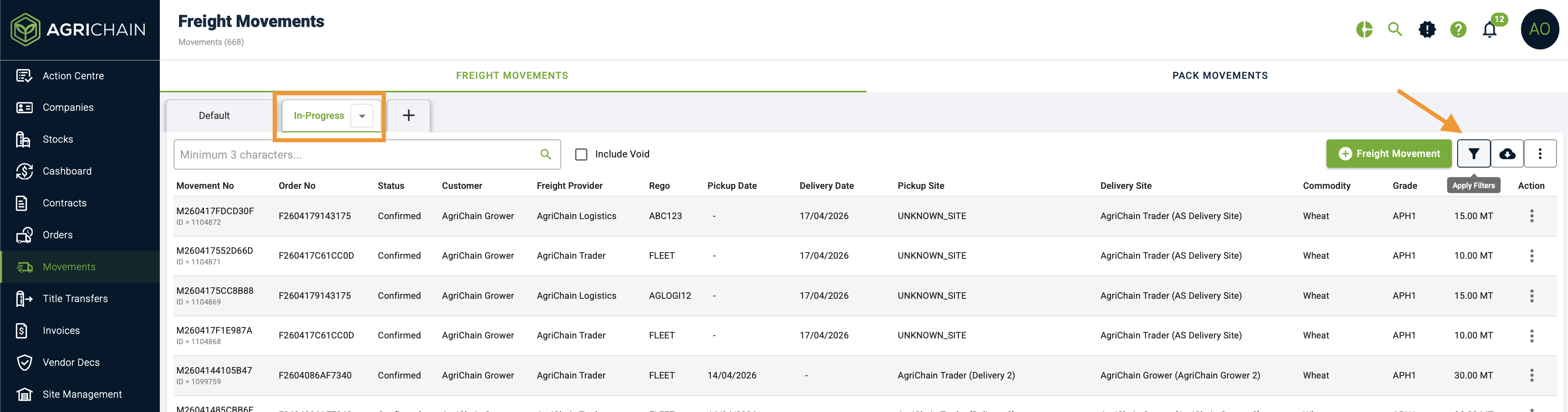
- All filters applied in this view will stay in this view. You can create multiple Custom Views
- To delete a custom view, please hover over it and click on the drop-down arrow and select 'Delete'.
Deleting a Custom View will not delete any movements/contracts on the page. It just removes the saved filters and that page for viewing.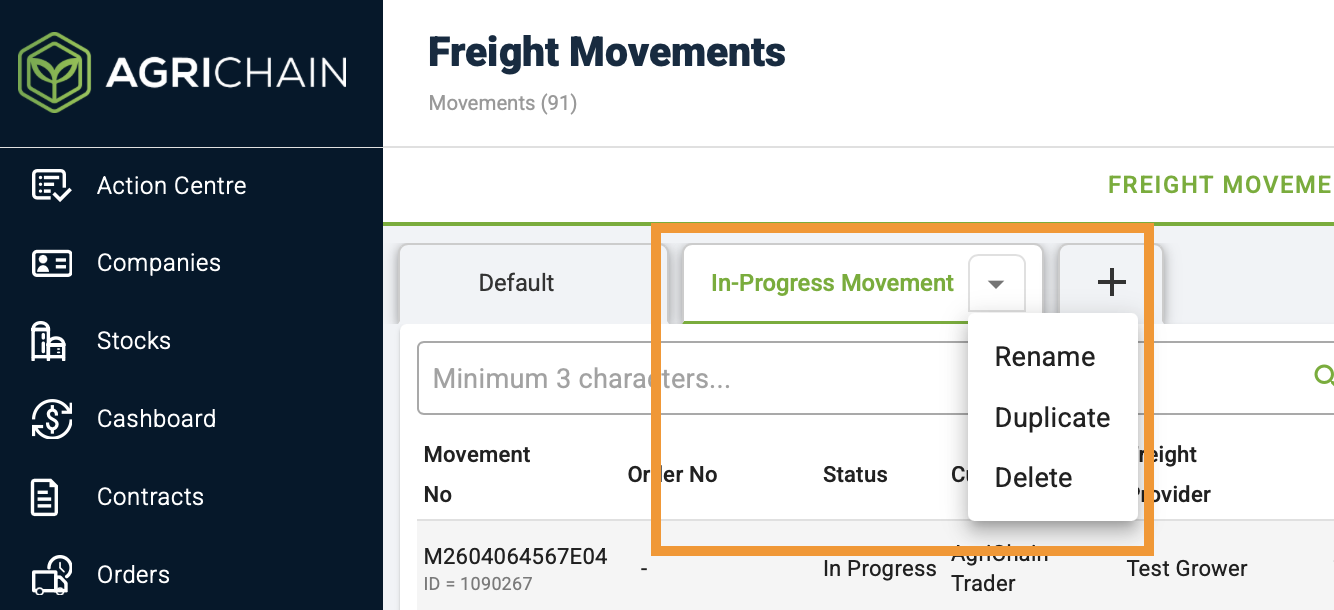
- You can also rename the Custom View or duplicate it. To revert to the default view, just click 'Default'.
You may also refer to the video below to learn about creating Custom Views in movements module:
Was this article helpful?
That’s Great!
Thank you for your feedback
Sorry! We couldn't be helpful
Thank you for your feedback
Feedback sent
We appreciate your effort and will try to fix the article