Introduction
Users can bulk-update a freight movement's freight rate or assign it to a contract or an order. This feature must be enabled via a setting by a Super Admin.
Bulk Update Freight Rate
Freight movement (a ticket) can be invoiced out for a freight job independently without the need for an order. This aims to help users efficiently manage their freight invoicing during peak periods such as harvest. Instead of adding the freight rate individually to each movement, you may use the 'Bulk Update' option and apply it appropriately.
To bulk update freight movements:
- Log in to AgriChain using your credentials.
- Navigate to the Movement module from the left-hand side menu.
- In the Movement page, click on the main 3-dot 'Action' menu and select 'Bulk Update'
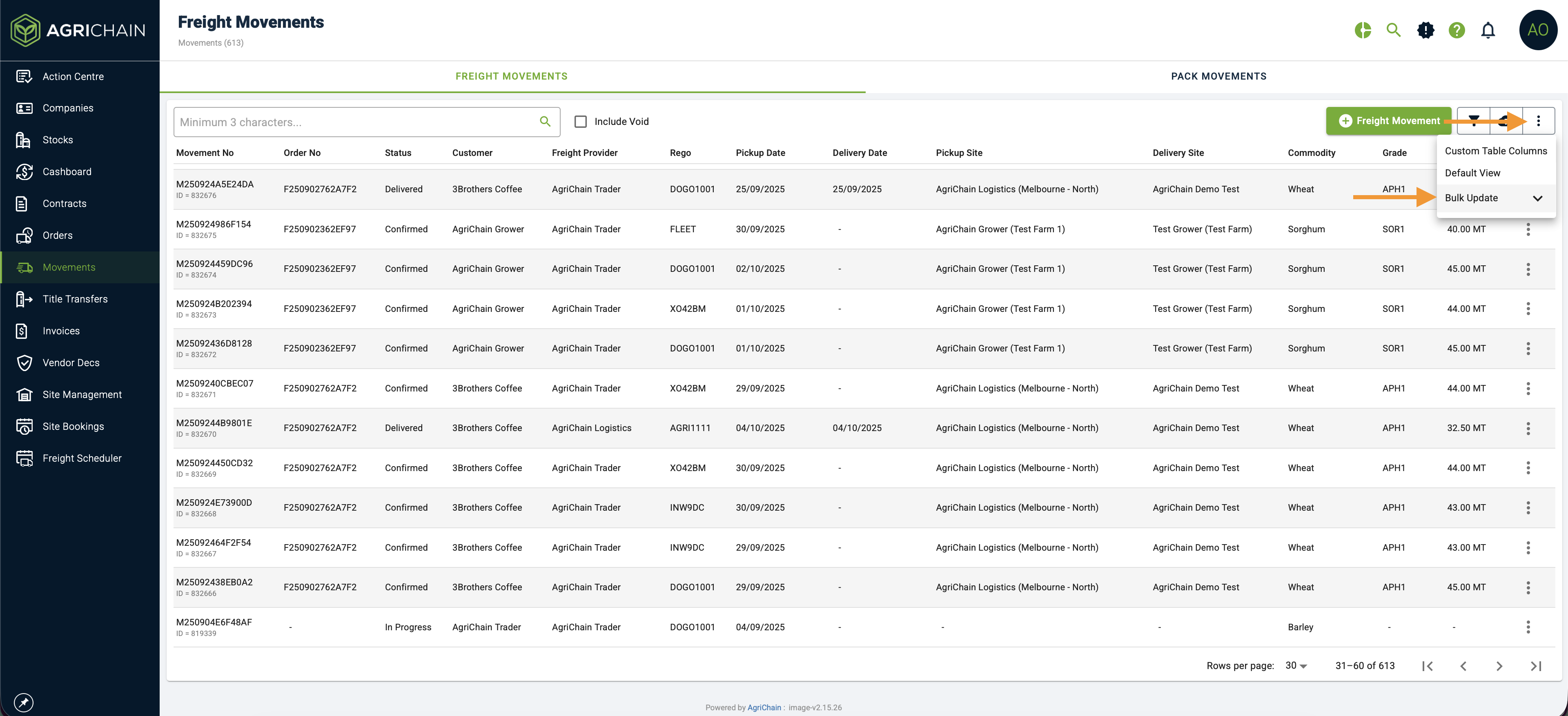
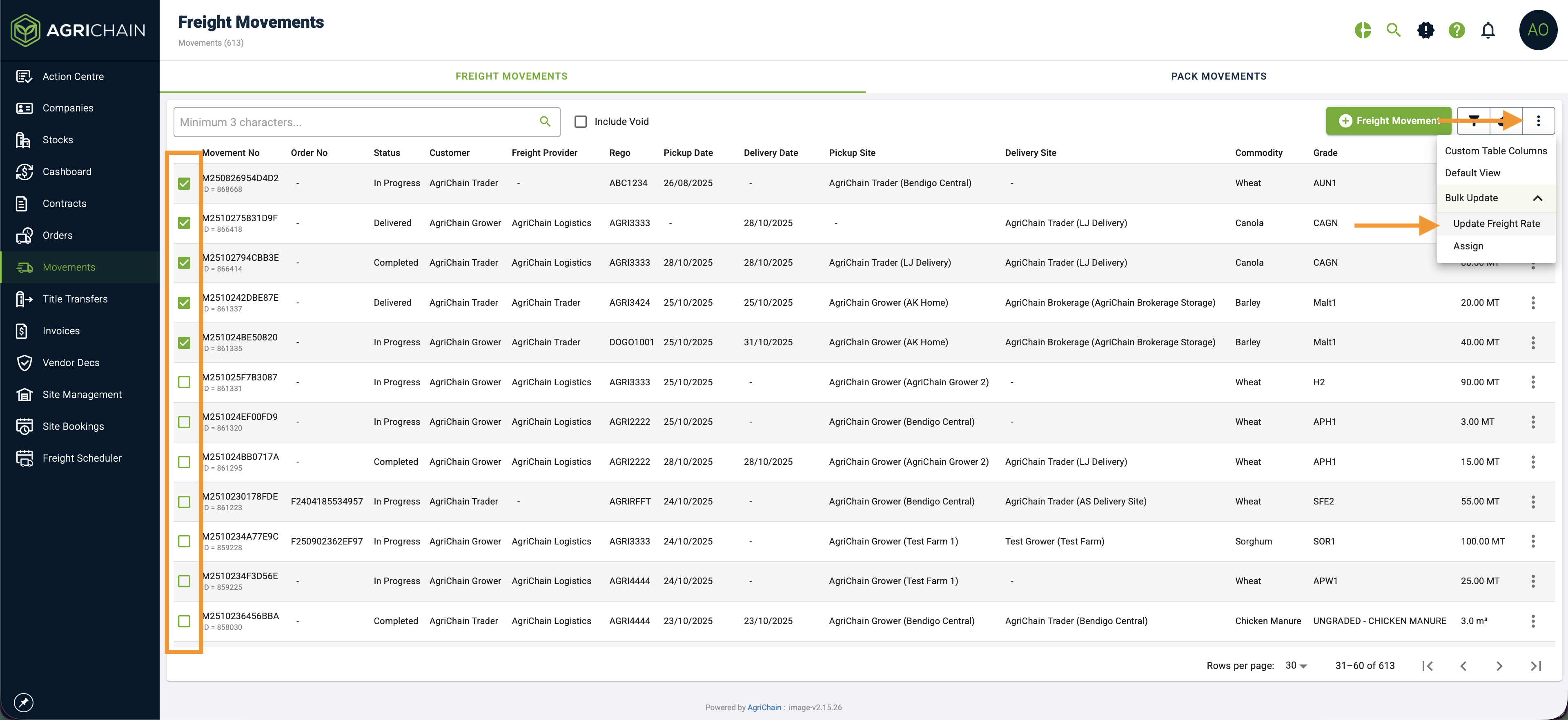
- Once you have clicked on 'Bulk Update', you will see checkboxes on the left-hand side of the table list. Please select all appropriate movements you want to update.
- To update the freight rate of your selected movements, please click on the main 3-dot 'Action' menu and select 'Update Freight Rate' and enter the freight rate.
Bulk Assign Movement
Movements can be created independently, such as harvest deliveries. If you would like to allocate/assign these harvest deliveries to a contract or order, you may bulk-assign them using the Bulk Update feature.
To bulk assign freight movements:
- Log in to AgriChain using your credentials.
- Navigate to the Movement module from the left-hand side menu.
- In the Movement page, click on the main 3-dot 'Action' menu and select 'Bulk Update'
- Once you have clicked on 'Bulk Update', you will see checkboxes on the left-hand side of the table list. Please select all appropriate movements you want to update.
- To bulk-assign your selected movements, please click on the main 3-dot 'Action' menu and select 'Assign'
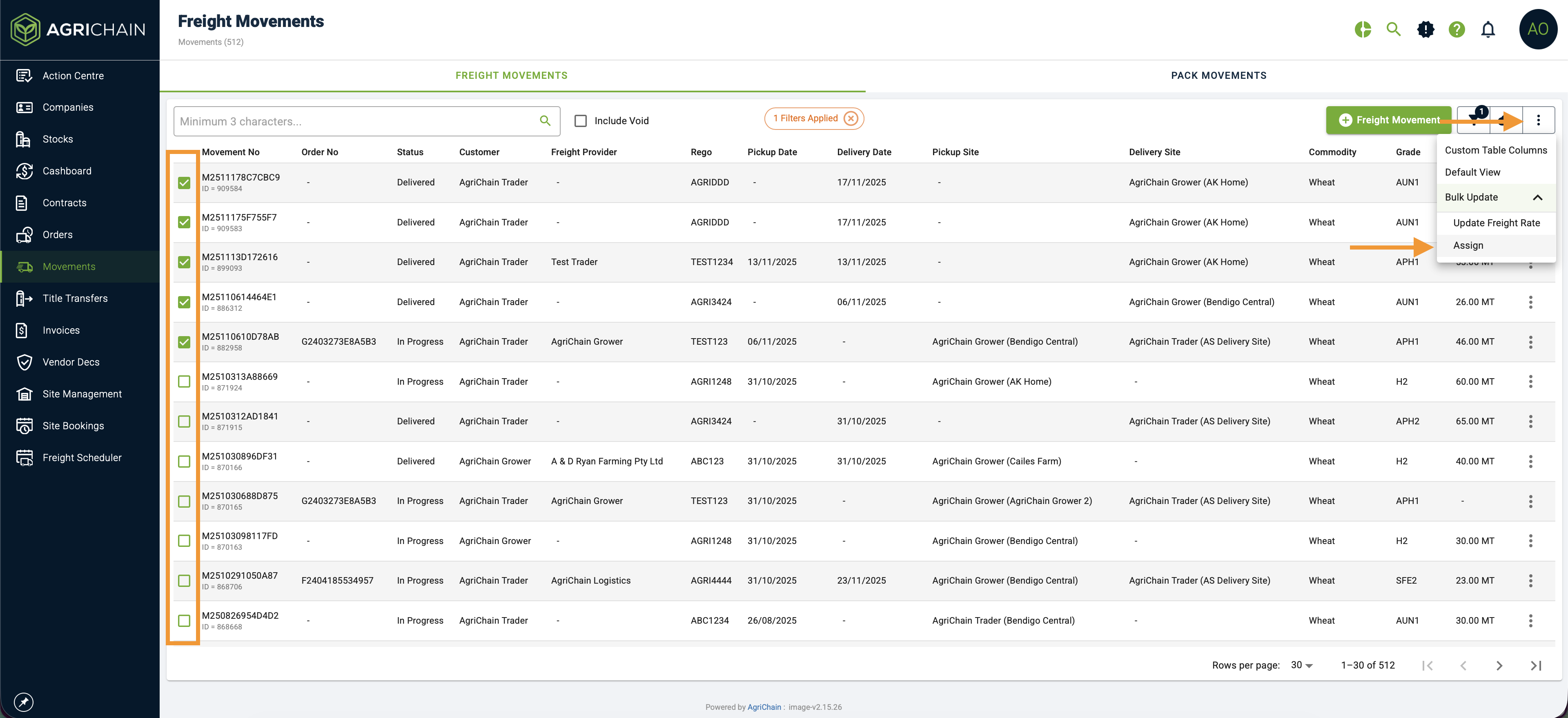
- You may assign it to a contract, freight order, call on grain order, or a request order.
Was this article helpful?
That’s Great!
Thank you for your feedback
Sorry! We couldn't be helpful
Thank you for your feedback
Feedback sent
We appreciate your effort and will try to fix the article